


“Whether we’re talking about socks or stocks, I like buying quality merchandise when it is marked down.”
The best free trap VSTs are Vital, a free synth for leads, pads and bass, and the free LABS packs in Splice INSTRUMENT for pianos and strings. For dark trap and drill melodies, add the top picks from Mix Elite’s free instruments video: Creepy Piano 3 Lite, Komplete Start in the free Kontakt Player, DSK World StringZ and SINEfactory. For vocals and effects, add Graillon 3 for tuning, Saturation Knob for 808 grit and Ozone Imager for stereo width.
When you hear an eerie piano or haunting strings in a dark trap melody, it’s easy to assume an expensive sound library, not a free trap VST. It doesn’t have to be. This list comes mostly from Mix Elite’s video on free instruments for trap, drill and hip-hop, which has more than 750,000 views. We checked every plugin again on its maker’s site in October 2026, since some have new names and two aren’t free anymore.
Table of Contents
Max’s top free trap VST instruments, checked for 2026
A VST is a plugin, a small program that adds a new instrument or effect to your music app. Max, the founder of Mix Elite, counted down his ten favorites in the video below, and his taste is easy to spot. He likes real, organic instruments under hard trap drums. In his words, “I personally really like having orchestral and organic elements in my trap drill and hip hop tracks.” These are his picks that still work in 2026, in his order.
1. Creepy Piano 3 Lite (Electronik Sound Lab)
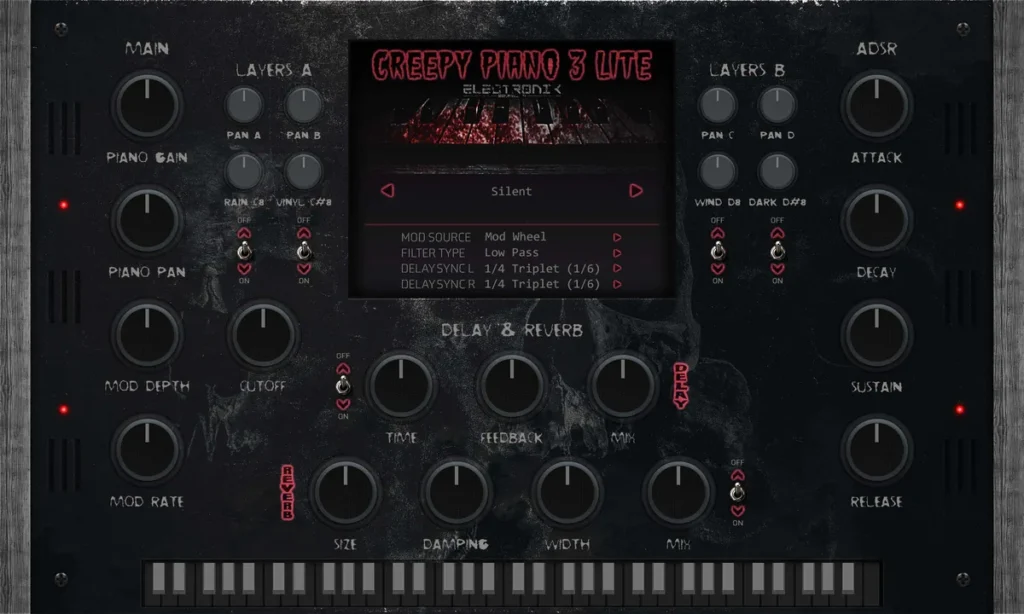
The number one pick in the video is a dark, haunted piano made for scary melodies, the hidden gem of the whole list. Its presets are ready to go, with no processing needed to make a full melody. Today the free version is called Creepy Piano 3 Lite, and it has 28 sampled piano presets.
Price: free. Electronik Sound Lab’s store lists it at $1.00, and the code on the product page, cp3free, brings it down to $0 (October 12, 2026). It runs on 64-bit Windows 8.1 to 11 and on macOS 10.14 and up, as a VST, VST3 or AU plugin. It needs about 1.08 GB of space. Get it from Electronik Sound Lab’s store.
2. Komplete Start and Kontakt Player (Native Instruments)
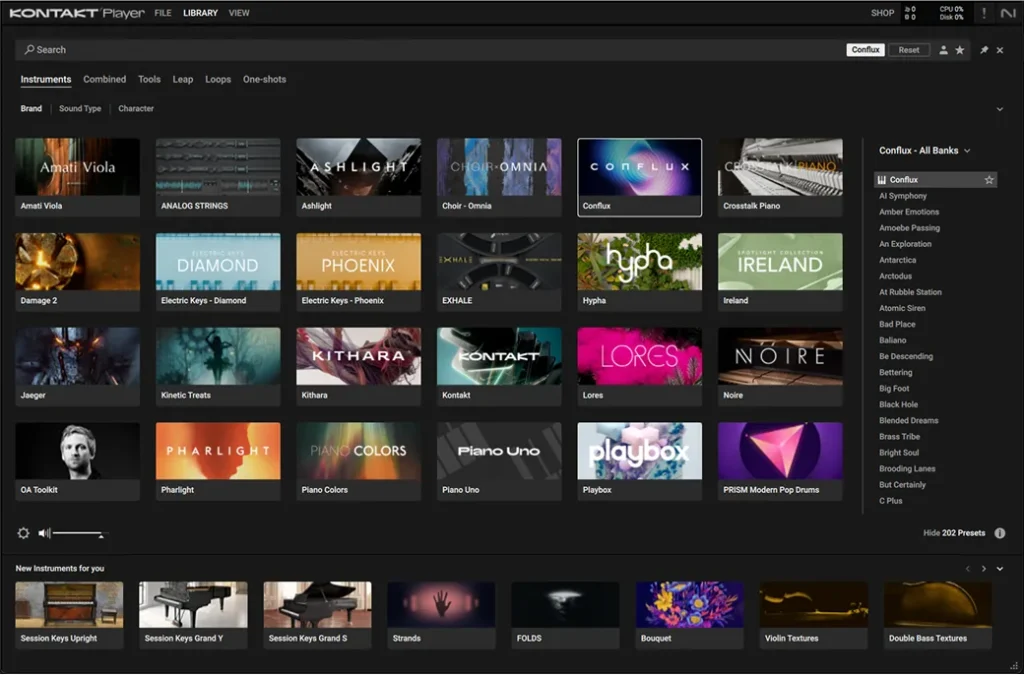
The video calls this the one so many producers miss out on. Kontakt Player is Native Instruments’ free sample player, and hundreds of free sound libraries are made for it. The advice: take a Saturday afternoon, download dozens of free Kontakt libraries and keep the ones you like.
Komplete Start is NI’s free bundle that comes with it. In 2026 it includes Kontakt Player, Leap, Massive X Player, Analog Dreams, Ethereal Earth, Irish Harp, the Kontakt Factory Selection and effects like Supercharger, Raum and Replika, about 17 GB in all. In the video, the favorites are Kinetic Treats and a Persian Ney. Kinetic Treats isn’t listed in the 2026 bundle, so expect a slightly different set of sounds.
Price: free, a free download on Native Instruments’ site (October 12, 2026). You install everything with the Native Access 2 app and a free NI account. Kontakt 8 Player needs Windows 10 or 11, or macOS 14 and up, and runs as a VST3, AU or AAX plugin. Get it from Native Instruments.
Many free Kontakt libraries online are made for the paid, full version of Kontakt. The free Kontakt Player only opens those in demo mode, 15 minutes at a time. Before you download one, check that its page says it works in Kontakt Player.
3. DSK World StringZ (DSK Music)
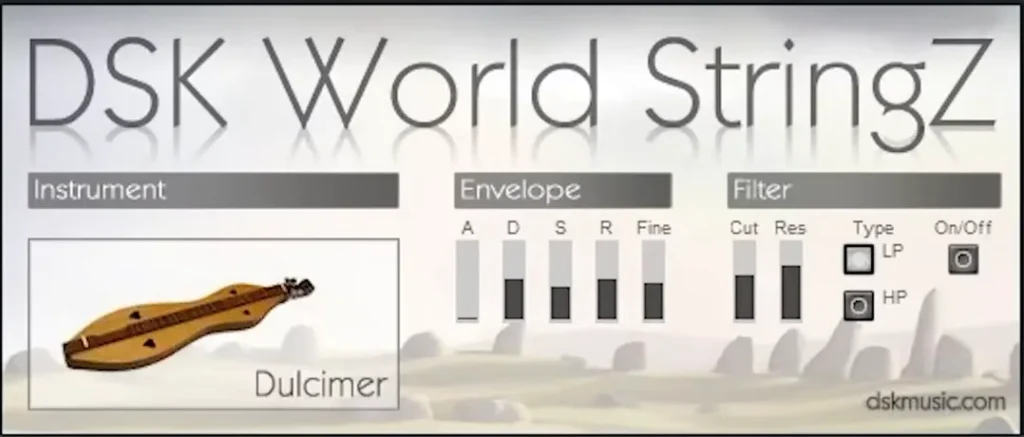
Number three is one of the favorites on the whole list: a set of plucked string instruments from around the world, and the video’s pick when you want a guaranteed banger. Plucked strings cut through busy drums, so they make great main melodies.
Price: free on DSK Music’s site (October 12, 2026). The updated version has 13 instruments, including a koto, sitar, Turkish oud, pipa, dulcimer and Celtic harp. It’s 100% free for personal and commercial use, with a direct download and no sign-up. You get 32-bit and 64-bit VST and a VST3 for Windows, and VST3 and AU for Mac. Get it from DSK Music.
4. SINEfactory (Orchestral Tools)
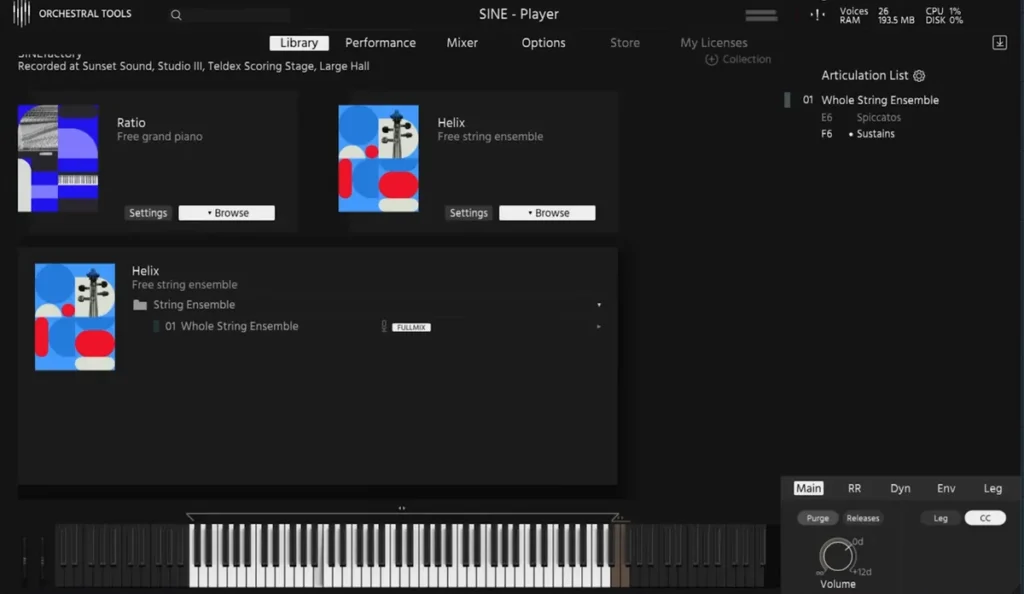
Number four is Orchestral Tools’ free collection, which the video rates as slowly closing in on LABS. SINEfactory is a set of 15 free instruments. The video loads Ratio, a free Steinway B grand piano, and Helix, a free string ensemble. The other 13 instruments are worth a listen, too.
Price: free, “totally free” on Orchestral Tools’ site with a free account (October 12, 2026). You add the instruments to a free Orchestral Tools account, then download them in the free SINE Player. It runs on 64-bit Windows 10 and macOS 10.15 and up, Apple chips included, as a VST, VST3, AU or AAX plugin. Ratio alone takes about 2.8 GB once it’s installed. Get it from Orchestral Tools.
5. LABS, now in Splice INSTRUMENT (Spitfire Audio)
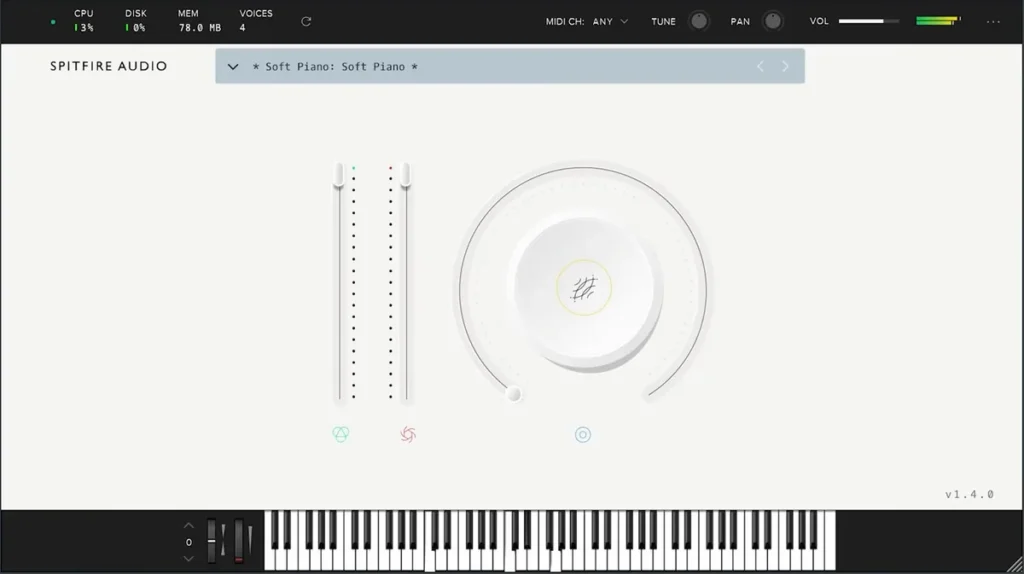
In Mix Elite’s free 4.5-hour FL Studio course, Max calls LABS “the hands down best free VST instrument plugin.” The favorites in this video are Soft Piano, Strings, Trumpet Fields, Hand Bells, Charango, Moon Guitar and Mandolin, and Soft Piano is the first one it opens.
Price: free with a free Splice account (October 12, 2026). One big change since the video: Splice bought Spitfire Audio, and LABS now lives inside Splice INSTRUMENT, a free plugin. Soft Piano, Trumpet Fields, Hand Bells, Charango, Moon Guitar and Mandolin are all still free packs there. It runs on Windows 10 and macOS 12 and up, as a VST3, AU or AAX plugin, and it needs an internet connection. Get it from Splice.
6. VSCO 2 Community Edition (Versilian Studios)
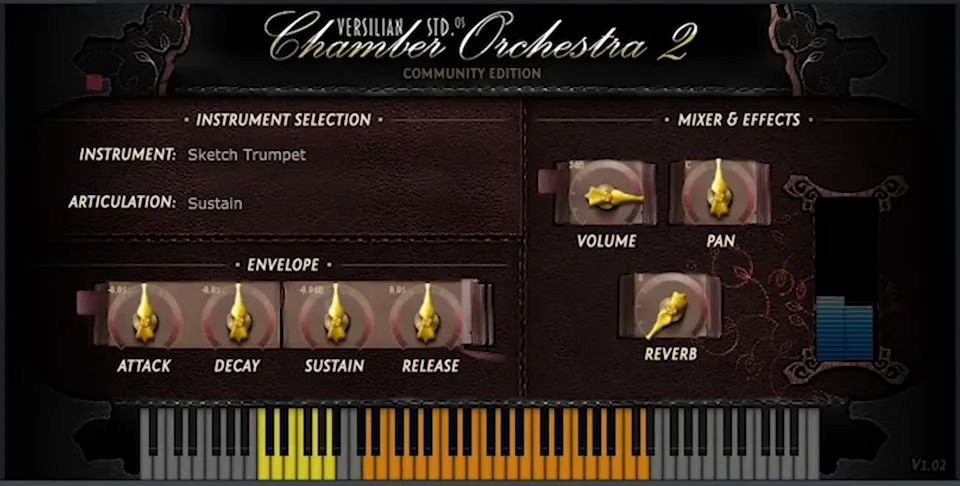
Next on the list is a free orchestra with strings, brass, woodwinds, percussion and keys. It wins on its dirtier, vintage sound, and you get single instruments, not just whole sections. For a simple motif, a vintage-sounding trumpet or fiddle on its own is often enough.
Price: free as a direct download on Versilian’s site, or $2 if you want a Pulse download key (October 12, 2026). Versilian Studios gives it away free, about 3 GB of sounds, with no email sign-up. The catch is that Versilian no longer makes a plugin version. You get SFZ files, a common sampler format, and you play them in a free SFZ player such as sforzando by Plogue, which runs in FL Studio as a VST3 plugin. Get it from Versilian Studios.
7. Etherealwinds Harp II CE (Versilian Studios)
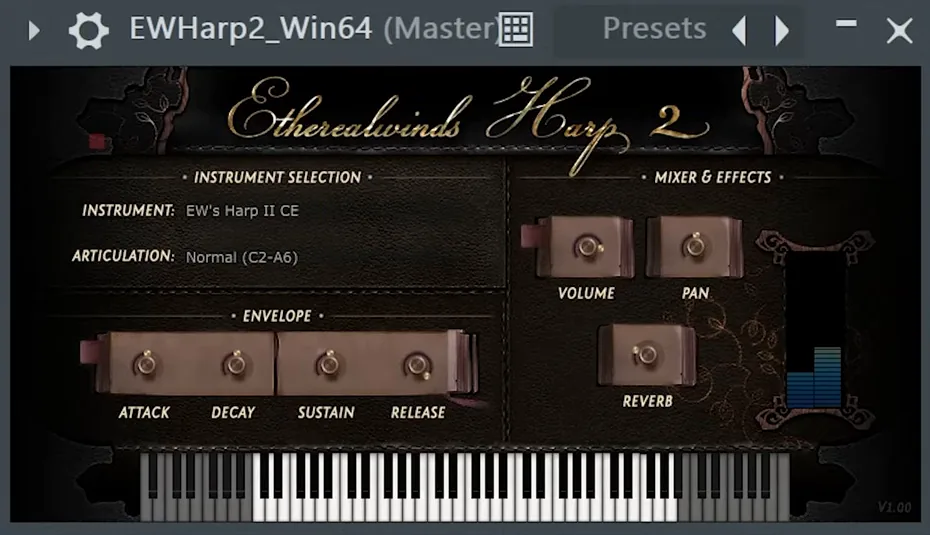
There’s always space for a harp in drill, trap or hip-hop tracks, the video says, and you can’t go wrong with this one. A harp line an octave above your main melody adds sparkle without crowding the mix.
Price: free on Versilian’s site, with zero sign-ups (October 12, 2026). It has 255 samples and needs about 400 MB of space. Like VSCO, it now comes as SFZ files for a free SFZ player. The old plugin version from the video is still there, but only for Windows. Get it from Versilian Studios.
8. Ample Guitar M Lite (Ample Sound)
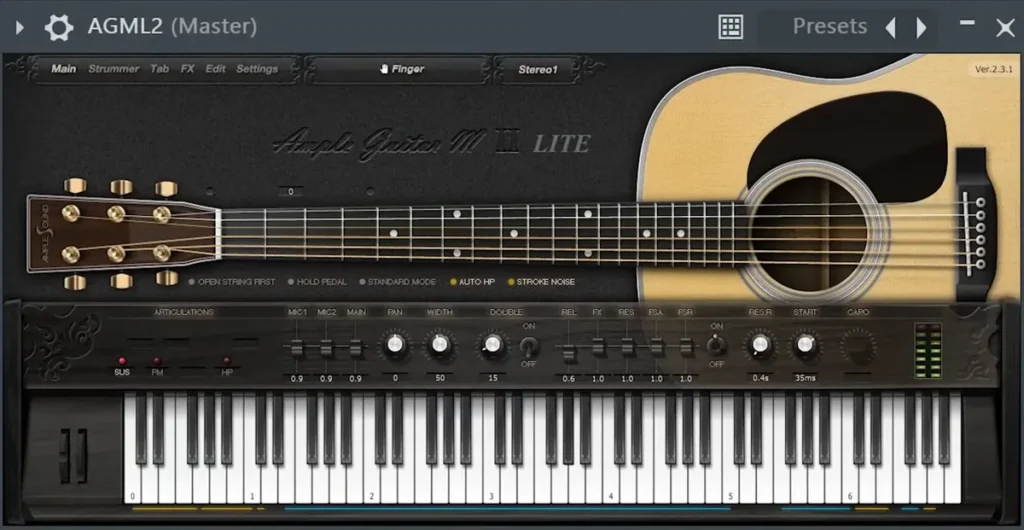
The video calls it a really professional-sounding guitar that will spice up your tracks. Single mode is the favorite there, though you can also play it in strum mode. Single notes keep a trap guitar line clean, while strums fill out a slower beat.
Price: free on Ample Sound’s site (October 12, 2026). The free version is now Ample Guitar M Lite 4. It’s a sampled Martin D-41 acoustic guitar, played fingerstyle, in an 877 MB library. It runs on 64-bit Windows 7 to 11 and macOS 10.15 and up, Apple chips included, as a VST2, VST3, AU or AAX plugin. Ample Sound doesn’t host the file itself. Its download page sends you to partner stores such as Plugin Boutique. Get it from Ample Sound.
9. Cloudrum (Ample Sound)
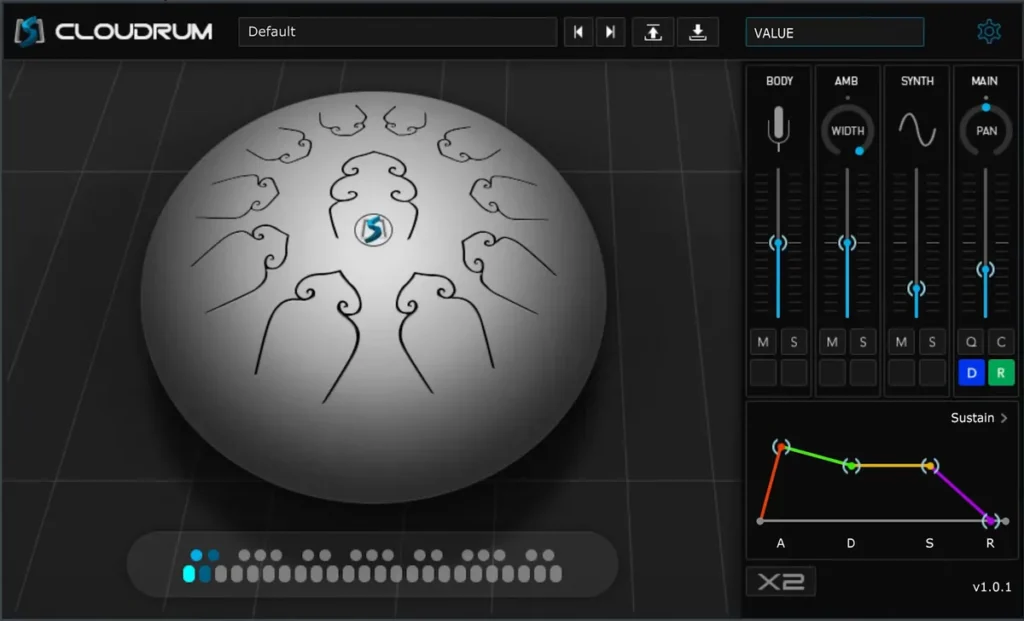
In the video, Cloudrum shares the number ten spot with the guitar. It’s a steel tongue drum with a big sound that fills up the whole frequency spectrum and makes great ambient textures, too. Play a few slow notes with lots of space between them.
Price: free on Ample Sound’s site (October 12, 2026). It has a three-octave range and 760 MB of samples. It runs on 64-bit Windows 7 to 11, but it’s an older build from 2017, and Ample’s page only lists Intel Macs. Like the guitar, you get it from a partner store. Get it from Ample Sound.
4 more free VSTs for trap synths and 808s
The video’s top 10 is all about real instruments. Trap also needs synths for leads, pads and bass, so here are four free ones that cover it.
10. Vital (Vital Audio)
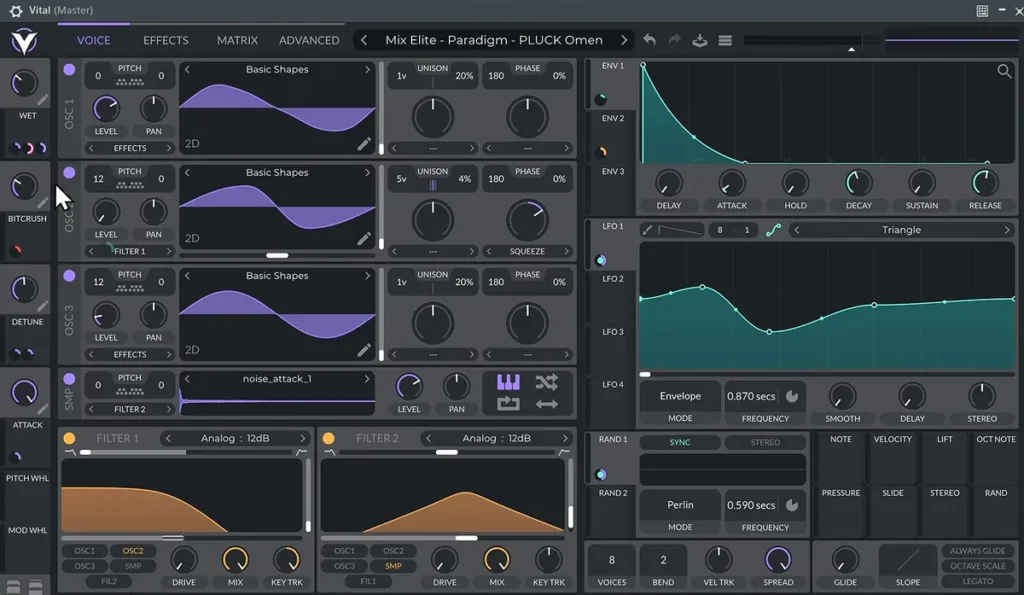
In Mix Elite’s free FL Studio course, Max calls Vital “the best free VST synthesizer,” and the course shows how to get it: pick the free Basic plan and make an account. There’s no need to upgrade to Plus or Pro, because the paid plans mostly add presets. Basic is the full synth with every feature, 75 presets and 25 wavetables.
Price: free with the Basic plan on Vital Audio’s site (October 12, 2026). It runs on 64-bit Windows 10 and up, macOS 10.15 and up (Intel or Apple chips) and Ubuntu Linux, as a VST, VST3, AU or LV2 plugin. The course isn’t a fan of the built-in presets, so grab a free Vital preset pack to start with. Get it from Vital Audio.
11. Iota Mini (AngelicVibes)
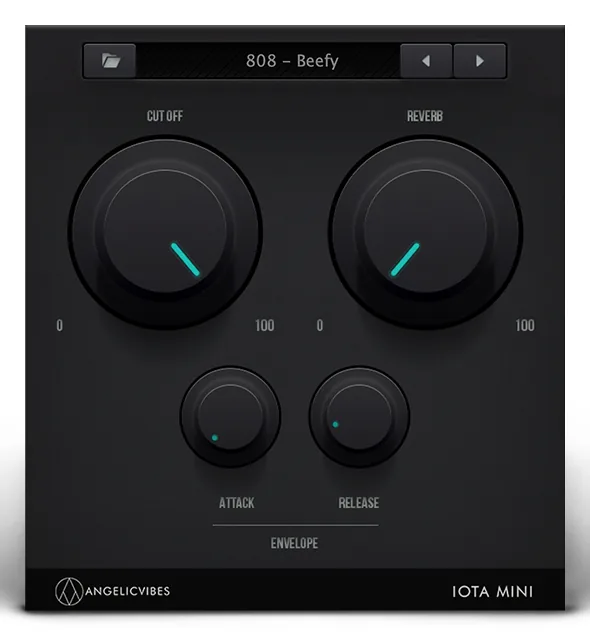
Iota Mini was made for trap. It loads 50 ready-made instruments, including an 808, plus 60 drum samples, and you only get four knobs: cutoff, reverb, attack and release. That makes it the fastest way to get ready-made trap sounds with no sound design at all.
Price: free with a free AngelicVibes account (October 12, 2026). It needs about 1.06 GB of space. It runs on Windows 10 and macOS 10.14 and up, as a VST3 or AU plugin. Get it from AngelicVibes.
12. Surge XT (Surge Synth Team)
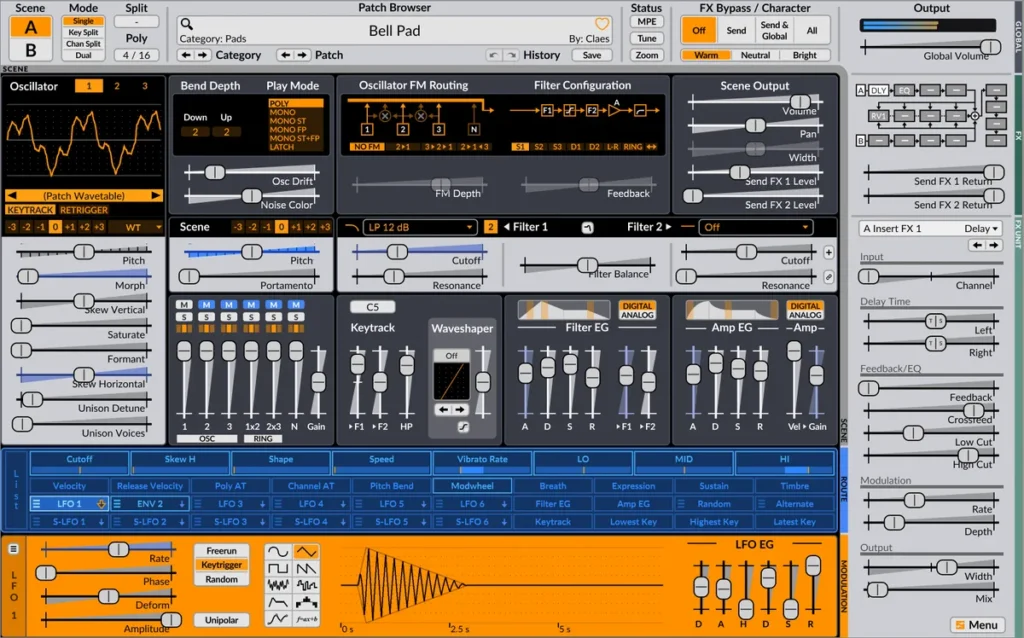
Surge XT is a free, open-source synth with over 2,800 patches and over 700 wavetables. It goes deeper than Vital, so it’s a little harder to learn. Treat it as your second synth.
Price: free and open source (October 12, 2026). There’s no account to make. It runs on Windows, Mac and Linux, as a VST3, CLAP or AU plugin, and as an app on its own. Get it from the Surge Synth Team.
13. TyrellN6 (u-he)
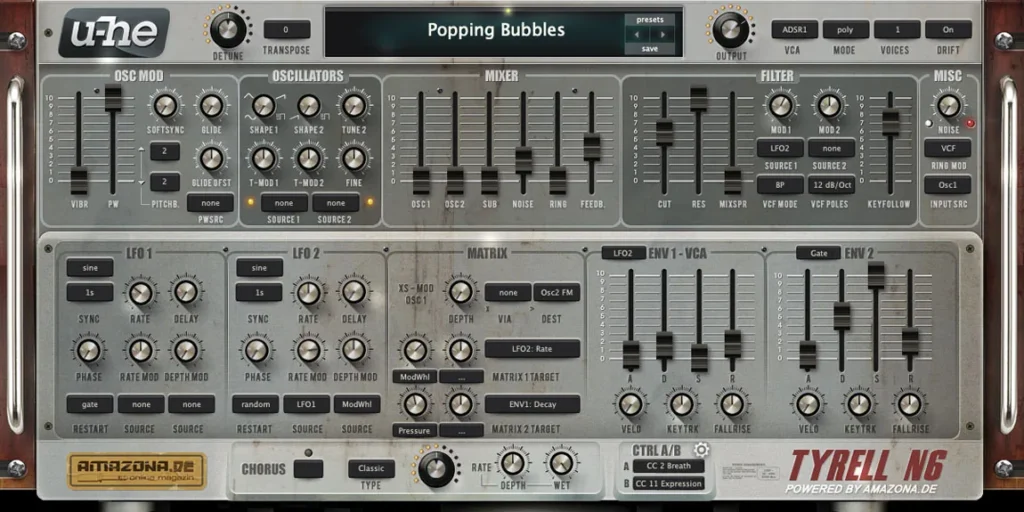
TyrellN6 is a free analog-style synth from u-he, with over 580 presets. It suits warm leads, pads and bass, and it doesn’t need a serial number.
Price: free, “Tyrell N6 is free!” on u-he’s site (October 12, 2026). It runs on Windows 7 and macOS 10.7 and up, with native Apple chip support, plus a Linux beta. On Windows you get VST3, CLAP and AAX, and on Mac you also get AU. u-he still calls the current version a beta. Get it from u-he.
4 free effects trap producers use: vocals, grit, width and glitch
The picks above make the sounds, and these four free effects shape them. Each one covers a job a trap beat needs: a tuned vocal, a gritty 808, wide pads and the odd glitchy stutter.
14. Graillon 3 (Auburn Sounds)
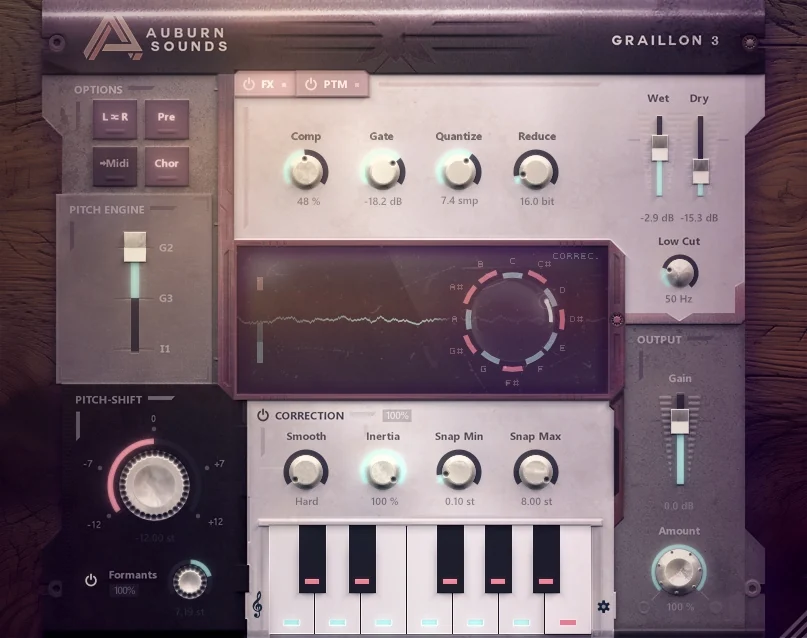
Graillon 3 is a free pitch correction plugin, and a free way to get the hard-tuned vocal sound you hear in so much trap. Turn the correction all the way up for the robotic effect, or keep it gentle so a singer just lands on the right notes. The free edition also has a pitch shifter and formant shifting, so you can push a voice higher or lower and change its character. The old Graillon 2 sound is still inside, as one of its three pitch engines.
Price: free edition on Auburn Sounds’ site (October 21, 2026). The paid Full edition adds three extras: pitch-tracking modulation, keyboard tuning and a vocal doubler. Version 3.2 runs on Windows, macOS and Linux, as a VST, AU, AAX or LV2 plugin. Get it from Auburn Sounds.
15. Saturation Knob (Softube)
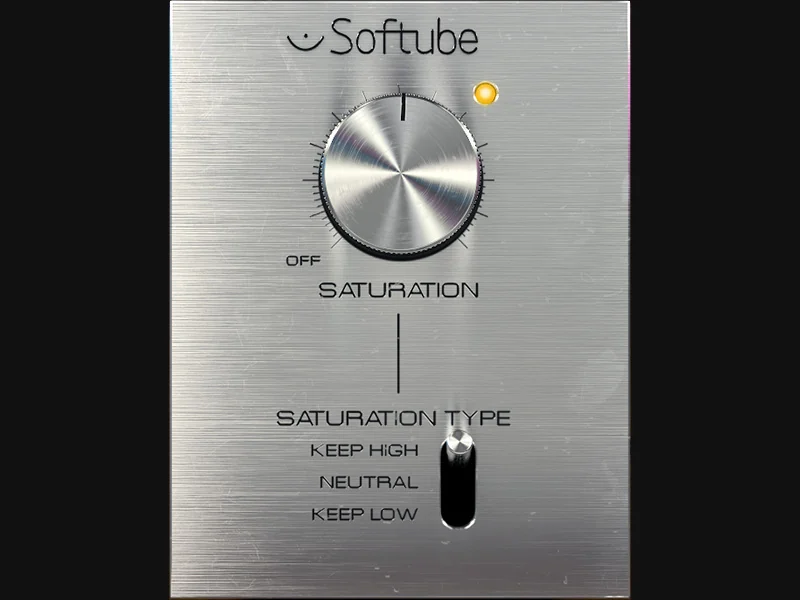
Saturation Knob adds warm, analog-style distortion with one big knob and a three-way switch. On an 808, the Keep High mode puts the grit in the low end, and those extra harmonics help the bass show up on small phone speakers. Keep Low does the opposite. It roughs up the top of a drum loop and leaves the kick fairly clean. Softube’s page quotes seven-time Grammy winner Michael Brauer, who uses it on guitars, snares, kicks and vocals.
Price: free in the Softube Central app (October 21, 2026). You need a free Softube account and an iLok account, but no iLok dongle. It runs on 64-bit Windows 10 and 11 and on macOS 14 and up, as a VST, VST3, AU or AAX plugin. Get it from Softube.
16. Ozone Imager (iZotope)
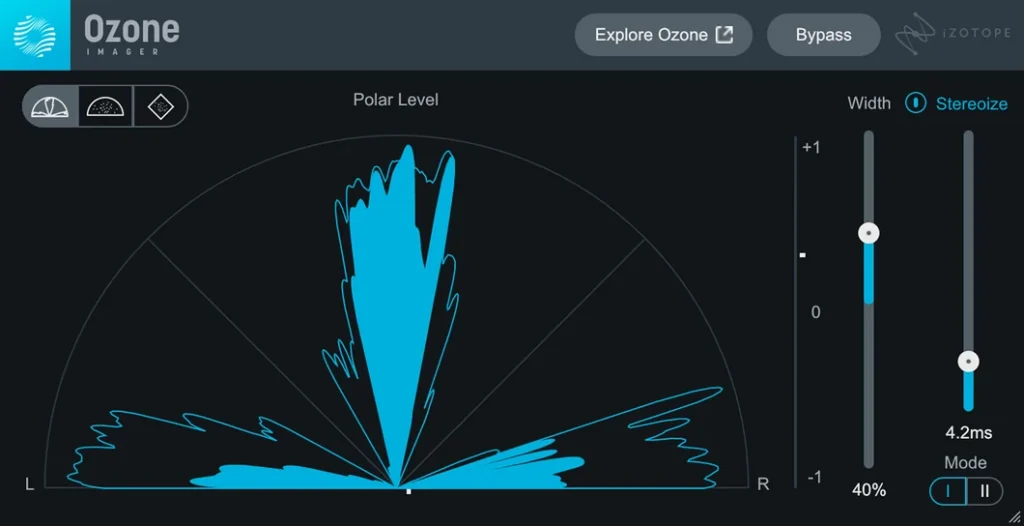
Ozone Imager makes a sound wider or narrower with one Width slider, and its three meters show how wide your beat really is. Spread pads, hi-hats and background vocals wider. Then narrow the 808 and kick toward mono, so the low end stays solid on phone speakers. Its Stereoize control turns a mono sound into stereo without any reverb, with a subtle mode and a more colorful, phasey one.
Price: free download in iZotope’s store (October 21, 2026). It’s 64-bit only and runs on Windows 10 and 11 and on macOS 14.7 and up, Intel or Apple chips, as a VST2, VST3, AU or AAX plugin. Get it from iZotope.
17. Fracture (Glitchmachines)
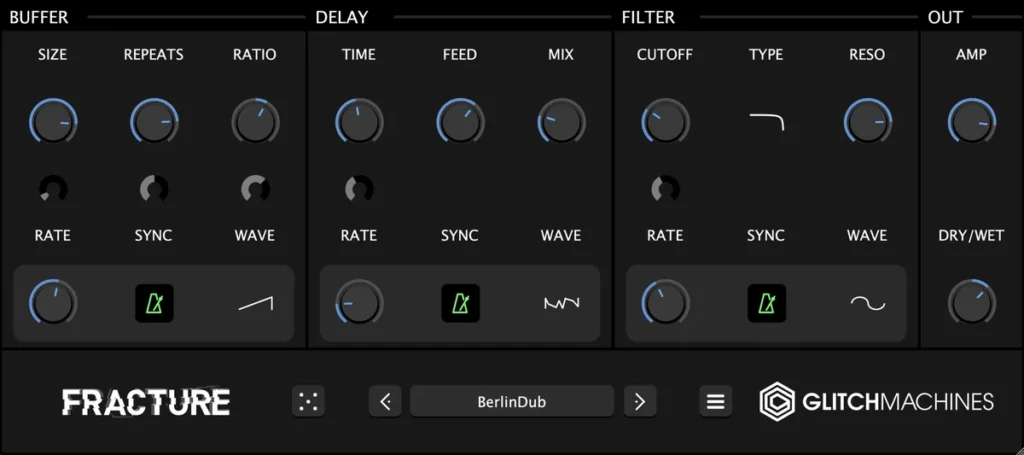
Fracture chops a sound into glitchy stutters, skips and robotic repeats. Try it on a hi-hat loop or a vocal for one bar at the end of a section, and it adds the kind of ear candy that keeps a repeating trap loop interesting. Inside, it’s a buffer effect, a filter and a delay, each moved by its own LFO (a control that turns a knob for you, over and over). The 100 presets are the fast way in.
Price: free on Glitchmachines’ site (October 21, 2026). You add it to the cart and check out at no cost. Version 1.4 runs on Windows 11 and macOS 11 and up, as a 64-bit VST3 or AU plugin. Get it from Glitchmachines.
Which free trap VSTs should you skip in 2026?
These came up in the video or in the old version of this page, but they’re not a good free pick anymore:
- Keyzone Classic: no longer free. Its maker, Bitsonic, now sells Keyzone Classic 4, listed at $69 on KVR Audio (October 12, 2026).
- Simple Flute (Fluffy Audio): still free, but it needs the paid full version of Kontakt. In the free Kontakt Player it only runs in 15-minute demo mode.
- Studiolinked Drum Pro: the old download site is gone, and it isn’t in the company’s store.
- D16 Frontier: free, but only for registered D16 users who have bought, or later buy, any D16 product.
For more free effects, such as EQ, compression and reverb, see our list of the best free mixing plugins, which we checked the same way.
How do you load free VSTs in FL Studio?
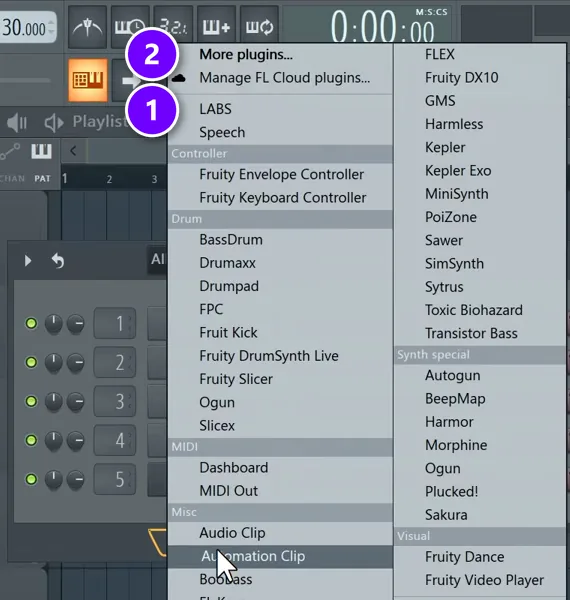
Run the plugin’s installer and keep its default folder; on Windows that’s Program Files > Common Files > VST3. Then in FL Studio, open Options > Manage plugins, click Find installed plugins, star the new plugin, and add it from the + button in the Channel Rack.
New instruments go in the Channel Rack. Click its + button and your starred plugins show at the top of the menu (1), while More plugins (2) lists everything else you’ve installed.
Every plugin on this list goes in the same way. The full walkthrough, with screenshots for Windows and Mac, is in our guide on how to install VST plugins in FL Studio. Here is the short version:
- Run the maker’s installer, or its app for Kontakt, SINE and Splice libraries. On Windows, keep the default VST3 folder so FL Studio finds the plugin on its own.
- In FL Studio, open Options > Manage plugins and click Find installed plugins. If a plugin won’t show up or won’t load, tick Verify plugins first.
- Click the star next to the new plugin so it shows up in your short list.
- Open the Channel Rack with F6, click the + button at the bottom and pick the plugin. It gets its own channel, and you write notes for it in the Piano Roll.
- For Kontakt libraries, load Kontakt itself as the instrument, then pick the library in Kontakt’s own browser. SINEfactory works the same way inside SINE Player, and the SFZ libraries open inside sforzando.
The rule from Mix Elite’s install video is worth remembering: if a plugin comes with an installer, the part that matters is the VST or VST3 folder it installs to. When FL Studio shows the same plugin twice, pick the VST3 version, the newest format.
Why do my trap beats sound thin with stock sounds?
Usually part of the sound is missing, not a plugin. Max’s first mixing check is a full spectrum: sub, bass, mids and highs all filled, each sound in its own place, without piling on too many. He also says FL Studio’s stock effects can mix a great track, so free plugins help most by giving you better instruments.
- Fill the empty range. An 808 or sub for the lows, one main instrument for the mids, and hi-hats, crashes or noise up top.
- Swap the main sound. Trade a plain preset for a real instrument from the list above, like Creepy Piano 3 Lite or LABS Soft Piano.
- Check it in mono. Most phone speakers play in mono, so a beat that only sounds big in stereo can sound thin on a phone. Then make sure the kick and 808 aren’t fighting.
How do you make a dark trap melody with free VSTs?
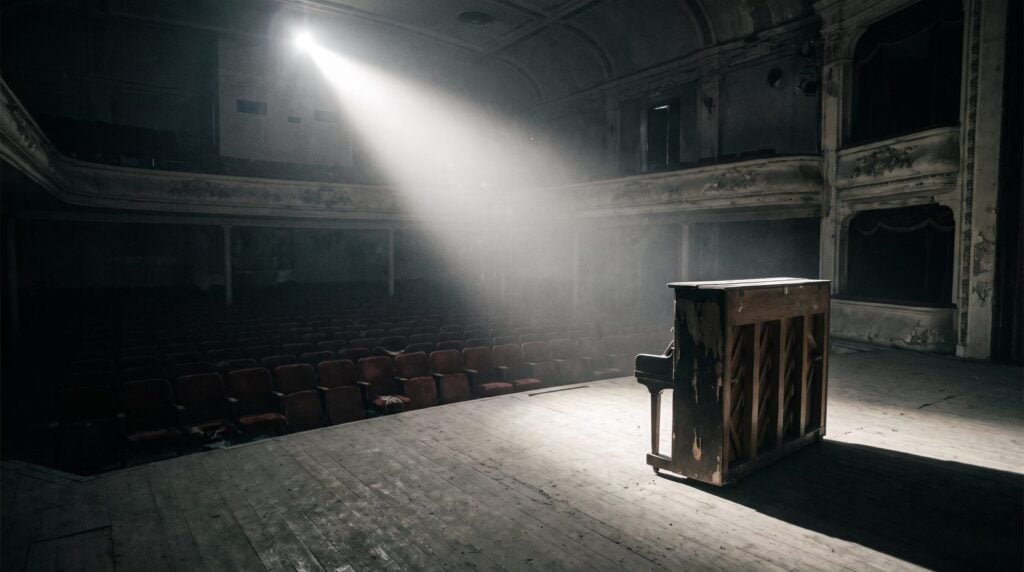
Pick one dark main sound and build around it. Most picks in the video’s top 10 are real, organic instruments: piano, strings, harp, flute and guitar, played over hard trap drums. Here is how those sounds fit together in a beat:
- Pick one main sound. A dark piano such as Creepy Piano 3 Lite or LABS Soft Piano, or a plucked string from DSK World StringZ, plays the main idea.
- Write the chords and melody in the Piano Roll. If you don’t know where to start, our guide on how to make chords in FL Studio shows the notes to use, even if you’ve never played piano.
- Add one layer, not five. A string section from SINEfactory or LABS, or a harp an octave higher, fills the space behind the main sound.
- Let the 808 follow the chords. Mix Elite’s free FL Studio course puts it simply: an 808 usually behaves like a kick drum. Play the root note of each chord, in the same rhythm as your kick.
Then build the drums around it. Our step-by-step guide to making your first beat walks you through the whole process in FL Studio.
What about free 808 and drum VSTs?
You don’t need a plugin for the 808 at all. The popular way now, as Mix Elite’s free FL Studio course points out, is to skip the synth and use a sample as the instrument: drag an 808 sample onto a channel and play it in the Piano Roll like any other instrument. One good 808 sample, tuned to the key of your song, can carry the whole low end. Want it inside a plugin instead? Iota Mini comes with ready-made 808 sounds.
18. BPB Cassette Drums (Bedroom Producers Blog)
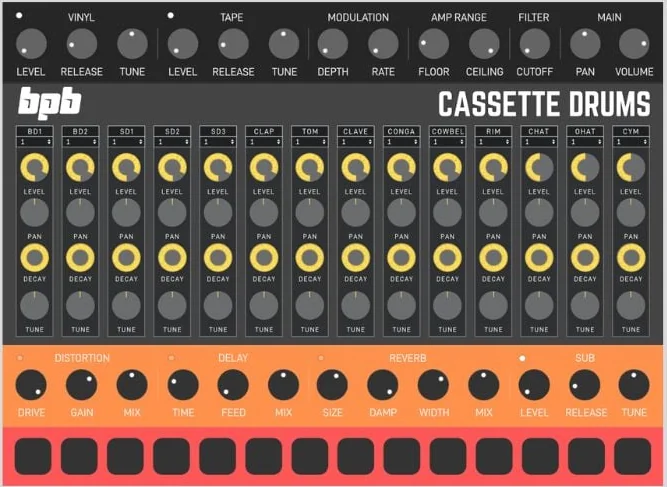
BPB Cassette Drums is a free drum machine plugin with the sounds of the Roland TR-606, TR-808 and TR-909, plus the MFB-522. Bedroom Producers Blog recorded the samples through old tape machines, so the 606, 808 and 909 each come in clean, warm and hot kits, with more tape grit at every step. For trap, the 808 kits give you the classic claps, hi-hats and cowbell. You get 13 kits and 14 drum channels, each with its own level, pan, decay and tune, plus built-in distortion, delay and reverb.
Price: free. Bedroom Producers Blog’s store lists it at $1.00, and the code FREEDRUMS brings it down to $0 (October 21, 2026). It runs on Windows and macOS, as a VST, VST3 or AU plugin, and the download is 85.3 MB. Get it from Bedroom Producers Blog’s store.
For more free drum machines and kits, our best drum VST guide lists the free ones that still work in 2026, and our guide on how to mix a kick and an 808 stops the two from fighting once your beat is built.
The best free trap VSTs at a glance
Here are all 18 in one place, from the video’s top 10 to the extra synths, effects and drums.
| Plugin | Best for | What you need |
|---|---|---|
| Creepy Piano 3 Lite Windows, Mac | Dark, haunted piano melodies | A free code at checkout |
| Komplete Start Windows, Mac | A big bundle of keys, synths and sounds | Native Access and an NI account |
| DSK World StringZ Windows, Mac | Plucked strings: koto, sitar, oud | Nothing, direct download |
| SINEfactory Windows, Mac | Grand piano, strings, odd textures | SINE Player and an account |
| LABS in Splice INSTRUMENT Windows, Mac | Soft piano, strings, bells, guitars | A free Splice account |
| VSCO 2 CE Windows, Mac, Linux | Orchestra, solo trumpet, fiddle | A free SFZ player |
| Etherealwinds Harp II CE Windows, Mac, Linux | Harp layers | A free SFZ player |
| Ample Guitar M Lite Windows, Mac | Acoustic guitar | A partner store download |
| Cloudrum Windows, Intel Mac | Tongue drum melodies and ambience | A partner store download |
| Vital Windows, Mac, Linux | Leads, pads, plucks and bass | A free account |
| Iota Mini Windows, Mac | Ready-made trap sounds and an 808 | A free account |
| Surge XT Windows, Mac, Linux | A deeper second synth | Nothing |
| TyrellN6 Windows, Mac | Warm analog-style leads and pads | Nothing |
| Graillon 3 Windows, Mac, Linux | Tuned and hard-tuned trap vocals | Nothing, direct download |
| Saturation Knob Windows, Mac | Grit on 808s, drums and vocals | Softube and iLok accounts |
| Ozone Imager Windows, Mac | Stereo width for pads and hi-hats | A free checkout at iZotope |
| Fracture Windows, Mac | Glitchy stutters and ear candy | A free checkout at Glitchmachines |
| BPB Cassette Drums Windows, Mac | 606, 808 and 909 drum kits | A free code at checkout |
Every one has a 64-bit Windows version, and every one loads in any FL Studio edition, even the cheapest. Mac support is noted for each plugin above. We checked each maker’s page in October 2026.
DAY 2 OF THE 7-DAY MUSIC PRODUCER COURSE
Got the free sounds? Day 2 shows you what to play.
Day 2 of the 7-Day course covers music theory, chords and melodies: the 3-step chord progression formula, 4 easy ways to write melodies even if you’ve never touched a keyboard, and where to find pro-quality instruments, paid and free, and how to install them. You also download 20+ free plugins and tools and 30+ chord progressions. It’s taught in FL Studio (the free trial works), about 45 minutes a day, and on day 7 a pro gives you feedback on your finished track. It’s $27, and you get 60 days to decide if it was worth it.
Frequently asked questions
What is the best free trap VST?
For synths, it’s Vital: the free Basic plan is the full synth, and Mix Elite’s free FL Studio course calls it the best free VST synthesizer. For real pianos, strings and bells, get the free LABS packs in Splice INSTRUMENT. For dark trap and drill melodies, the top pick in Mix Elite’s free instruments video is Creepy Piano, now free as Creepy Piano 3 Lite.
What are the best free plugins for dark trap melodies and 808s?
For dark melodies, try Creepy Piano 3 Lite, LABS Soft Piano in Splice INSTRUMENT, DSK World StringZ and SINEfactory’s Ratio piano. For 808s, the popular way is an 808 sample played as an instrument in FL Studio, tuned to your key, and Iota Mini comes with ready-made 808 sounds. Vital covers leads, pads and plucks.
How do you add a free VST to FL Studio?
Run the plugin’s installer and keep its default VST3 folder. In FL Studio, open Options > Manage plugins and click Find installed plugins, then star the new plugin. Click the + at the bottom of the Channel Rack, pick the plugin, and write its notes in the Piano Roll.
Why do my trap beats sound thin with stock sounds?
Usually a part of the frequency range is empty: no real sub, a weak main sound, or nothing up top. Fill the lows, mids and highs with one clear sound each, swap a plain preset for a real instrument like Creepy Piano 3 Lite or LABS Soft Piano, and check the beat in mono, since most phone speakers are mono.
What VST plugins do trap producers use?
Many trap producers use paid plugins such as Omnisphere, Serum, Kontakt, Nexus, Output Exhale and Loopmasters Bass Master. You can cover the same jobs for free: Vital for synths, Kontakt Player with Komplete Start for sampled instruments, LABS for pianos and strings, Graillon 3 for tuned vocals and an 808 sample in FL Studio for the bass.





