“I’m not a big believer in inspiration; I’ve always said inspiration is for amateurs.”
For most beginners, the best DAW is FL Studio: it runs on Windows and Mac, it’s built for making beats fast, and its free trial never runs out (it just won’t reopen saved projects). Start free and pay only when you hit a limit: on a Mac, GarageBand costs nothing, and on Windows, Cakewalk Next and Waveform Free are free for good.
A lot of people who want to make music lose their first week before they make a single sound. They read reviews, watch comparison videos and ask Reddit, because picking the wrong program feels like it could waste months.
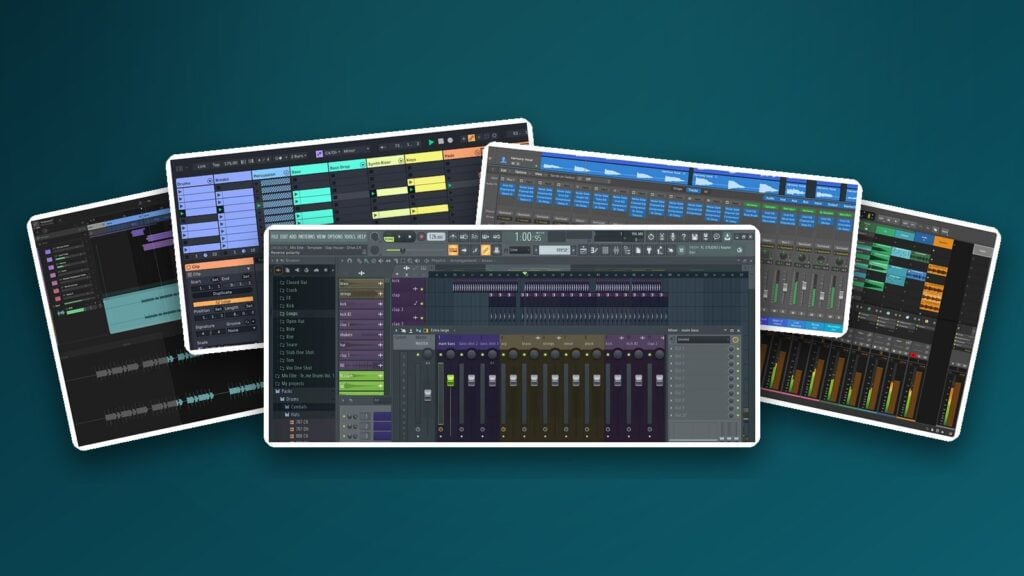
It won’t. A DAW, short for digital audio workstation, is simply the music production software you make songs in, and Max, the founder of Mix Elite, puts it plainly: “Each DAW is made out of the same elements that just basically look different.” Below you’ll find the DAW Mix Elite teaches in, why it suits beginners, and 10 more worth your time, with every price checked on the maker’s own US site on October 11, 2026.
Table of Contents
Which DAW should you use? Ask 3 questions
Pick by your computer, the music you want to make and your budget. If you’re on a Mac and want to spend nothing, start with GarageBand; if you want to make beats on Windows or Mac, start with FL Studio’s free trial. Then let the free versions settle it, because you can try them all without paying.
- Mac or Windows? GarageBand and Logic Pro only run on Apple devices. FL Studio, Ableton Live, Bitwig, REAPER and most free DAWs run on both.
- What do you want to make? Beats and electronic music are fastest in DAWs built around loops and patterns, like FL Studio and Ableton Live. Recording your voice or a band is just as easy in track-based DAWs like Logic Pro or REAPER.
- Free for good, free trial or paid? Some DAWs never cost a cent, some give you a trial, and the rest charge once you need more. Most of them let you start tonight for $0.
Don’t worry about picking wrong. Every DAW records, edits and mixes, and the skills carry over, so moving to another one later takes days, not months.
Each of the big names has its own fans. Pro Tools became the standard for recording live instruments, songwriters love Logic Pro on the Mac, and Ableton Live suits tech lovers and live performers. The short video below covers the gear you need and the DAW to start with.
The best DAW for beginners: 11 picks for 2026
FL Studio is the best all-round DAW for beginners, GarageBand is the best free one on a Mac, and Cakewalk Next and Waveform Free are the best free ones on Windows. Every price below comes from the maker’s own US page, in US dollars, checked on October 11, 2026. Sales come and go, so check the link before you buy.
1. FL Studio (Image-Line)
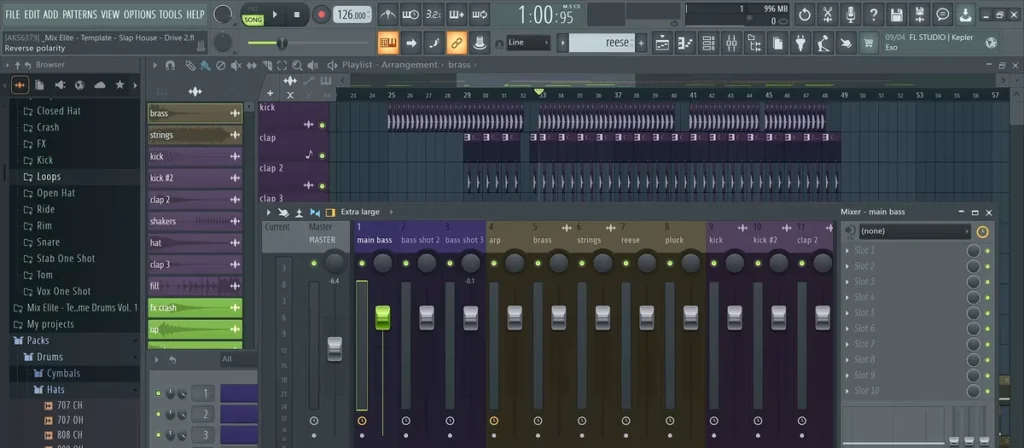
FL Studio is the DAW Mix Elite recommends to beginners and teaches in. You build a drum beat by clicking steps in the Channel Rack, write chords and melodies in the Piano roll, and lay your song out in the Playlist. It’s easy to start and hard to master, and it’s popular with beginners and pros making hip-hop, house, trap, EDM, film music and everything in between.
The free trial is the big reason it suits beginners. It’s the full program with every plugin, it never expires, and your exports have no watermark. The one catch is that the trial won’t reopen a project after you close it. So finish an idea in one sitting and export it as a WAV or MP3 before you close it.
When you’re ready to pay, get Producer Edition, the best value for most people. It’s the first edition that can record audio, like your voice or a guitar, and Image-Line itself calls it the best choice for beginners. One license works on Windows and Mac, and every future update is free. To learn it from scratch, read what FL Studio is and how it works, then follow Mix Elite’s free 4.5-hour FL Studio course on YouTube.
Price: Fruity $99, Producer $179, Signature $269 or All Plugins $449, paid once, on Image-Line’s price page. Rent-to-own over 12 monthly payments is also an option, with FL Cloud included.
Free option: the free trial, with no time limit.
Runs on: Windows and macOS.
Best for: beats, hip-hop, trap, house and EDM.
2. GarageBand (Apple)
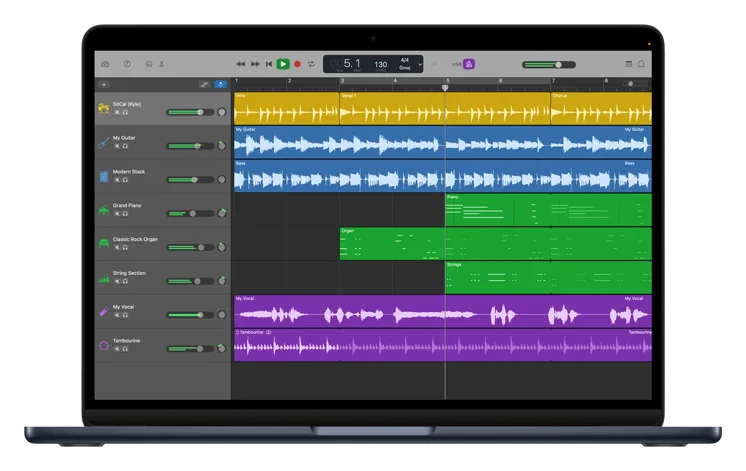
Own a Mac? Then a free DAW is one download away. GarageBand costs nothing on the Mac App Store, and there’s a free version for iPhone and iPad too.
It keeps things simple on purpose. You drag in loops, play the built-in instruments, or let Drummer play along with your song, choosing from 28 virtual drummers and three percussionists in six styles. It even has built-in piano and guitar lessons.
The best part is where it leads. When you outgrow it, Logic Pro opens your GarageBand projects, so nothing you made is lost.
Price: free.
Runs on: Mac, iPhone and iPad only.
Best for: Mac owners who want to start tonight for $0, and songwriters.
3. Ableton Live 12
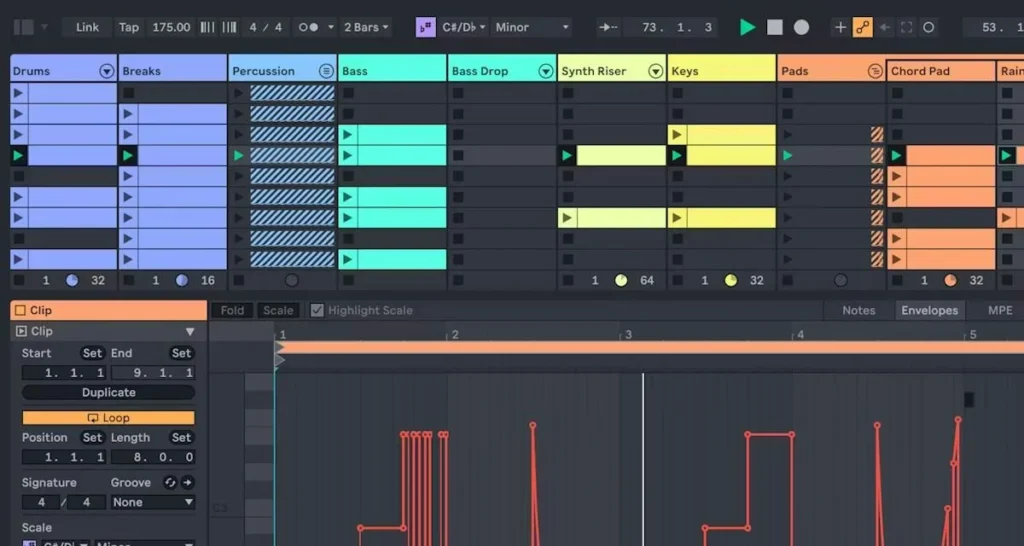
Ableton Live is the other name beginners ask about most. Its Session View is a grid of short clips you can launch in any order, which makes it great for jamming out ideas and for playing live. It’s a favorite of tech lovers and live performers.
The cheapest edition, Intro, stops at 16 tracks, while Standard and Suite have no track limit. Torn between the two big beat-making DAWs? Read our FL Studio vs Ableton comparison. Want to play your songs on stage? See the best DAWs for live performance.
Price: Intro $99, Standard $349 or Suite $749 on Ableton’s shop. Students and teachers pay half.
Free option: a 30-day trial of Suite. After it ends, you can open your projects but can’t save or export them. Live Lite also comes free with many MIDI keyboards and audio interfaces.
Runs on: Windows and macOS.
Best for: electronic music, jamming with clips and live sets.
4. Logic Pro (Apple)
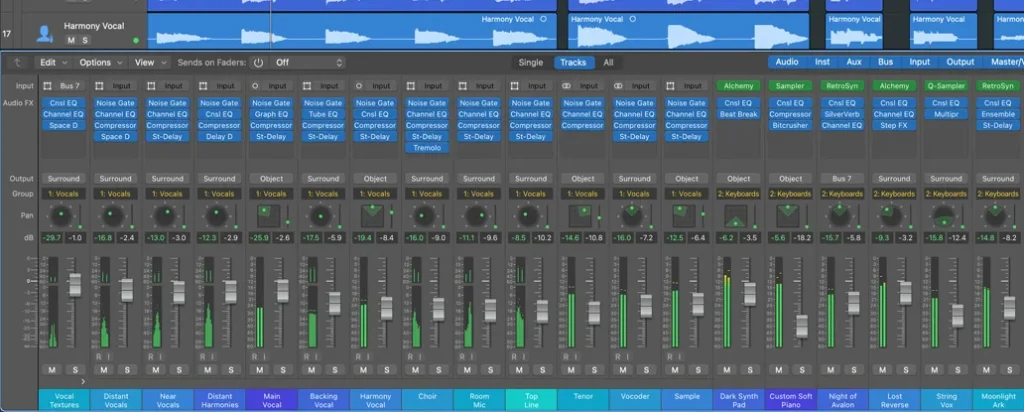
Logic Pro is GarageBand’s big brother: a full studio for the Mac. It adds pro recording and mixing tools, plus Session Players, a group of AI musicians who play drum, bass, keyboard and synth parts that fit your song. Songwriters love it.
The catch is the computer. Logic Pro needs a Mac with Apple silicon, and there’s no Windows version at all. If you’re on a PC, our guide to Logic Pro for Windows explains why and what to use instead.
Price: $199.99 once on the Mac App Store, or as part of Apple Creator Studio for $12.99 a month or $129 a year (students pay $2.99 a month).
Free option: a 30-day free trial of Apple Creator Studio.
Runs on: Macs with Apple silicon, plus iPad.
Best for: songwriters, singers and Mac owners moving up from GarageBand.
5. Cakewalk Next (BandLab)
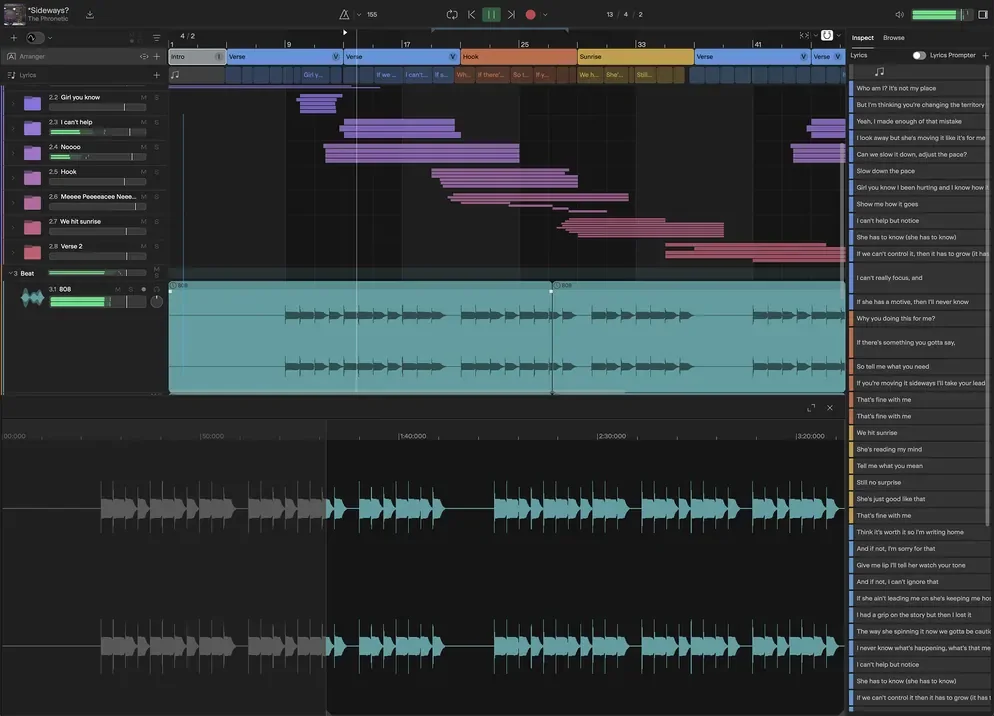
Cakewalk Next is a modern, simpler DAW from BandLab, and it’s free with no trial clock. The free version gives you unlimited tracks, virtual instruments, built-in effects and support for VST and AU plugins. You need a free BandLab account, and a paid BandLab Membership adds extras like more sounds and a stem splitter.
Older guides still tell you to get Cakewalk by BandLab. That version stops saving projects once its activation runs out. If you want the classic Cakewalk studio on Windows, its successor Cakewalk Sonar has a free tier too.
Price: free, with an optional paid membership.
Runs on: Windows and macOS (Sonar is Windows only).
Best for: anyone who wants a full free DAW without a time limit.
6. REAPER (Cockos)
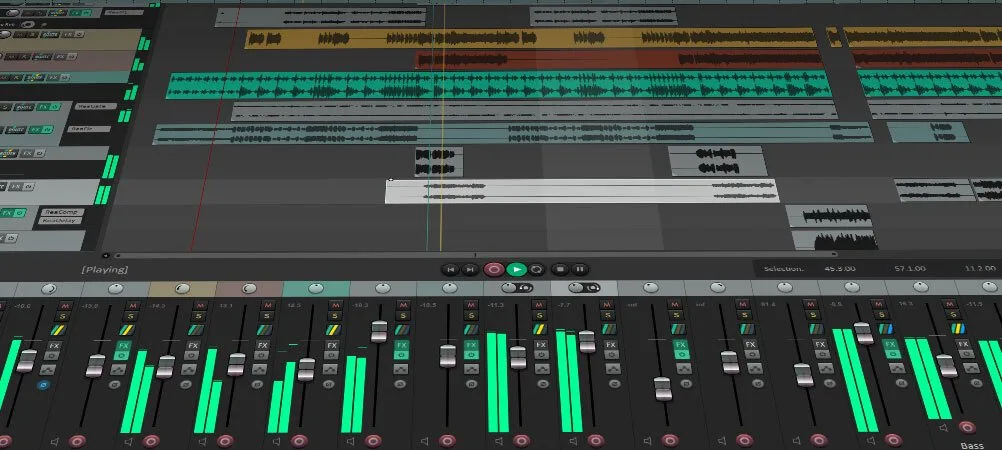
REAPER is the budget pick for recording. The Windows download is only 17 MB, it runs on Windows, Mac and Linux, and you can even run it from a USB stick. It’s built for recording and editing audio, and you can change its look, layout and shortcuts to fit the way you work.
Because the download is so small, there’s no big sound library inside, so for beats you’ll add your own samples and instruments. You get 60 days to try every feature, and the personal license is the cheapest paid license on this list.
Price: $60 for individuals and small businesses (under $20,000 a year), or $225 for a commercial license, on REAPER’s purchase page.
Free option: a 60-day evaluation with full features.
Runs on: Windows, macOS and Linux.
Best for: recording vocals, guitar or podcasts on a small budget.
7. Waveform Free (Tracktion)
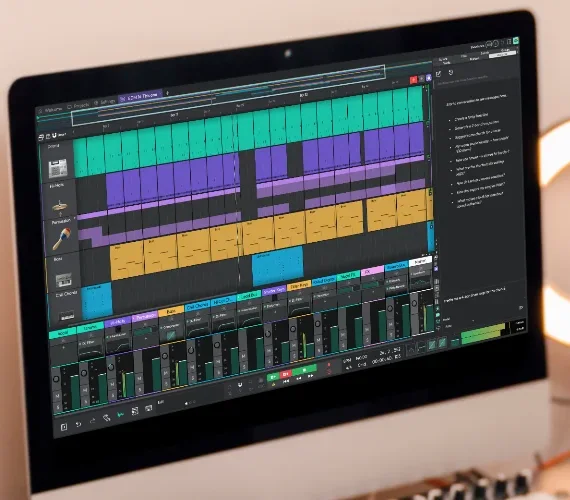
Waveform Free from Tracktion is free for good, and the company calls it “fully featured, completely unlimited.” It runs on Windows, Mac and Linux and comes with 4 instruments, 14 audio effects and 8 MIDI effects.
When you want more, Tracktion sells add-on packs from $30, so you can grow without switching programs.
Price: free.
Runs on: Windows, macOS and Linux.
Best for: Windows and Linux users who want a full free DAW.
8. Fender Studio Pro (formerly Studio One)
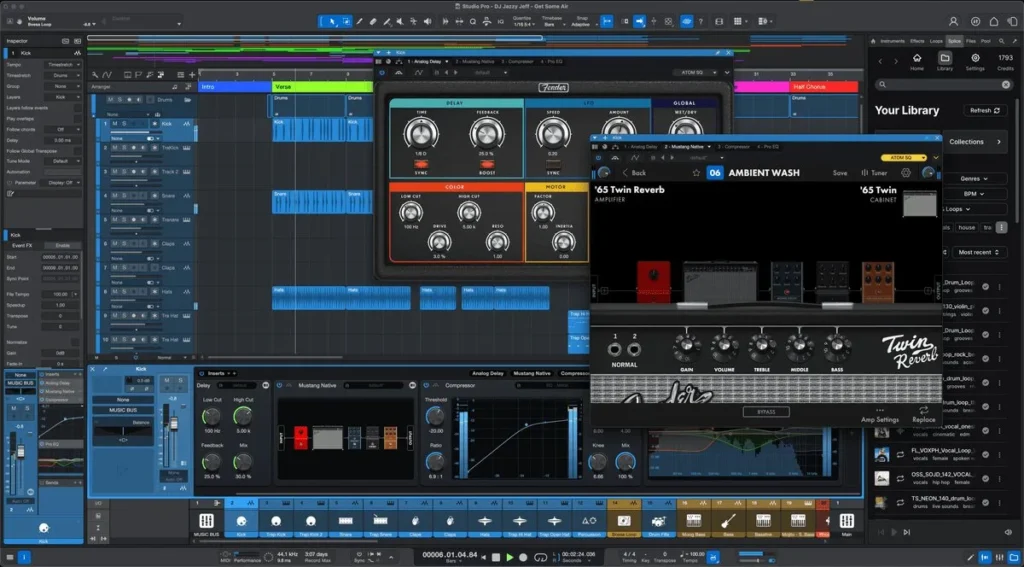
Fender Studio Pro is the new name for PreSonus Studio One, which Fender now sells. Studio One made its name with a single-window layout where you drag sounds, effects and even whole songs into place, and it handles recording, beats and mixing in one program.
Price: see Fender’s product page for the current price and demo.
Runs on: Windows and macOS.
Best for: people who record instruments and make beats in the same project.
9. Bitwig Studio 6
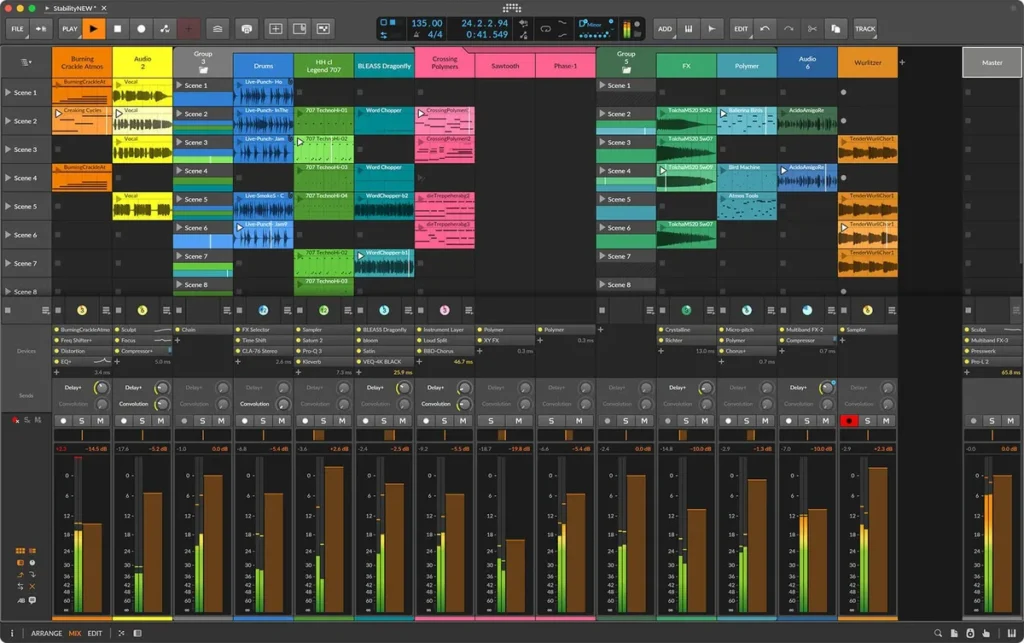
Bitwig Studio mixes a clip launcher, like Ableton’s, with a regular timeline. Even the cheapest edition, Essentials, has unlimited tracks, 51 instruments and effects, and 10 modulators that move knobs for you, which sound design fans love.
Like REAPER, it runs on Linux as well as Windows and Mac. Every license includes 12 months of free upgrades.
Price: Essentials $99, Producer $199 or Bitwig Studio $399 on Bitwig’s shop.
Free option: a 30-day free trial with no limits.
Runs on: Windows, macOS and Linux.
Best for: electronic producers who love shaping their own sounds.
10. Reason Free (Reason Studios)
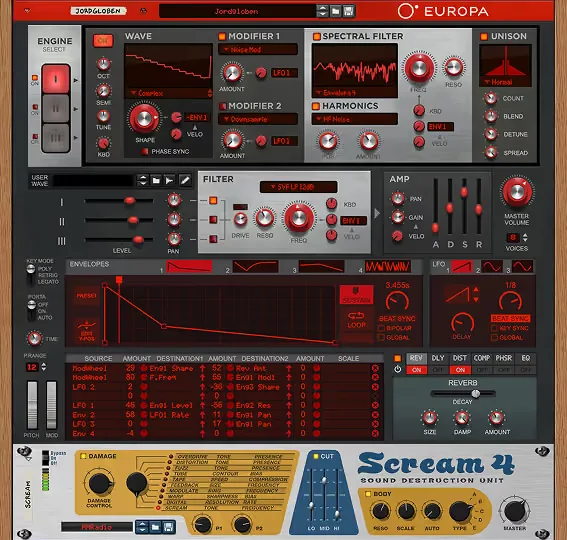
Reason Free is one of the newest free DAWs. One download gives you the Reason Rack, 15 synths and effects you can use as a plugin inside any DAW, plus the Reason DAW itself. There’s no trial, no end date and no watermark.
The limit is size: the free DAW holds up to 16 audio or instrument tracks. That’s plenty for your first songs, and you can move up to the paid Reason+ later.
Price: free.
Runs on: Windows and macOS.
Best for: synth lovers, and FL Studio or Ableton users who want 15 free devices.
11. LMMS
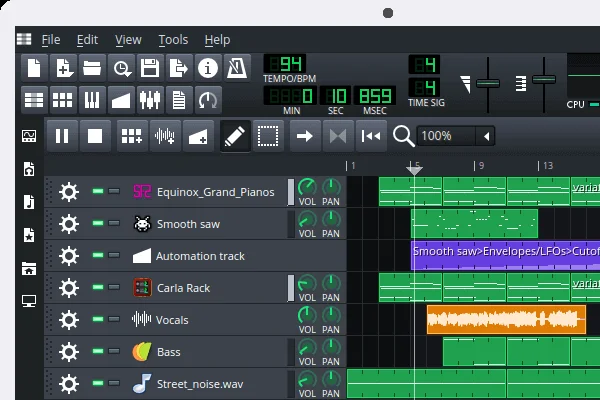
LMMS is free and open source, built by its own community. It has 16 built-in synths, including ones that sound like classic gear such as the Roland TB-303 and the Nintendo NES, plus a Beat+Bassline Editor for patterns and a piano roll for melodies.
You can play notes with a MIDI keyboard or your computer keyboard, and load SoundFont sounds and, on Windows, VST instruments.
Price: free.
Runs on: Windows, macOS and Linux.
Best for: making beats for $0 on any computer.
What is the easiest DAW for beginners?
GarageBand is the easiest DAW on a Mac, and FL Studio is the easiest for making beats on Windows or Mac. In FL Studio you click steps in the Channel Rack to build a drum pattern and draw notes in the Piano roll, and you don’t need to play an instrument or know music theory to start.
Learning from scratch as an adult, in short sessions after work? Pick the easy one for your computer, start with the beat, and learn one window at a time.
What’s the best free DAW?
The best free DAW is GarageBand on a Mac and Cakewalk Next or Waveform Free on Windows, all free for good with no time limit. Here’s the short version for every computer:
- Mac: GarageBand. It’s simple, it costs nothing, and Logic Pro opens its projects later.
- Windows: Cakewalk Next or Waveform Free. Both are free for good, with no track limit.
- Linux: Waveform Free or LMMS.
- Any computer, if you might buy later: the FL Studio trial. It’s the full program, as long as you export each song before you close it.
Know the difference between free for good and a free trial. GarageBand, Cakewalk Next, Waveform Free, LMMS, Reason Free (up to 16 tracks) and Avid’s Pro Tools Intro stay free. Ableton Live and Bitwig give you 30 days, Logic Pro’s Creator Studio trial lasts 30 days, and REAPER gives you 60. FL Studio’s trial never ends, but it won’t reopen saved projects.
Buying a MIDI keyboard or an audio interface? Check what’s in the box. Many come with a free copy of Ableton Live Lite, and that license never expires.
Is it worth paying for a DAW as a beginner?
Not right away. Start free, and pay only when the free version stops you, like when you need to reopen a saved FL Studio project. Then buy the cheapest edition that removes that limit, such as FL Studio Producer Edition at $179 with free updates, and put the money you save into learning.
Every big DAW comes with a trial and several price levels, so you never have to pay for features you don’t need yet. Max’s advice is to spend the difference somewhere better: “It’s much better to keep the difference you’ll spend on other versions and spend it on your knowledge and skills.”
- Your ideas are stuck. The FL Studio trial can’t reopen saved projects, so going back to an old idea means buying.
- Your trial ends. Ableton Live and Bitwig give you 30 days, and REAPER gives you 60.
- You hit a limit. Ableton Live Intro and Reason Free both stop at 16 tracks.
- You want to record. Recording your voice or a guitar in FL Studio starts at Producer Edition.
What do all DAWs have in common?
Every DAW covers the same four jobs: a place to build beats, a piano roll for chords and melodies, a timeline for the song, and a mixer for the sound. They only look a little different, which is why switching later is easy.
Here they are in FL Studio, with real screenshots from Mix Elite’s free 4.5-hour FL Studio course.
The Channel Rack: your beat
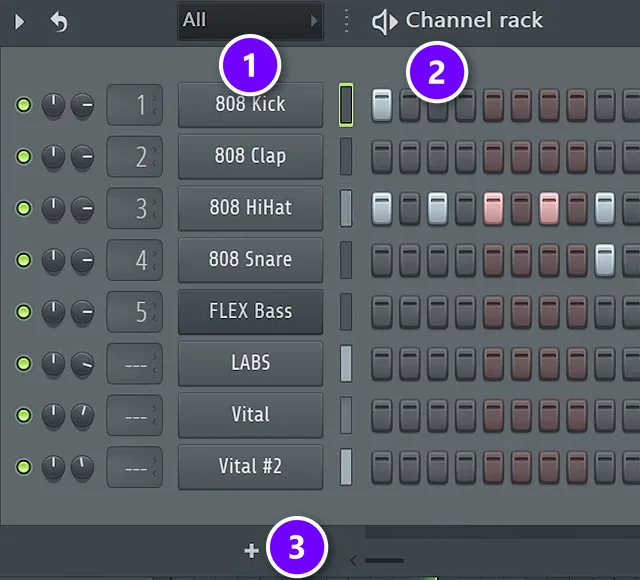
Each row is one sound, like a kick, a clap or a bass (1). Click a step to add a hit, right-click to remove it, and press Space to hear the pattern (2). The plus sign at the bottom adds a new instrument (3). Other DAWs call this a step sequencer or a drum rack.
The Piano roll: your chords and melodies
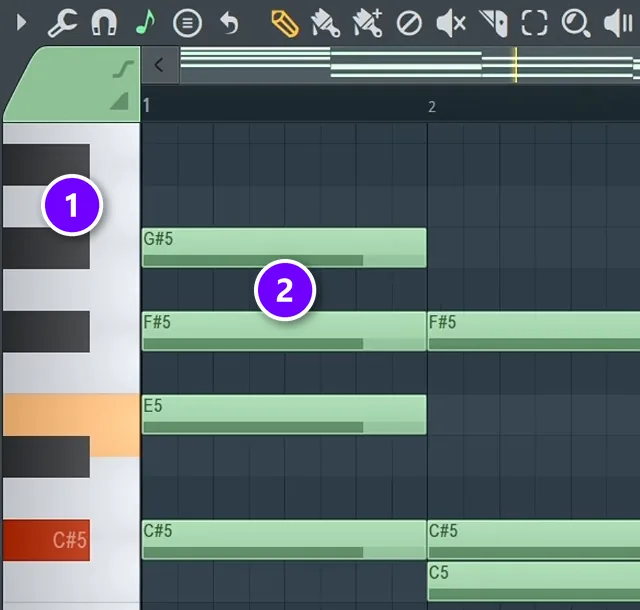
The keyboard on the left sets the pitch of each note (1). Every green bar is a note: the higher it sits, the higher it sounds, and the longer it is, the longer it rings (2). These are the chords from Day 2 of the free course, played on the free LABS piano.
The Playlist: your song
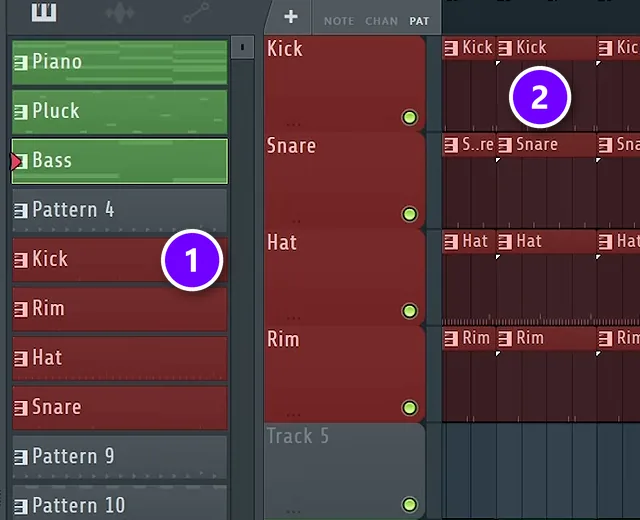
Every pattern you make waits in the list on the left (1). Click in a track to place it, and the clips play from left to right, so this is where a loop grows into a full song with an intro, a hook and a verse (2). Right-click a clip to delete it.
The Mixer: your sound
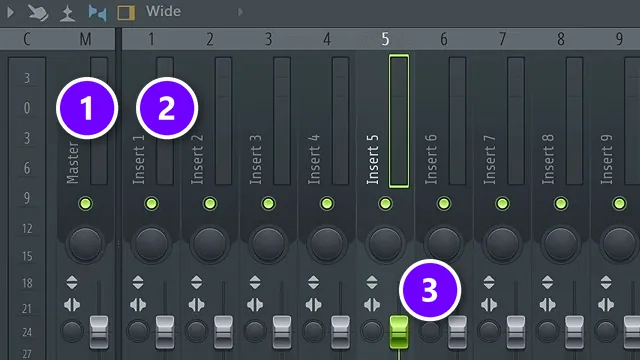
Each sound gets its own mixer track, called an insert (2), with a fader that sets how loud it is (3). Every insert feeds the Master (1), which is your whole song. You don’t have to master this window on day one; get used to opening and closing it first.
Should you switch DAWs or push through the learning curve?
Usually push through. Every DAW is built from the same few windows, so switching mostly resets your progress, and the overwhelm usually comes from trying to learn everything at once. Switch only when your DAW truly can’t do what you need, like GarageBand once you move from a Mac to a Windows PC.
You don’t need every window on day one. As Max says in Mix Elite’s free FL Studio course: “Believe it or not, I’ve been making music for a very long time before I even started to look into the mixer, so get used to opening and closing the different windows.”
If you only have a few evenings a week, try this before you switch:
- Learn one window per session: the beat first (the Channel Rack in FL Studio), then the Piano roll, the Playlist and, last, the Mixer.
- Finish one 8-bar loop each session and export it, instead of starting a full song.
- Save a starting project with your favorite drums and instruments loaded, so every session starts with sound, not setup.
- Follow one course from start to finish, like Mix Elite’s free 4.5-hour FL Studio course, instead of jumping between random tutorials.
If you’d like a paid course to follow, Mix Elite’s FL Studio Beginner Accelerator course teaches FL Studio from zero while you finish one full song, vocals included.
What computer and gear do you need?
Less than you think: a computer, headphones and a DAW. For a new PC, look at single-core speed and memory, with at least an Intel 13th-gen i5 and 16 GB of RAM, or 32 GB to future-proof. Keep projects and sounds on an SSD so they load fast.
On a Mac, any M-series chip handles music production well, and all the major DAWs run on macOS.
- Headphones with a flat sound are the only other must-have, so your songs sound right in the car and on earbuds.
- A MIDI keyboard is optional. For drums and simple melodies, your computer keyboard works too.
- An audio interface only matters once you record a mic or plug in studio speakers.
And you don’t need to play an instrument. Every instrument you can think of exists as a virtual instrument you play from your DAW.
What should you do after you pick a DAW?
Open it tonight and make one 8-bar loop: a drum beat, a few chords and a bassline. Don’t try to learn every menu first, and spend on skills before you spend on a bigger edition.
Then follow our step-by-step guide on how to produce music, from the first idea to a finished song. And if part of you thinks you’ve started too late, read is it too late to learn music production. The short answer is no.
If you want to try a full course before you spend anything, start with the best free music production courses, led by Mix Elite’s free 4.5-hour FL Studio course on YouTube.
THE 7-DAY MUSIC PRODUCER COURSE
Picked your DAW? Day 1 sets it up with you
Day 1 of the 7-Day course covers setup and workflow: choosing the music software and hardware that suit you, and the top 4 features of any DAW you need to understand to find your way around. It’s taught in FL Studio, and you don’t need any paid software to follow along, because the free trial works. The course is $27, and you have 60 days to decide if it was worth it.
Frequently asked questions
What is the easiest DAW for beginners?
For most people it’s GarageBand on a Mac or FL Studio on Windows or Mac. GarageBand keeps things simple with loops, built-in instruments and a virtual drummer. FL Studio lets you build a beat in minutes by clicking steps in its Channel Rack. Every DAW is made of the same parts, so what you learn in one carries over to the next.
Is a paid DAW worth it for beginners?
Not at first. GarageBand, Cakewalk Next, Waveform Free, Reason Free and LMMS are free for good, and FL Studio’s trial never runs out. Pay when you hit a limit, like the FL Studio trial not reopening saved projects or Ableton’s trial ending after 30 days. If you buy FL Studio, Producer Edition ($179) is the one to get.
Should I switch DAWs if mine feels too hard?
Usually not. Every DAW is built from the same parts, so switching mostly resets your progress. Learn one window at a time and finish short loops first. Switch only if your DAW can’t do what you need, like GarageBand once you move to a Windows PC. Moving later takes days, not months, because the skills carry over.
Is FL Studio good for beginners?
Yes. FL Studio is one of the easiest DAWs to start on: you build a beat by clicking steps in the Channel Rack and write chords in the Piano roll. Its free trial never expires, though it won’t reopen saved projects. It’s the DAW Mix Elite teaches in: easy to start, hard to master. If you buy, Producer Edition ($179 on Image-Line’s US site in October 2026) is the first edition that records audio.
Can you make professional music with a free DAW?
Yes. Free DAWs like GarageBand, Cakewalk Next and Waveform Free record, edit and mix just like paid ones. What you give up is extras: fewer sounds and effects, and sometimes a track limit, like the 16 tracks in Reason Free. For most beginners, skill holds the music back long before the software does.