
“Before you can think out of the box, you have to start with a box.”
The best MIDI packs give you chords, melodies or drum grooves that already work, as MIDI files you drag into any DAW and play on any sound. From Mix Elite’s own range: Genesis for chord progressions, Champions for trap melodies, Destiny for EDM melodies and Drum & Hi-Hat Loops for trap drums, or all four in the All MIDI Packs Bundle for $47. For free MIDI, start with FL Studio’s Chord progression tool and Cymatics’ free MIDI collections.
You get home, eat, and sit down with maybe 45 minutes to make music. You open the Piano roll and start guessing at chords. Some notes clash. Nothing sounds like the songs in your head, and by the time one chord works, the night is gone.
A good MIDI pack skips the guessing. You drag in chords or a melody that already work, pick a sound you like, and build the song from there. But on a plain stock preset, the same file sounds like everyone else’s track. Below are the best MIDI packs to buy, the free ones worth a try, and how Max, the founder of Mix Elite, makes any MIDI file sound like his own.
Table of Contents
The best MIDI packs from Mix Elite
These five are Mix Elite’s own MIDI packs, so they come first. Each one is a folder of real .mid files that work in any DAW that reads MIDI, from FL Studio and Ableton Live to Logic Pro, Cubase, Studio One and Reaper. They play on any sound you choose. You pay once, keep the files for life, and every file is royalty-free for your own tracks. Prices are from each pack’s page in November 2026.
All MIDI Packs Bundle: all four packs in one download
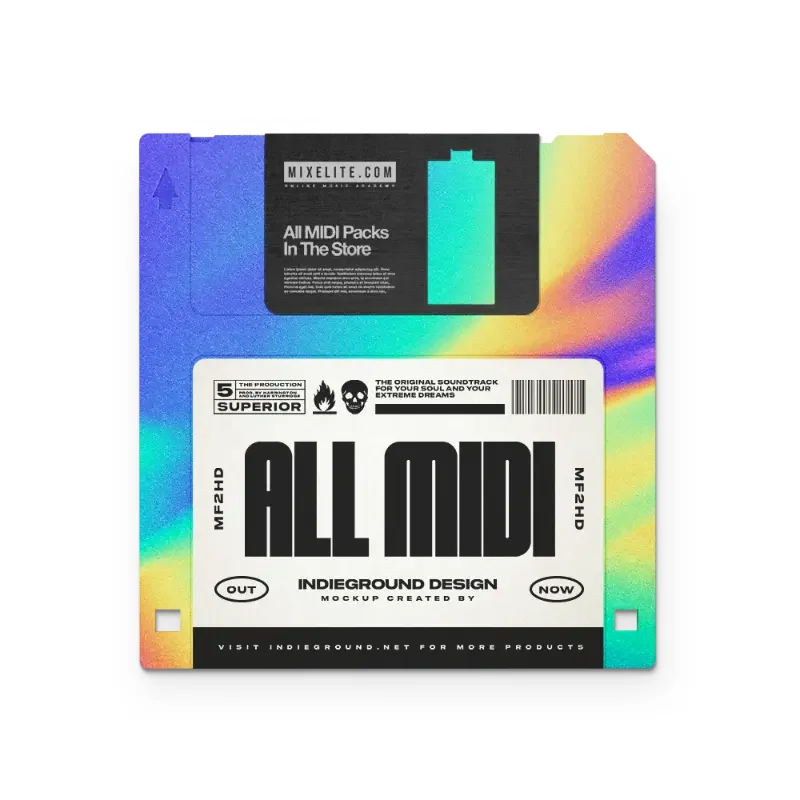
Mix Elite’s All MIDI Packs Bundle is the easiest place to start, because it covers chords, melodies and drums in one go. You get all four packs below in one download, 611 MIDI files in total, plus bonus sounds to play them on.
- MID Genesis: 205 chord progressions and harmonies chords
- MID Destiny: 108 EDM melodies EDM
- MID Champions: 97 trap melodies trap
- MID Drum & Hi-Hat Loops: 201 drum grooves drums
- SYN Bonus: 28 Serum and Vital presets bonus
- WAV Bonus: 14 tonal one-shots and 25 drum sounds bonus
It’s $47, paid once. That’s less than the four packs cost one by one, so if you make more than one style, get the bundle.
Genesis: 205 chord progressions and harmonies
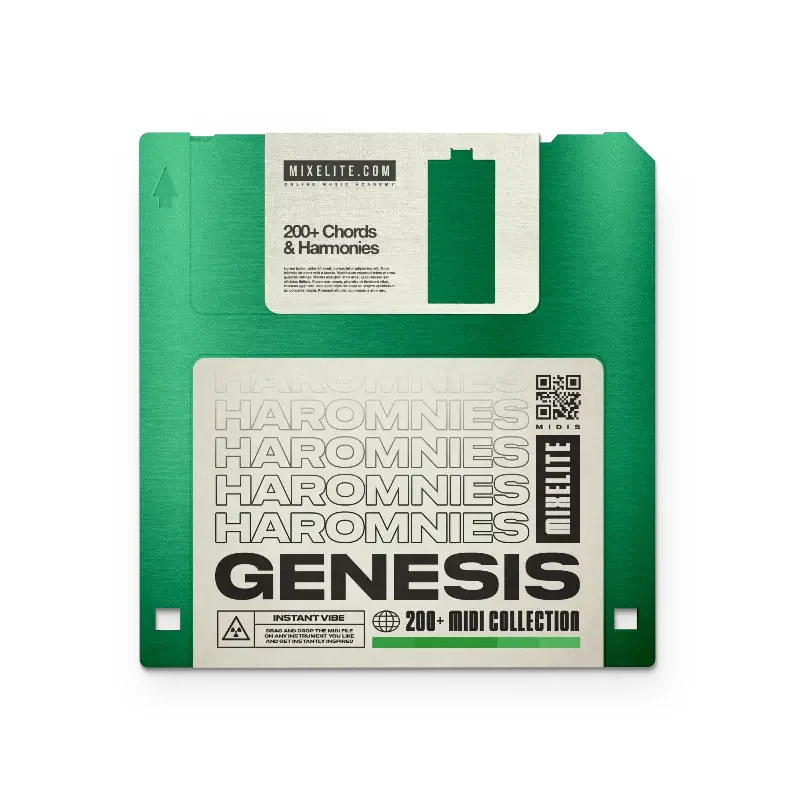
Genesis is Mix Elite’s MIDI chord pack, and it’s the one to get if chords are where you get stuck. It has 205 chord progressions and harmonies as MIDI files. Drag one onto a piano or a pad, and your next track has its chords.
On the pack’s page you can click a preview and hear the chords before you buy. It’s $19. Chords can carry a whole song, too: play them on a soft pad under the beat, or copy the lowest notes onto a bass sound and you have a simple bass line.
Champions: 97 trap melodies
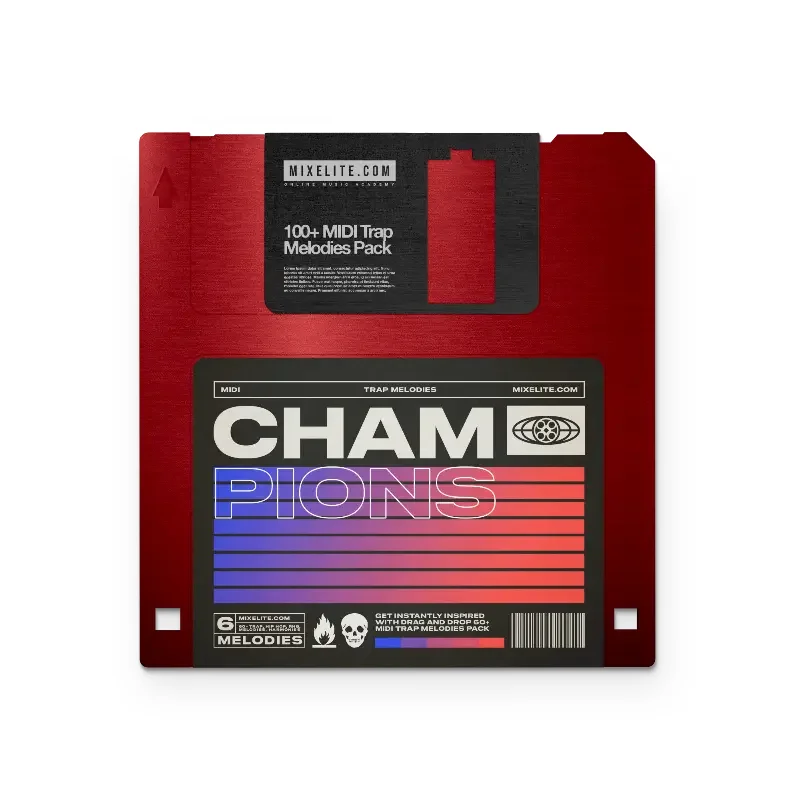
Champions is Mix Elite’s trap melody pack: 97 trap melodies as MIDI files, the main hook a trap beat is built around. It also comes with 14 bonus tonal one-shots, like bells and keys. Drop one into a sampler, play the MIDI on it, and you hear the melody right away.
Click any melody on the pack’s page to hear it and watch its notes. It’s $17. Want to write your own as well? Our guide on how to make trap melodies in FL Studio shows how, step by step.
Destiny: 108 EDM melodies plus synth presets
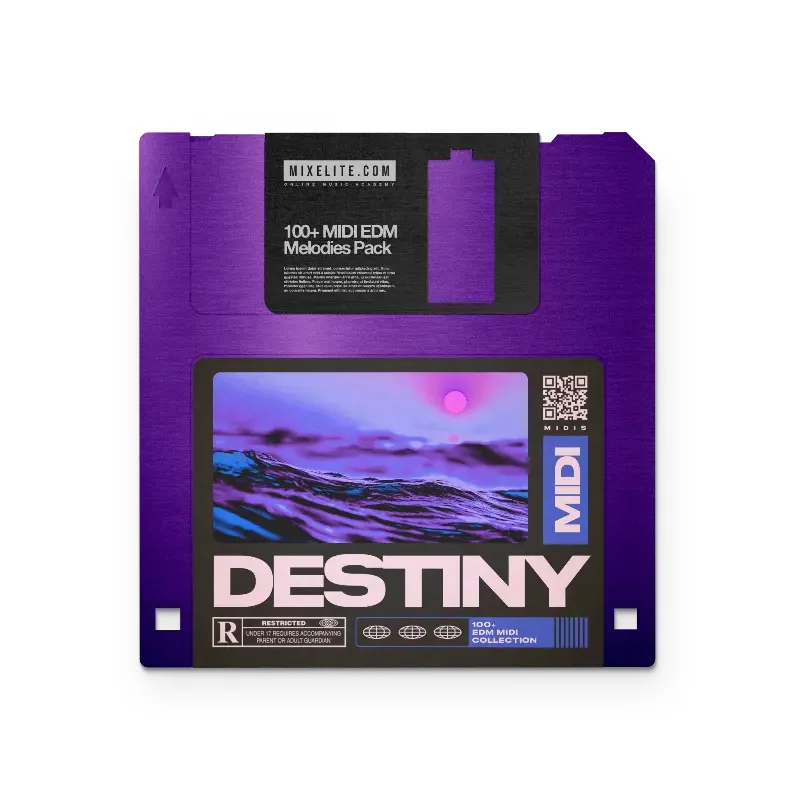
Destiny is the EDM version, with 108 EDM melodies as MIDI files. It adds 28 bonus synth presets: 13 for Serum and 15 for Vital. Vital is a free synth, so you can load a preset and hear a melody without buying anything else.
Each melody plays on any sound you pick. One file can be a bright pluck in the drop and a soft piano in the intro. It’s $17.
Drum & Hi-Hat Loops: 201 trap drum grooves
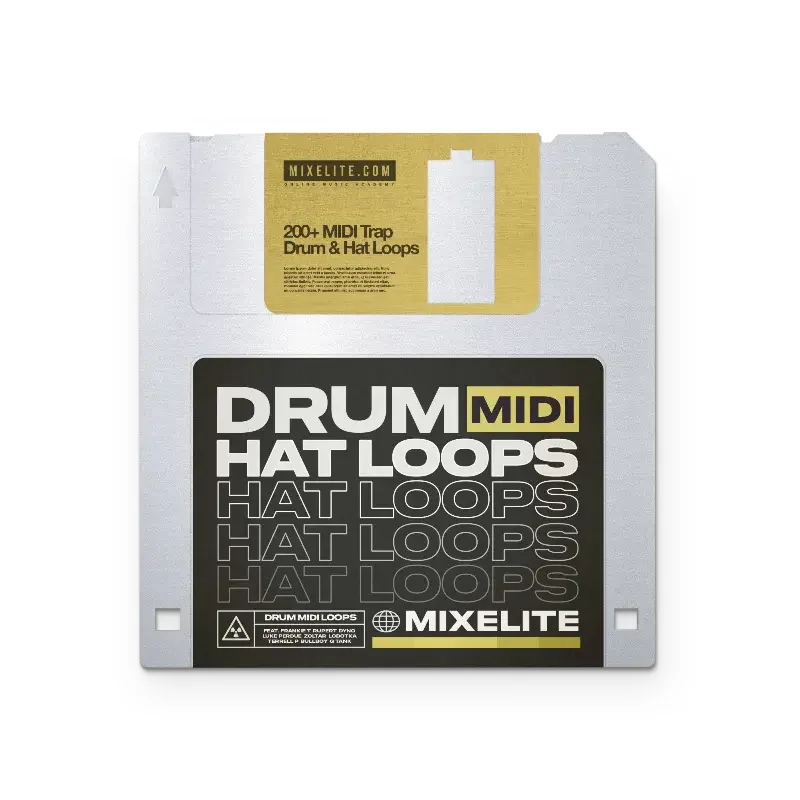
Trap hi-hats, with all their fast rolls and triplets, take a long time to program by hand. Mix Elite’s Drum & Hi-Hat Loops pack gives you 201 trap drum MIDI files: 151 hi-hat patterns, 25 kick patterns and 25 snare patterns. It also has 25 drum sounds, from kicks and snares to claps and hats, to play them on.
The loop previews on its page run from 90 to 172 BPM, and the files work with any drum kit. It’s $17. To make programmed drums groove like a real drummer, see our guide to humanizing MIDI drums.
If you’d rather have everything, Mix Elite Academy includes all four MIDI packs and every other pack in the store, along with all the courses, weekly coaching calls and feedback on your music. It’s 3 payments of $137, with lifetime access.
What are the best free MIDI packs?
The best free MIDI is already in FL Studio: its Chord progression tool writes chord progressions for you. Cymatics also gives away four MIDI collections in its free vault. And with the trick in the video below, you can write your own pro-sounding chords from four bass notes.
Writing your own chords costs nothing. It’s easier than it sounds. Max says “this trick will allow you to write incredibly advanced and professionally sounding chords without knowing any advanced musical theory.” Here’s the short version:
- Write a bass line of four notes, one per bar. Max uses the 6th, 4th, 1st and 3rd notes of the scale.
- Stack notes on top. Copy the bass line 12 semitones up (one octave), then copy the octave notes 7 semitones higher. Add one more note between the octave notes and the top notes.
- Make it bigger. Add the bass note again two octaves up. Then add one note 2 semitones below that high bass note (a 7th) or 2 semitones above it (a 9th). The chords won’t sound good yet, and that’s fine.
- Snap it to a scale. Press Alt + K to open the Limit tool and pick a scale. Max suggests Major or Aeolian (natural minor) to start. Every note moves into the scale, and the chords suddenly work.
All the MIDI and samples in the video above come from Mix Elite’s Ultimate Future Bass pack, which includes 40 MIDI song starters. For every step with screenshots, see our guide on how to make chords in FL Studio.
FL Studio’s Chord progression tool
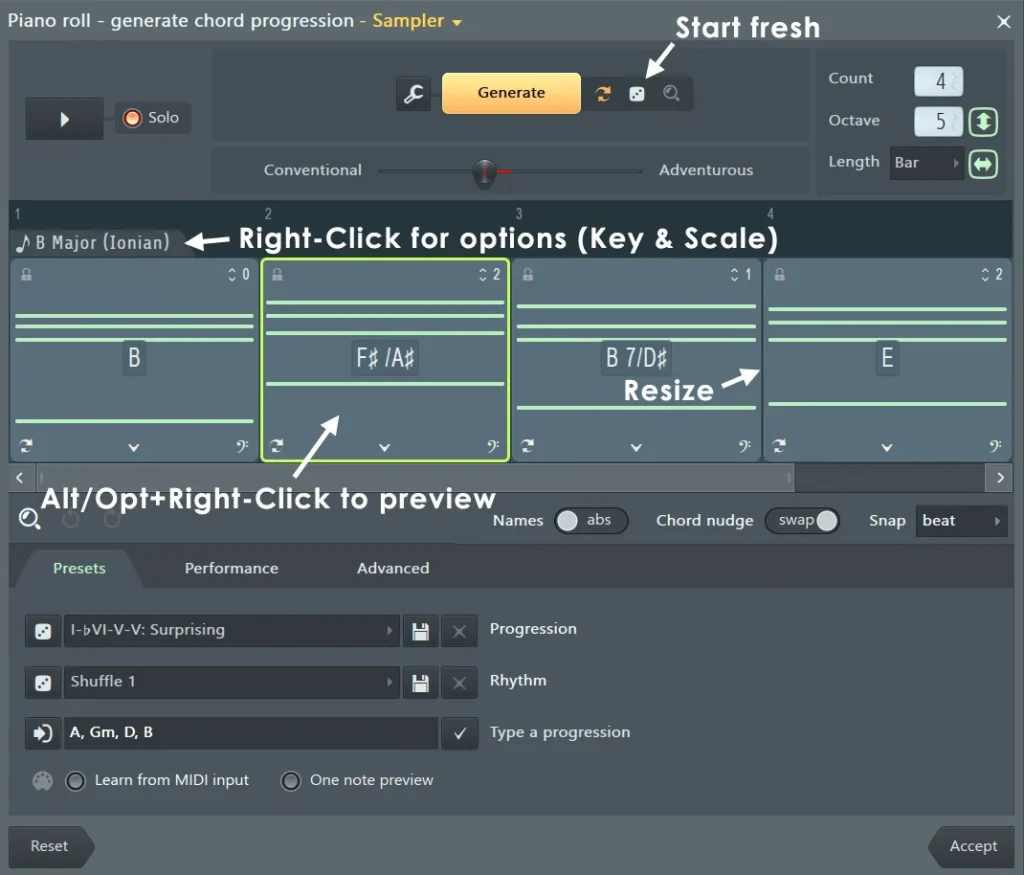
FL Studio 2024 and newer have a free chord generator built into the Piano roll. Press Alt + P (Tools > Generate chord progression) and click Generate. The Conventional to Adventurous slider picks safe or unusual chords, and the padlock on a chord keeps it when you generate again. Right-click the tab above the first chord to change the key and scale, then click Accept to add the chords to your pattern.
It writes 4 chords by default, and the Count box sets how many you get. It costs nothing, and it’s quick.
Cymatics’ free MIDI collections
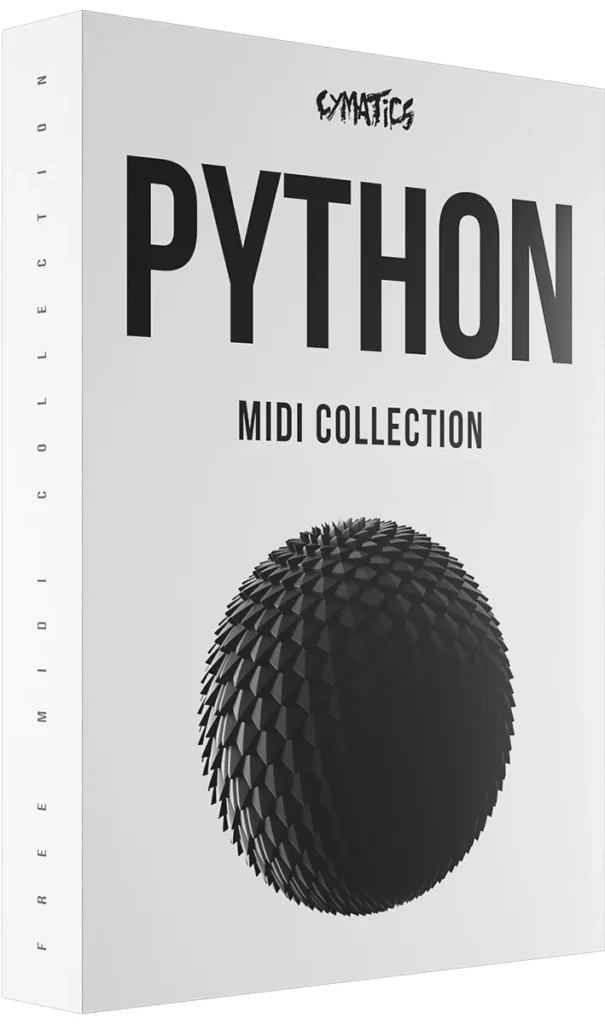
Cymatics is a sample company with a big Free Downloads vault. In November 2026 it held four free MIDI collections, Python, Gold, Pandora and Waves, next to free samples and plugins. Cymatics says you can get a license for any of its free packs on its Free Downloads page, so do that before you release a song.
Other MIDI packs worth knowing
Outside Mix Elite, these are two names you’ll see a lot when you shop for MIDI. Both were checked on their own sites in November 2026.
Unison MIDI Chord Pack
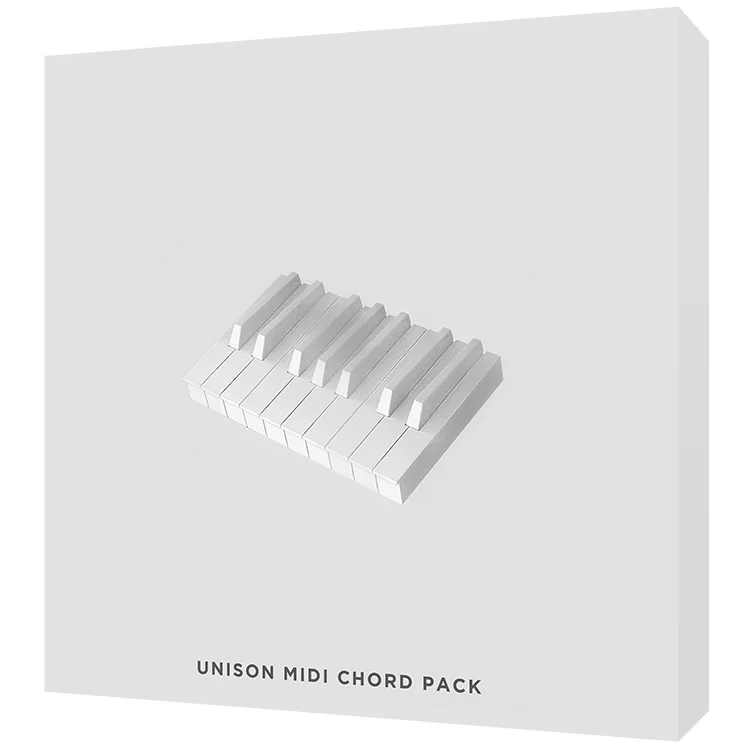
Unison’s MIDI Chord Pack works like a chord dictionary. It has more than 1,200 MIDI files: the basic three-note chords of every key, bigger chords with extra notes, chords borrowed from other keys, and ready-made progressions in each key. It’s royalty-free and works in any DAW. Its sales page showed $27 in November 2026.
Unison also sells separate chord collections for single styles, like neo-soul and R&B, which suit chill lo-fi beats.
Splice: MIDI inside a sounds subscription
Splice is a sounds subscription with MIDI packs inside. You can preview MIDI chord progressions, bass lines and melodies for free, then download them with credits. A MIDI file costs up to three credits, and the Creator plan is $19.99 a month for about 200 downloads (November 2026). Splice says its sounds are royalty-free, and you keep what you download even if you cancel.
What is a MIDI pack?
A MIDI pack is a folder of MIDI files, which end in .mid. A MIDI file holds notes, not sound. It says which keys to play, when, for how long and how hard. Drag one into your DAW, pick an instrument, and the instrument plays those notes.
So one chord file can be a piano today and a pad tomorrow, and you can still change any note. Most packs hold chords, melodies, bass lines or drum patterns, often named by key and tempo. For the basics of how MIDI works, see our guide to what MIDI is.
MIDI packs vs sample packs: what’s the difference?
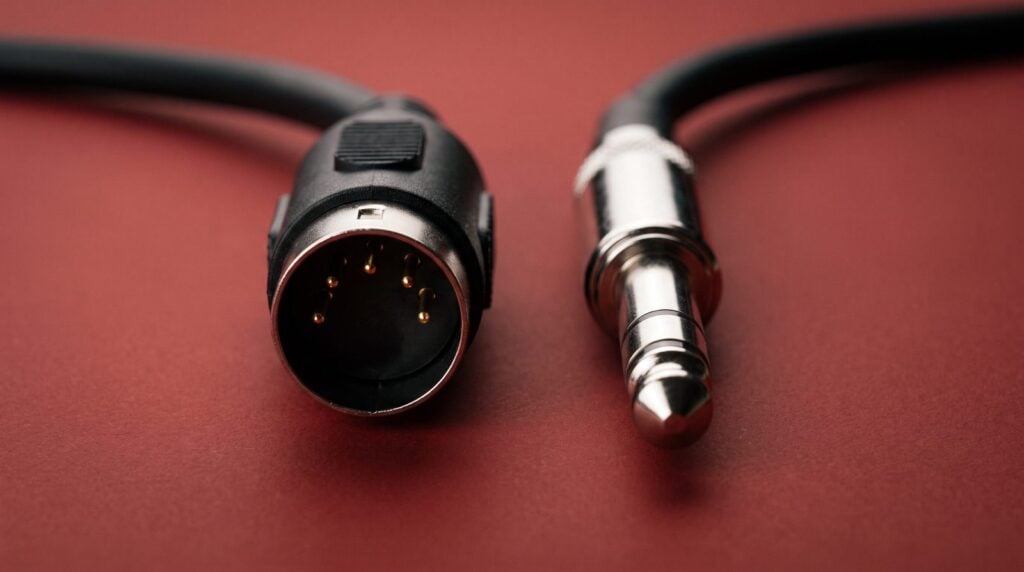
A sample pack gives you recorded sound, like a drum hit or a melody loop, so it sounds finished the moment you drag it in. A MIDI pack gives you just notes. You choose the sound, and you can change the key, the notes and the rhythm whenever you like.
- Get a MIDI pack for chords and melodies you want to make your own, with your own sounds.
- Get a sample pack for sounds that should be ready right away, like drums, vocals or a loop that already sounds mixed.
- Use both, like a lot of producers do: samples for drums and vocals, MIDI for chords and melodies.
Some packs give you both, audio loops plus the MIDI of the same parts. For drums, vocals and loops, see our list of the best FL Studio sample packs.
How to use a MIDI pack in FL Studio
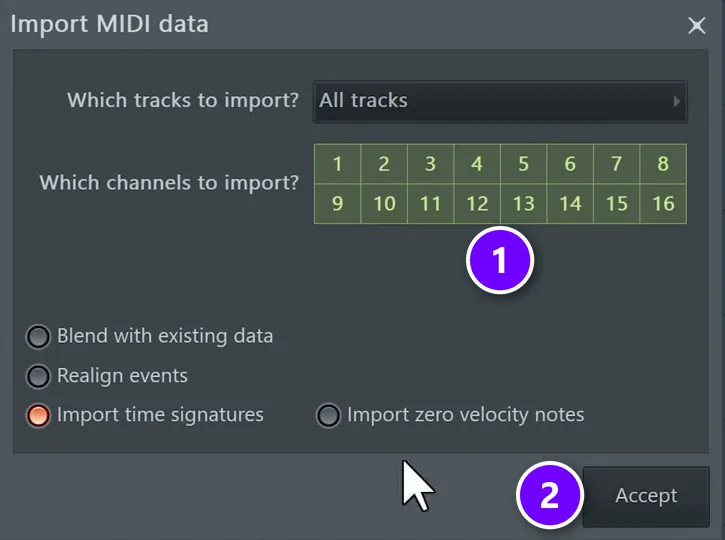
Load an instrument in the Channel Rack, then drag a .mid file from FL Studio’s Browser onto that channel. Click Accept in the Import MIDI data window, and the notes land in the channel’s Piano roll, ready to play.
- Unzip the pack into a folder you won’t move. Then find it in FL Studio’s Browser (Alt + F8 shows or hides it).
- Load a sound. Add an instrument to the Channel Rack: FL Keys for chords, a synth like Vital for melodies, or a drum sample for drum MIDI.
- Drag the .mid file onto that channel. You can also drop it into the Piano roll, or open the Piano roll and press Ctrl + M.
- Click Accept. The Import MIDI data window asks which tracks and channels to bring in (1). For a single chord or melody file, leave them as they are and click Accept (2).
- Press F7 to open the Piano roll and see the notes, then press Play.
- Change the sound until it fits your track. The notes stay the same, and only the instrument changes.
FL Studio only imports files that end in .mid, not .midi. To skip the import window, hold Shift while you drop the file.
Because MIDI is only notes, it plays at whatever tempo your project is set to. Speed the song up or slow it down, and the MIDI still sounds clean.
How do MIDI packs help you finish songs faster?
A MIDI pack takes away the slowest part of a short session: staring at an empty Piano roll. One chord file can give you the chords, a pad and a bass line, so you spend your time building the song. Here’s a full loop from MIDI in five moves:
- Chords: drag a chord file onto a piano or keys sound.
- Pad: drag the same file onto a second channel with a soft pad, and turn it down under the piano.
- Bass: copy the lowest note of each chord to a bass sound and move it down with Ctrl + Down.
- Melody: add a melody from a pack like Champions or Destiny, moved into the same key as your chords.
- Drums: drag in a hi-hat, kick and snare pattern and play it on your own drum sounds.
Now you have a loop to build a song around. Copy it across the Playlist, then take parts out and bring them back to shape the song.
How do you change the key of a MIDI file in FL Studio?
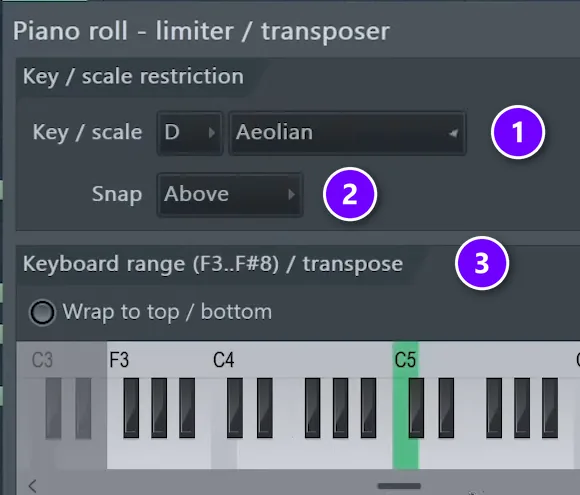
Open the notes in the Piano roll and press Ctrl + A to select them all. Then press Shift + Up or Shift + Down to move every note one semitone at a time, or Ctrl + Up and Ctrl + Down to move them a whole octave.
To change the scale as well, say from major to minor, use the Limit tool from the video above. Press Alt + K in the Piano roll. Pick the root note and the scale under Key / scale (1), try the Snap modes (2), and use Keyboard range / transpose (3) to keep the notes inside the keys you choose.
The Limit tool works on finished parts too. As Max puts it, “if you are already writing great melodies and harmonies, you can use this tool to change the scale of your track.” Try it on a pack melody. The same notes in a new scale can sound like a brand-new idea.
How do you make MIDI chords sound less robotic?
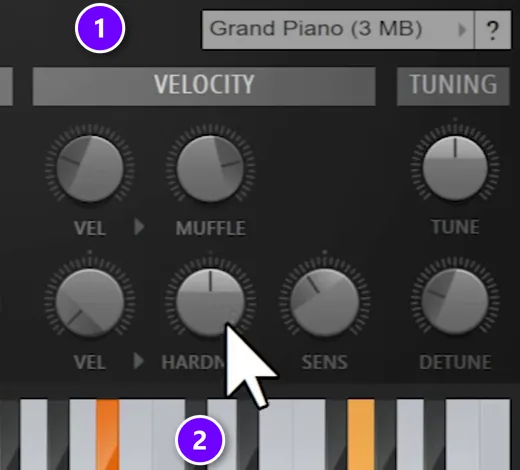
MIDI chords sound robotic when every note starts at the same moment, at the same loudness, on a harsh sound. Fix it with a softer sound, notes that sit closer together, uneven velocity and a small timing shift.
These steps come from a Mix Elite video on chord progressions, and they work on any chord file from a pack:
- Pick a softer sound. In FL Keys, Max picks the Grand Piano (1) and turns HARDNESS down a little (2). He does the same on whatever instrument he uses.
- Bring the notes closer. Select any notes that sit far above the rest and press Ctrl + Down to drop them an octave. Chords that move a short way from one to the next sound smooth.
- Add a low root note. Copy the root of each chord, the note it’s built on, two octaves down, from C5 to C3 in Max’s example. The low notes give the chords weight.
- Make the velocity uneven. Velocity is how hard a note is played. Press Shift + R to select random notes, hold Alt and scroll down to make them softer, then repeat a few times. Max does this when the sound isn’t very realistic.
- Shift the timing. Move one or two chords half a beat earlier, so they land just before the beat.
- Strum the chords. Tools > Strum (Alt + S) shifts the timing and velocity of each note in a chord, like a hand rolling across the keys.
Learn why the chords in a MIDI pack work
Day 2 of Mix Elite’s 7-Day Music Producer Course covers chords and melodies: just enough music theory to make fresh-sounding chords, the 3-step chord formula and 4 easy ways to write catchy melodies, even if you’ve never touched a keyboard. You also download 30+ hit chord progressions, ready to drop in, plus 20+ free instruments and tools. You need about 45 minutes a day, it’s $27, and you get 60 days to decide if it was worth it.
Are paid MIDI packs worth it, or are free ones just as good?

Free MIDI is enough to learn on. A paid pack is worth it when it saves you time in the style you make: lots of files that already sound good, sorted, with previews and a clear royalty-free license, for one price.
A pack won’t write the song for you, though. People often call the progression the most important part of a song. Max disagrees: “I’m here to tell you that that’s the least important part.” In his view, pros don’t find better chords than you. They know what to do with them.
So use a pack to skip the guessing, then spend your time on the sound, the voicing and the timing. Sound, voicing and timing are what make a track sound like yours.
How to choose the right MIDI pack
Before you buy or download any pack, ask yourself these five questions:
- Does it fit my style? Trap melodies, EDM leads and lo-fi chords are different jobs. For lo-fi and R&B, look for chords with extra notes, like 7ths and 9ths.
- Chords, melodies or drums? Start with the part you get stuck on most.
- Can I hear it first? A good pack lets you play previews before you pay.
- Is it royalty-free? You need that to release your songs.
- Are the files .mid? Then they work in FL Studio, Ableton, Logic and any other DAW that reads MIDI.
Are MIDI packs royalty-free and legal to use?
Most MIDI packs are royalty-free: you can use the files in songs you release without paying royalties. Royalty-free doesn’t mean you can share or resell the files. Read each pack’s license, because the terms differ.
- Mix Elite’s MIDI packs: every file is royalty-free for your own tracks, and you keep 100% of your royalties. You can release your songs anywhere and sign them to a label, but you can’t resell or share the MIDI files themselves. The full terms are in our license agreement.
- Unison and Splice: both say their files are royalty-free, and Splice says you keep what you download even after you cancel.
- Cymatics’ free packs: Cymatics offers a license for its free packs on its Free Downloads page.
- MIDI of famous songs: not royalty-free. The melody belongs to the people who wrote it, so releasing a song that uses it needs their permission.
Other producers own the same packs, so change a few notes, the rhythm or the sound before you release. Your track should sound like you, not like the pack’s demo. This is an overview, not legal advice.
Pick one pack for the style you make, drag one file in tonight and change the sound until you like it. To understand why the chords in your pack work, our music theory guide for producers explains scales and chords in plain words.
Frequently asked questions
What is the best MIDI pack for beginners?
Pick one for the part you get stuck on. For chords, Mix Elite’s Genesis has 205 chord progressions and harmonies. For melodies, Champions has 97 trap melodies and Destiny has 108 EDM melodies. For all of it, the All MIDI Packs Bundle has 611 MIDI files of chords, melodies and drum grooves for $47. All of them work in any DAW and are royalty-free.
Are MIDI packs royalty-free?
Most are, but check each license. Royalty-free means you can release songs made with the files without paying royalties, but you can’t resell or share the files. Mix Elite’s MIDI packs are royalty-free for your own tracks. Some free packs ask you to request a license first, and MIDI files of famous songs are never royalty-free.
How do I use MIDI packs in FL Studio?
Load an instrument in the Channel Rack, drag a .mid file from FL Studio’s Browser onto that channel and click Accept in the Import MIDI data window. You can also open the Piano roll and press Ctrl + M. Then open the Piano roll to see the notes and change the sound until it fits your track.
What’s the difference between MIDI packs and sample packs?
A sample pack holds recorded audio, so each sound is fixed. A MIDI pack holds only notes, so you pick the instrument and can change the key, the notes and the rhythm. A lot of producers use samples for drums and vocals and MIDI for chords and melodies.
Where can I get free MIDI packs?
Start with FL Studio’s Chord progression tool (Alt + P in the Piano roll), which writes chord progressions for free. Cymatics’ Free Downloads vault has four free MIDI collections. Splice lets you preview MIDI for free, but you need a subscription to download. Check each license before you release a song.