
“O, how wonderful is the human voice! It is indeed the organ of the soul!”
The best vocal samples for most producers are in Mix Elite’s Grand Vocals pack: 327 royalty-free vocals (118 phrases, 154 adlibs, 28 hooks and 27 chops) plus 9 FL Studio vocal presets, for $27. For runs and vocal pads, add Aria Vol. 1 or Nova Vocal Ambiences. For free vocal samples, start with Mix Elite’s free downloads and the Vocals folder in FL Studio, and check the license of anything else before you release.
You finish a beat, loop it ten times, and something is still missing. The drums hit, the chords are nice, but nobody would mistake it for a song. Most of the time, what it’s missing is a voice.
You don’t need a singer for that. A good vocal sample, a single phrase, a hook or a few adlibs, can turn a loop into something that sounds like a record. Below are the vocal sample packs worth paying for, the free ones that are safe to use, what royalty-free really means, and how to make any vocal fit your beat in FL Studio.
Table of Contents
The best vocal sample packs from Mix Elite
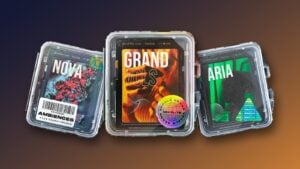
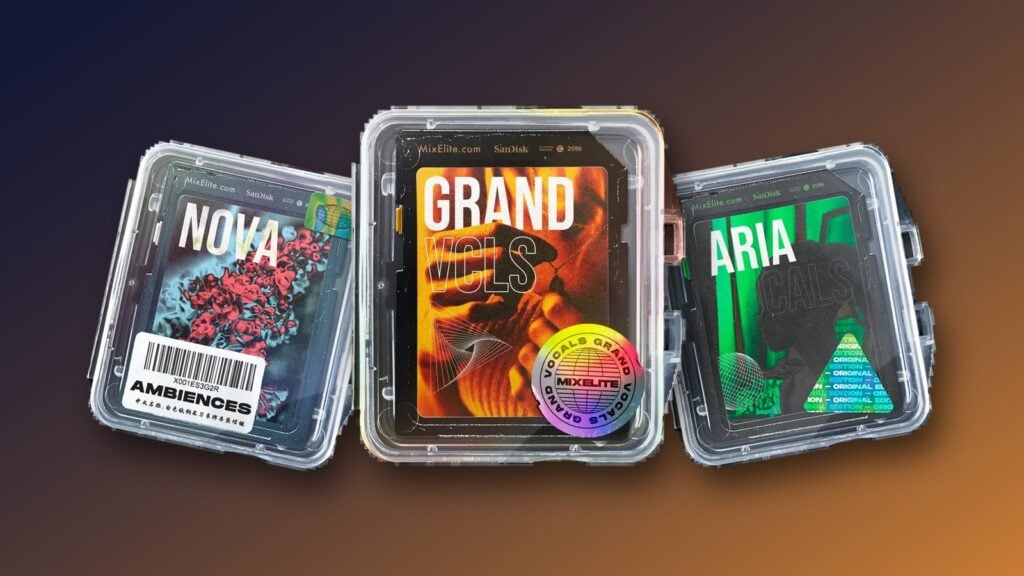
These three are Mix Elite’s own vocal sample packs, so they come first. Each one is a folder of WAV files that work in any DAW, from FL Studio to Ableton Live and Logic Pro. Every sound is royalty-free for your own tracks, you pay once, and you keep the files for life. Prices are from each pack’s page in November 2026.
Grand Vocals: hooks, phrases, adlibs and chops
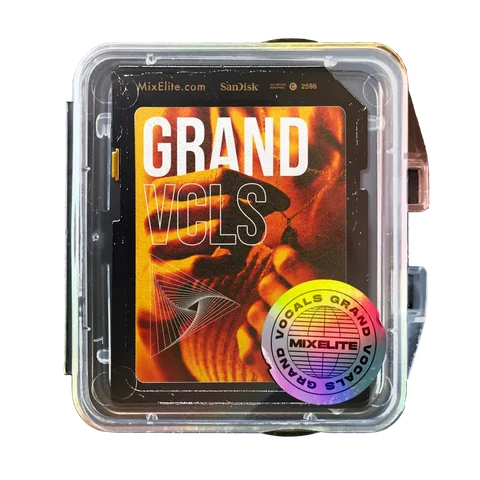
Mix Elite’s Grand Vocals pack is the one to get first, because it covers almost every job a vocal sample can do in a beat. It has 327 vocals from male and female singers, sorted by kind:
- WAV 118 phrases, 98 female and 20 male phrases
- WAV 154 adlibs, like “Yuh”, “Ayo” and “Hey!” adlibs
- WAV 28 hooks that can carry a chorus hooks
- WAV 27 chops to play like an instrument chops
- FST Bonus: 9 vocal mixer presets for FL Studio bonus
The phrase previews on its page show the key and tempo, like C major at 129 BPM or B minor at 75 BPM, so you know where a vocal fits before you drag it in. The 9 bonus presets do the mixing part for you: drop a vocal on a Mixer track, load a preset, and it sits in the beat. It’s $27, paid once.
Why start with vocals at all? In one of his FL Studio videos, Max, the founder of Mix Elite, plays a beat with and without a vocal sample on top. Max’s take:“this type of vocal is the secret in my opinion to great sounding beats.” A beat with no voice in it can sound like a backing track. One short phrase or adlib, and it sounds like a record.
Aria Vol. 1: vocal runs and hooks, dry and wet
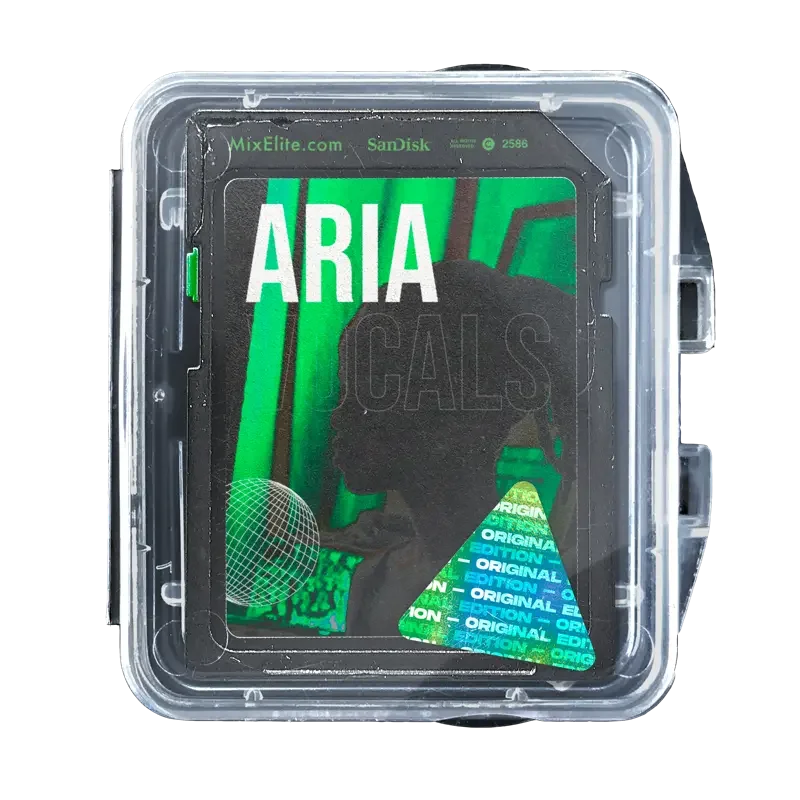
Mix Elite’s Aria Vol. 1 vocal runs pack is for the long, sung parts: 101 vocal runs, 31 hooks and 19 sustains. A run is a quick string of notes sung on one word, the kind of thing a soul or R&B singer does at the end of a line. A sustain is one long held note.
Every vocal comes twice, dry and wet. Dry means clean, with no effects, so you can mix it your way. Wet means already processed, so it sounds finished the second you drop it in. That makes 302 files in total, plus 21 reverb presets for FL Studio’s own Fruity Convolver and a tips and tricks PDF. It’s $27.
Max uses these in his own tricks. In one video he takes a sustained vocal from Aria, loads it into FL Studio’s Sampler, trims the start and length, and plays it like a synth.
Nova Vocal Ambiences: vocal pads and atmospheres
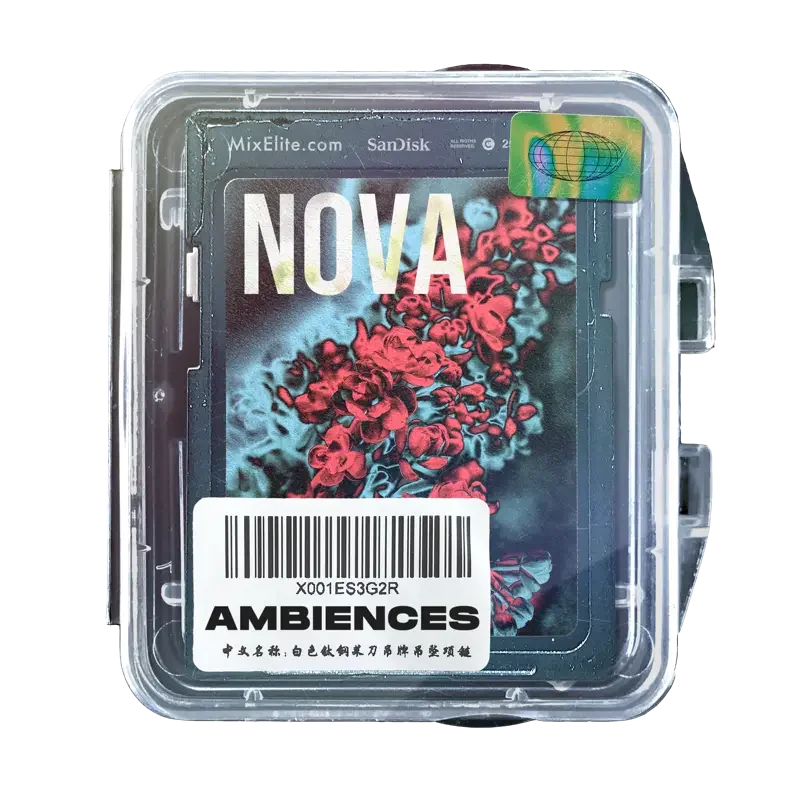
Mix Elite’s Nova Vocal Ambiences pack is for the airy, floating layer behind a track. It has 219 vocal ambiences: 188 full ones and 31 single ones you can play like pads, note by note. Put one under a breakdown or an intro, and the track feels wider and more emotional.
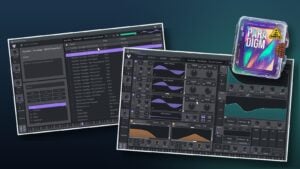
It also comes with 7 reese bass presets for Serum, made to sit under the ambiences. It’s $17. If you want to make this kind of sound yourself from any vocal, our guide to vocal ambience in FL Studio shows how, step by step.
If you’d rather have all three, Mix Elite Academy includes Grand Vocals, Aria and Nova, plus every other pack, template and course in the store, weekly coaching calls and feedback on your music. It’s $497, or less if there’s a sale on, with lifetime access.
Where else can you get good vocal samples?
Outside Mix Elite, these three are worth knowing. Each one solves a different problem, and each was checked on its own site in November 2026.
Splice: single vocal samples by the credit
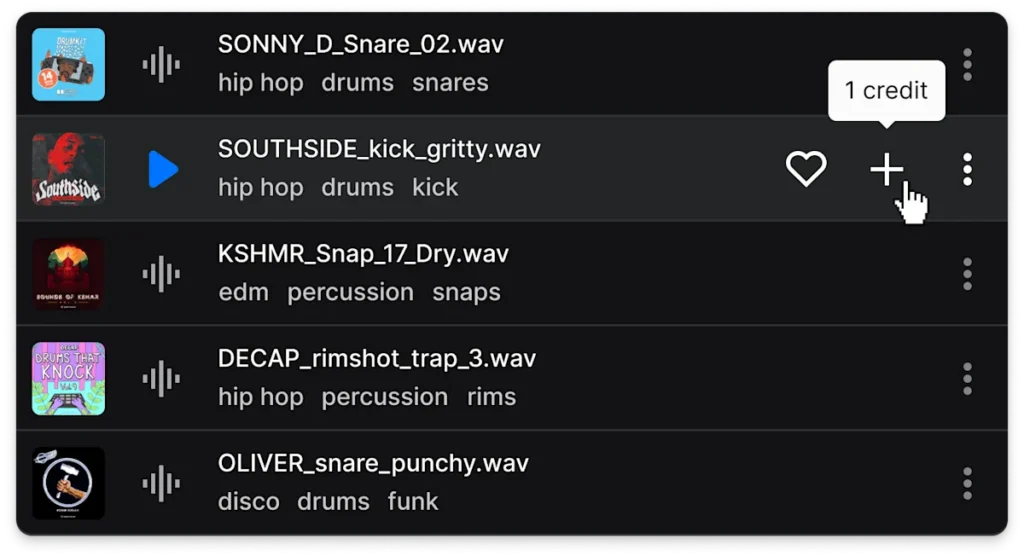
Splice is a big sound library you pay for each month. You can search its vocals by key, tempo and style, play them for free, and download only the ones you like. Each sample costs one credit.
Its Creator plan was $19.99 a month for about 200 downloads in November 2026. Splice says its sounds are 100% royalty-free and cleared for commercial use, and you keep everything you download, even if you cancel. It’s a good fit if you want one vocal for one song, not a whole folder.
Vocalfy: full vocal toplines with stems
Sometimes a short phrase isn’t enough and you want a whole song’s vocal to build a track around. Vocalfy sells full-length vocals with separate parts: lead, doubles, harmonies and adlibs. Each comes dry, wet and unprocessed.
Its listed vocals showed $34 or one credit each in November 2026. Its non-exclusive license lets you release and stream your song and keep 100% of your royalties. You may not register the song with a Content ID system, so read the terms first.
Tracklib: cleared samples from real records
Tracklib is different from a sample pack. It lets you sample real songs by real artists, often with stems, so you can take just the vocal. Then it helps you clear the sample, which means getting permission, before you release.
Its Create plan was $8.99 a month, billed yearly at $107.88, in November 2026, and it includes sample clearance with no upfront fee. In return, you share a small part of your song’s income with the artist you sampled. It’s the legal way to use a vocal from an old record.
Where can you get free vocal samples?
You can get free vocal samples from Mix Elite’s free downloads, from the Vocals folder that ships with FL Studio, and from free sites like Looperman and Freesound. The catch is the license. Free to download doesn’t always mean free to release, so check the rules on every sound before your song goes out.
Mix Elite’s free downloads
Sign up on Mix Elite’s Free Downloads page and you can download more than 1.4 GB of free samples, presets, e-books and cheat sheets. The same page also hands out free teasers of the vocal packs, including a Grand Vocals teaser and a Nova vocal ambiences teaser. It’s the easiest way to hear the packs in your own beat before you pay for anything.
The vocals that come with FL Studio
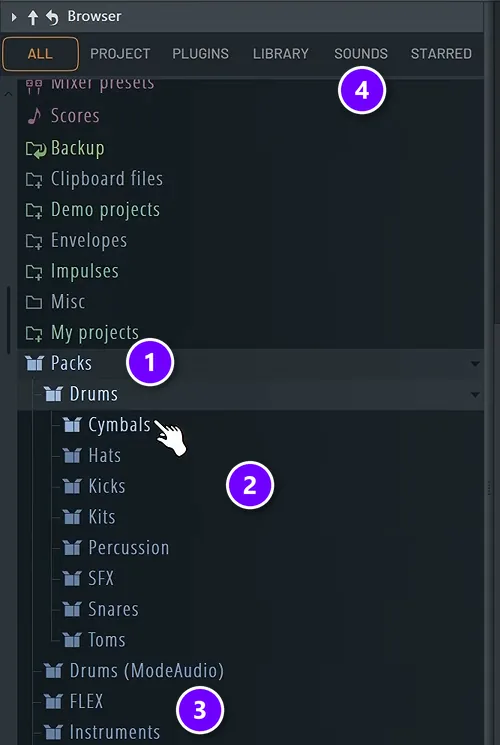
FL Studio comes with free sounds of its own. Open the Browser (Alt + F8 if it’s hidden), click the ALL tab and open Packs (1). Below the Drums folder (2) and FLEX (3) you’ll find a Vocals folder with short vocal samples to practice on.
The SOUNDS tab (4) opens FL Cloud, Image-Line’s own sound library. Every FL Studio edition includes its free tier, with thousands of royalty-free loops and samples once you log into your FL Studio account. Search it for vocals.
Looperman’s free acapellas

Looperman is a free community site where singers and rappers upload acapellas, which are vocals with no music under them. There are thousands to choose from, and you need a free account to download.
Looperman’s terms only cover personal, non-commercial use of an acapella unless the singer says more is allowed. Read each upload’s notes, and if you want to release the song, ask the singer first.
Freesound
Freesound is a huge free library of sounds shared by its users, and it has plenty of vocal one-shots, breaths, words and choirs. You need a free account to download. Each sound has its own Creative Commons license:
- CC0: use it any way you like, no credit needed.
- Attribution: you can release it, but you must credit the person who made it.
- Attribution NonCommercial: credit them, and don’t make money from it. Skip these for songs you plan to sell or stream.
What are the different types of vocal samples?
Vocal samples come in a few main types, and each one does a different job in a track. Knowing the names makes it much easier to find the right pack:
- Acapellas: a full vocal performance with no music, often a whole verse or chorus. You build a track around them.
- Phrases: a short sung or spoken line, like “Do you remember”. Great as a hook in a beat with no singer.
- Hooks: a catchy, repeating part that can carry a chorus on its own.
- Adlibs: quick shouts and words, like “Yeah” or “Let’s go”, that fill the gaps between lines. Trap and hip-hop use them all the time.
- One-shots: a single sound, like one word, one note or a breath. You play it on a beat or on the keys.
- Chops: tiny cut-up pieces of a vocal that you play like an instrument, the sound behind a lot of house and future bass drops.
- Runs, sustains and ambiences: sung note runs, long held notes and airy pads that add feeling and space behind everything else.
Most packs mix several of these. Grand Vocals leans on phrases, adlibs, hooks and chops, Aria on runs and sustains, and Nova on ambiences.
Are vocal samples royalty-free, and do you need to clear them?
Vocal samples from a royalty-free pack are already licensed for your music, so you don’t need to clear them. You can release the song, stream it and keep your royalties. What you can’t do is resell or share the sample files themselves.
A vocal taken from someone else’s song is a different story. An acapella of a famous track, even one you found for free, still belongs to the singer, the songwriters and the label. To release a song that uses it, you need their written permission first. Our guide on how to clear a sample walks through every step, from finding the owners to agreeing on a price.
- Mix Elite’s packs: every sound in Grand Vocals, Aria and Nova is royalty-free for your own tracks. You keep 100% of your royalties, and you can release anywhere and sign to a label. The full terms are in our license agreement.
- Splice and Vocalfy: both say you can release songs made with their vocals. Vocalfy’s license rules out Content ID.
- Free sites: Freesound and Looperman depend on each upload’s license, so check every sound.
- Real records: clear them yourself or through a service like Tracklib.
Other producers can buy the same pack, so change something before you release: the pitch, the timing or the effects. This is an overview, not legal advice.
Can you pull an acapella out of a song?
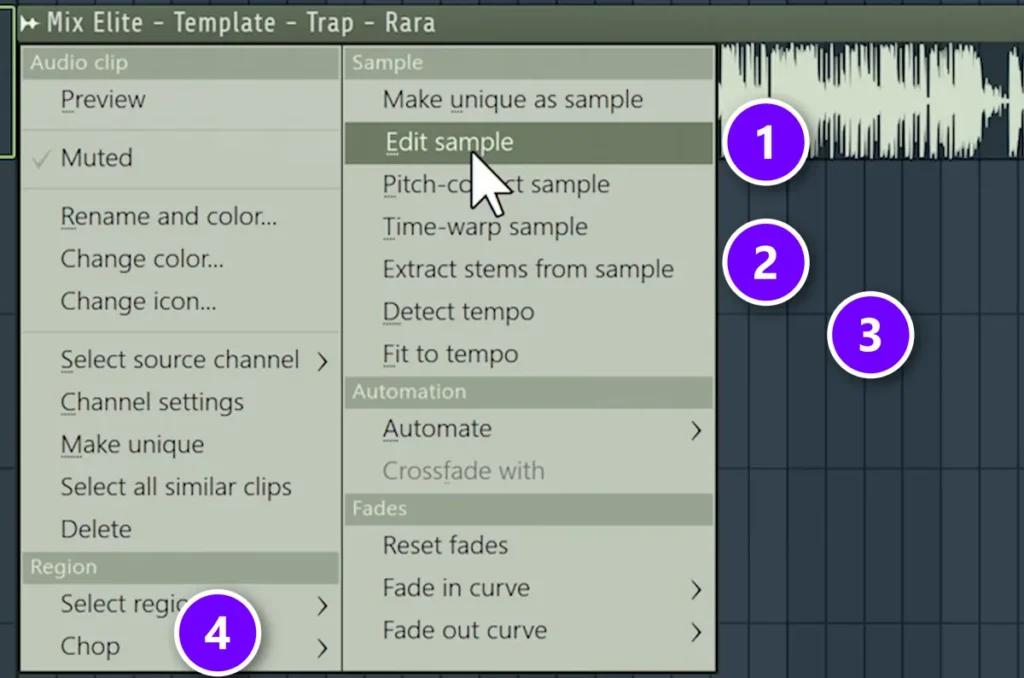
Yes, but only to practice with, unless you clear it. Newer versions of FL Studio can split a song into parts. Drop the song in the Playlist, right-click the clip and choose Extract stems from sample (2), and FL Studio pulls out the vocal as its own clip. The same menu has Detect tempo and Fit to tempo (3).
This is a great way to learn how a pro vocal sits in a mix, or to remix a song for fun. To release it, the rules above still apply: you need permission from the owners.
How to use vocal samples in FL Studio
Drag the vocal from FL Studio’s Browser onto the Channel Rack, and it opens in the Sampler. From there you match its tempo, match its key and, if you want, chop it into pieces. Here is how each step works.
How do you match a vocal sample to your song’s tempo?
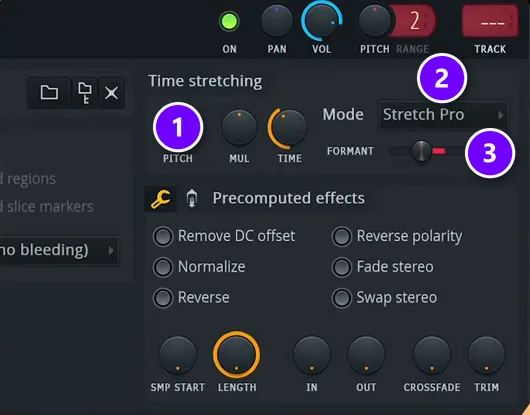
If the vocal plays faster or slower than your beat, it won’t line up. This short from the Mix Elite channel shows the fix on a rap vocal at 140 BPM in a beat at 123 BPM:
- Double-click the vocal in the Channel Rack to open its Sampler settings.
- Set Mode (2) in the Time stretching box to Auto, or to Stretch Pro for the cleanest sound.
- Right-click the TIME knob, two knobs to the right of PITCH (1), and choose Autodetect.
- Type in the vocal’s BPM when FL Studio asks. Most packs put it in the file name. The vocal now plays in time with your project.
Because the vocal is now locked to the project tempo, you can change the song’s tempo later and the vocal follows. For the full tempo guide, with the Playlist method too, see how to sample in FL Studio.
How do you match a vocal sample to your song’s key?
A vocal in the wrong key sounds sour against your chords, even if the timing is perfect. First find both keys. Good packs label them, like the C major and B minor tags on the Grand Vocals previews.
Then turn the PITCH knob (1) in the same Time stretching box. Each step is one semitone. To move a vocal from C major to D major, go up 2 semitones. Keep the move small, about 3 semitones or less, or the voice starts to sound like a cartoon. If it does, set Mode to Stretch Pro and move the FORMANT slider (3) the other way to keep the voice natural.
Can’t change the vocal’s key without it sounding odd? Move your beat instead. Select all the notes in the Piano roll with Ctrl + A and press Shift + Up or Down to shift them one semitone at a time.
How do you chop a vocal sample?
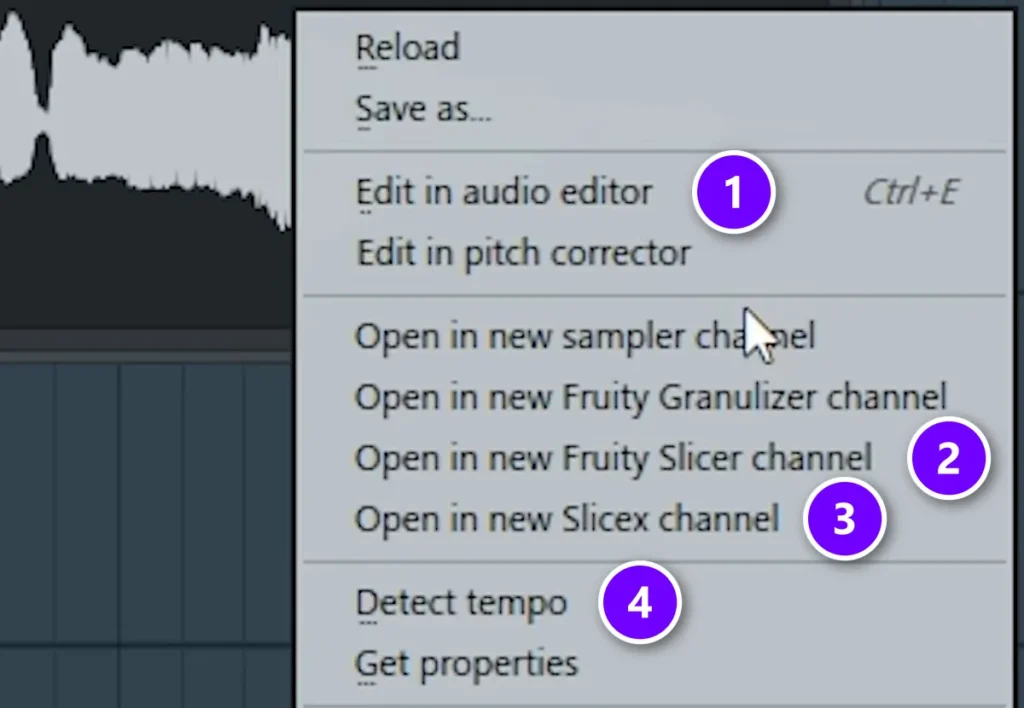
Chopping means cutting a vocal into short pieces and playing them back in a new order. Right-click the waveform in the Sampler and pick Open in new Slicex channel (3). Slicex cuts the vocal at each word and puts every piece on its own key, so you can play a new melody with the singer’s voice.
The same menu has Detect tempo (4) and Fruity Slicer (2), a simpler chopper. Short chops from a pack like Grand Vocals are already cut for you, so you can skip this step and play them straight away. To build your own chops from scratch, follow Mix Elite’s step-by-step guide on how to make vocal chops.
How do you make a vocal sample fit your mix?
A vocal sample was recorded somewhere else, so it rarely sits in your beat by itself. Three quick moves fix most of it:
- Set the level first. Turn the vocal up until you can hear every word, then pull it back a little so it sits with the beat, not on top of it.
- Cut the low end. Use an EQ to remove the rumble below the voice, so it doesn’t fight your 808 or kick.
- Give it the same space. Add a little of the same reverb you use on the rest of the beat, so the vocal sounds like it was in the same room.
For one-click chains that do all of this, see our list of the best FL Studio vocal presets. Grand Vocals also comes with its own 9 presets. And for the full method, read our guide on how to mix vocals.
DAY 5 OF THE 7-DAY MUSIC PRODUCER COURSE
Learn to record, mix and practice on real acapellas
Day 5 of Mix Elite’s 7-Day Music Producer Course is all about vocals: recording great vocals at home, the V.O.C.A.L. mixing formula and the vocal mistakes even advanced producers make. You download 10 copy-and-paste vocal chains, practice acapellas and free vocal plugins, and the course comes with a bonus set of drag-and-drop vocal mixing presets. It’s taught in FL Studio (the free trial works), about 45 minutes a day, and on day 7 our team gives you personal feedback on your track. It’s $27, and you get 60 days to decide if it was worth it.
How to choose the right vocal sample pack
Before you buy or download a pack, ask yourself these six questions:
- Does it fit my style? Trap wants adlibs and dark hooks. House wants chops and big sung phrases. Ambient and cinematic music want pads and atmospheres.
- Can I hear it first? A good pack lets you play every preview before you pay.
- Are the files labeled with key and BPM? It saves you from guessing every time.
- Do I get dry and wet versions? Dry gives you control. Wet saves you time.
- Is the license clear? Look for royalty-free, release anywhere, and what you can’t do with the files.
- Will I use most of it? A smaller pack you love beats a giant folder you never open.
In Mix Elite’s free FL Studio course, Max says “it’s much better to have a few great sounds than lots of okay ones.” Learning which sounds are good takes practice, and Max admits “there’s no shortcut for that other than using a great pack right from the start.”
So pick one pack for the music you make, drop one vocal into tonight’s beat, and match its tempo and key. Hear it once in your own track, and you’ll know whether that pack is the right one for you.
Frequently asked questions
Where can I get free vocal samples?
Start with Mix Elite’s Free Downloads page, which gives you over 1.4 GB of free samples and presets, plus free teasers of its Grand Vocals and Nova vocal packs. FL Studio also ships with a Vocals folder in its stock packs. Looperman and Freesound have thousands more, but check each sound’s license before you release a song with it.
Are vocal samples royalty-free?
Vocals from a royalty-free sample pack are. You can use them in songs you release and keep your royalties, but you can’t resell or share the files. Mix Elite’s Grand Vocals, Aria and Nova are all royalty-free. Free sites differ: some sounds need a credit, and some can’t be used in songs you sell, so read each license.
Can I use an acapella from a famous song?
Only to practice or remix for fun, unless you clear it. The vocal belongs to the singer, the songwriters and the label, so you need their written permission to release a song that uses it. Services like Tracklib help you clear samples from real records, or you can use royalty-free vocals that need no permission.
What’s the difference between an acapella and a vocal sample?
An acapella is a full vocal performance with no music under it, often a whole verse or chorus. Vocal sample is the wider name for any recorded vocal you use in a track: short phrases, hooks, adlibs, single words, chops, runs and airy vocal pads. Packs like Grand Vocals mostly hold the short kinds.
How do I find the key and BPM of a vocal sample?
Most packs put the key and BPM in the file name or on the preview, like the Grand Vocals phrase labeled C major, 129 BPM. If yours isn’t labeled, FL Studio’s Detect tempo option finds the BPM, and a free online key finder can find the key. Then match both in the Sampler’s Time stretching box.