
“Nothing is original. Steal from anywhere that resonates with inspiration or fuels your imagination.”
The best Vital presets for most producers are Mix Elite’s Paradigm Vol. 1: 101 Vital presets (dirty keys, organic plucks, pads, leads and reese basses) plus 11 bonus MIDI song starters, for $37. For free Vital presets, start with the 75 that come with Vital Basic, then add free packs like PresetShare’s community library and ModeAudio’s free ambient presets. To install any pack, open Vital’s menu, choose Import Bank and pick the .vitalbank file.
You load Vital, click through the presets, and nothing sounds like the songs in your head. One preset is thin, the next is a wall of noise, and twenty minutes of your one free hour are gone before you write a single note.
Good Vital presets fix that. You pick a sound that already works, play your idea on it, and get on with the song. Below are the best Vital presets to buy, the free ones worth your time, how to install them in about a minute, and how they compare with Serum presets.
Table of Contents
The best Vital presets from Mix Elite
These two come first because they’re Mix Elite’s own, and both load straight into Vital, the free synth. You pay once, keep the files for life, and every preset is royalty-free for your own tracks. Prices are from each pack’s page in November 2026.
Paradigm Vol. 1: 101 Vital presets with soul
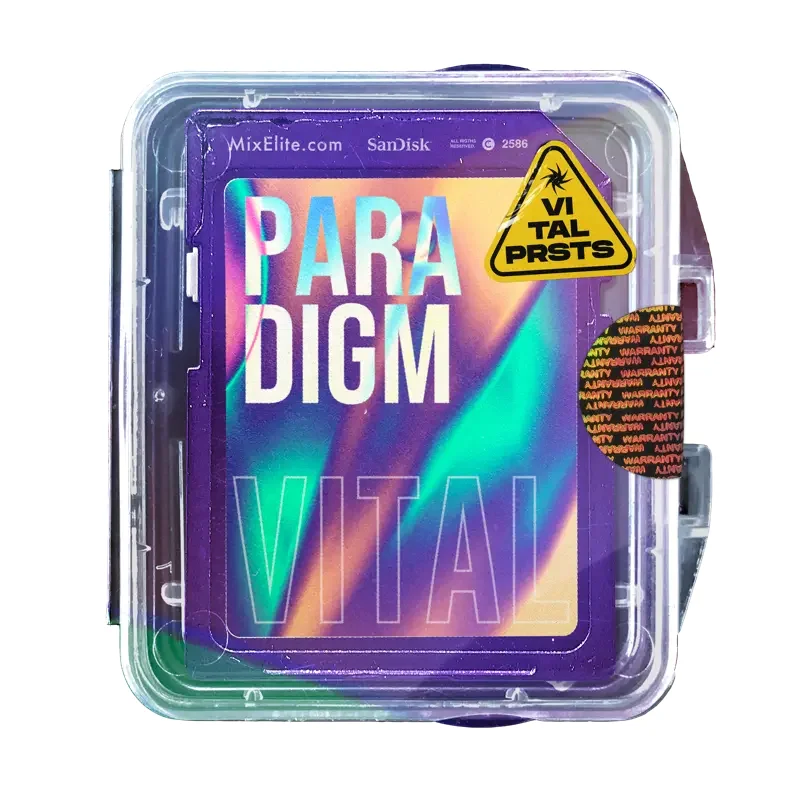
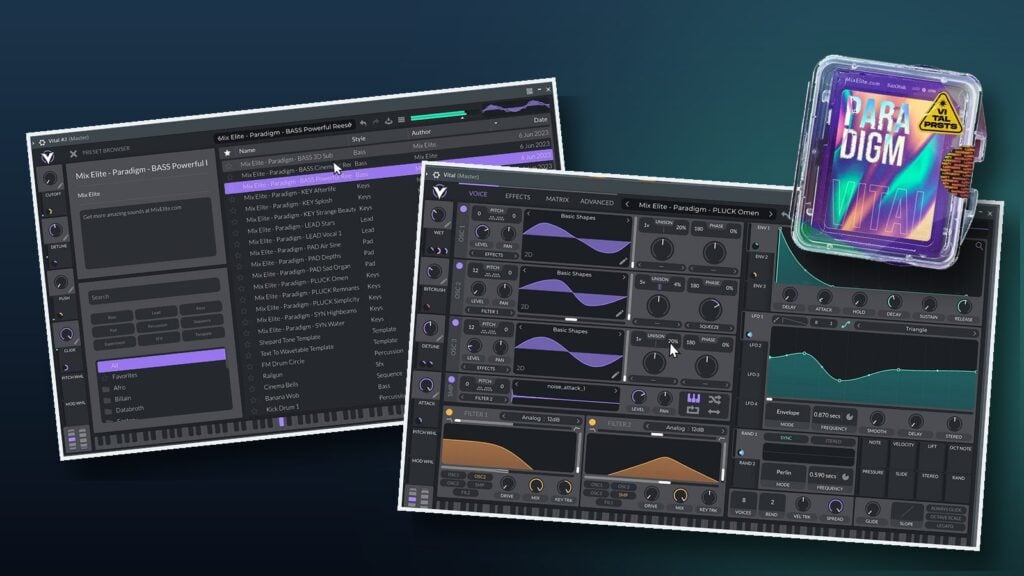
Mix Elite’s Paradigm Vital presets are the pack to get if you want sounds that feel finished the moment you press a key. Paradigm Vol. 1 has 101 Vital presets: dirty keys, organic plucks, pads, leads and huge reese basses, the wide, growling basses you hear in drum and bass and trap. It also comes with 11 bonus MIDI song starters, so you can drag one in and hear a preset play a real idea instead of a single note.
- SYN KEY Splosh, KEY Strange Beauty, KEY Afterlife keys
- SYN PLUCK Omen, PLUCK Simplicity, PLUCK Remnants plucks
- SYN PAD Air Sine, PAD Depths, PAD Sad Organ pads
- SYN LEAD Stars, LEAD Vocal 1 leads
- SYN BASS Cinematic Reese, BASS Powerful Reese bass
- MID 11 bonus MIDI song starters bonus
The pack’s page plays 15 of the presets, so you can hear them before you buy. They’re made for trap, hip-hop, house, EDM and pop, and they work in FL Studio, Ableton Live, Logic Pro or any other DAW that runs Vital. It’s $37, paid once, with a 60-day money-back guarantee.
Destiny: EDM melodies with 15 bonus Vital presets

If you also want melodies to play on your presets, Mix Elite’s Destiny EDM MIDI melodies pack has 108 EDM melodies as MIDI files. It comes with 28 bonus synth presets, and 15 of them are for Vital. Load a Destiny preset, drag in a melody, and you have a lead in about a minute. It’s $17.
Want every pack at once? Mix Elite Academy includes Paradigm, Destiny and every other pack in the store, plus all the courses, weekly coaching calls and feedback on your music. It’s $497, or less if there’s a sale on, with lifetime access.
What are the best free Vital presets?
The best free Vital presets start with the 75 that come with Vital itself. After that, the free pack in Mix Elite’s free FL Studio course, the community library on PresetShare and ModeAudio’s free ambient presets give you hundreds more without paying anything.
Free is a fine way to learn. The catch is time: you’ll scroll through a lot of thin sounds to find a few you’d put in a song.
Vital’s own factory presets
Vital Basic is free and comes with 75 presets and 25 wavetables, the wave shapes a synth like Vital plays. You only need a free account to download it. Max, the founder of Mix Elite, calls Vital “the best free VST synthesizer” in Mix Elite’s free FL Studio course.
He’s honest about the stock sounds, though. “I don’t really like the stock presets that come in Vital,” Max says. That’s why most producers add at least one good pack on top.
The free Vital pack in Mix Elite’s free FL Studio course
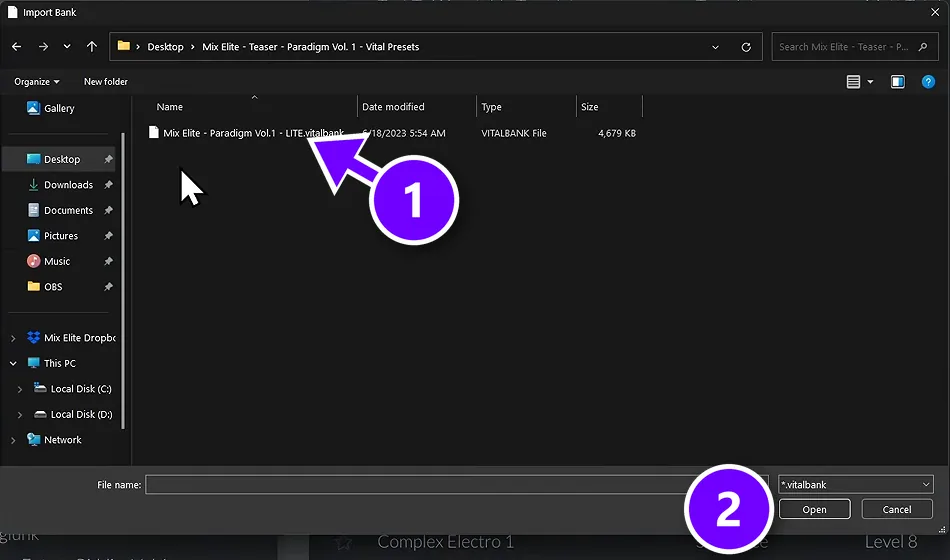
In Mix Elite’s free 4.5-hour FL Studio course on YouTube, Max installs Vital and then imports a free Vital pack from the course downloads, a short teaser of Paradigm. You get the downloads on the course downloads page, and the video shows each click, from installing Vital to playing a melody on a pluck preset.
It’s a good way to hear what Paradigm sounds like in a real beat before you decide on the full pack.
PresetShare: thousands of free presets from other producers
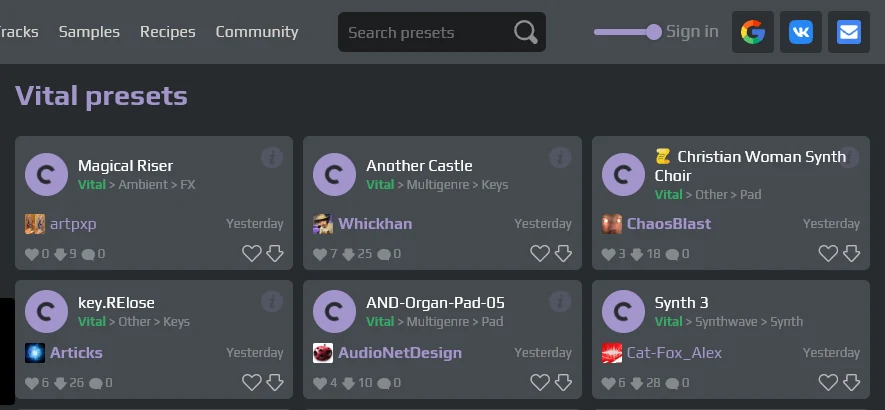
PresetShare is a free library where producers upload their own presets. In November 2026 it listed more than 11,000 Vital presets, sorted by genre and sound type, like bass, pad, pluck or reese. You can sort by most liked or most downloaded to find the good ones faster.
Quality is mixed, because anyone can upload. Check what each uploader says about using their sounds before you release a song with them.
ModeAudio’s 20 free ambient Vital presets
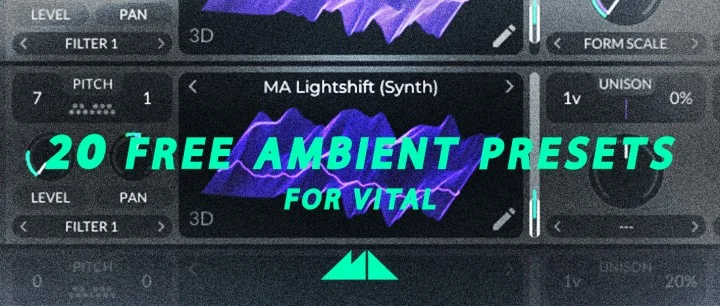
ModeAudio, a UK sound design company, gives away 20 free ambient Vital presets picked from four of its paid packs. They cover basses, leads, warm pads, sequences and textures, and each preset comes with a MIDI file that shows the sound off. Most of ModeAudio’s paid Vital packs also have a free taster pack on their page.
“Free download” doesn’t always mean you can release songs with it. Read each free pack’s license before you put it in a track you plan to sell or stream.
Other Vital preset packs worth paying for
Outside Mix Elite, these are three names you’ll see a lot when you shop for Vital presets. All three were checked on their own sites in November 2026.
Vital Plus and Pro: more presets from Vital itself
Vital’s own paid tiers are mostly about presets. Vital Plus is $25 and comes with 250 presets and 70 wavetables. Vital Pro is $80 and comes with more than 400 presets, 150 wavetables and extra skins. There’s also a $5-a-month subscription with subscriber-only preset packs.
The synth itself is the same in every tier. As Max puts it, “there’s no need to upgrade to Plus or Pro, they mainly just differ in the amount of presets that come by default.”
ModeAudio Flow State: Vital presets for hip-hop
Flow State is ModeAudio’s Vital pack for hip-hop, R&B and lo-fi. It has 50 presets (basses, pads, keys, leads, plucks and textures) built on 25 custom wavetables, plus 57 MIDI loops and 21 drum loops. All four macro knobs are already set up in every preset. It was £15 on ModeAudio’s site in November 2026, and ModeAudio has more Vital packs for ambient, synthwave and deep house at a similar price.
Splice: single Vital presets by subscription
Splice sells single Vital presets inside its sounds subscription, many from drum and bass labels and sound designers. You preview them for free and download each preset for 3 credits, so you only keep the sounds you like. The Creator plan was $19.99 a month in November 2026, and Splice says its sounds are 100% royalty-free.
How do you install Vital presets?
Install Vital first, then open its menu, choose Import Bank and pick the pack’s .vitalbank file. The presets show up in Vital’s preset browser right away, in any DAW. Here’s the full process in FL Studio, the way Max does it in the video below.
Step 1: install Vital in your DAW (it’s free)
- Download Vital. Go to vital.audio, pick Basic (the free one), create an account and run the installer.
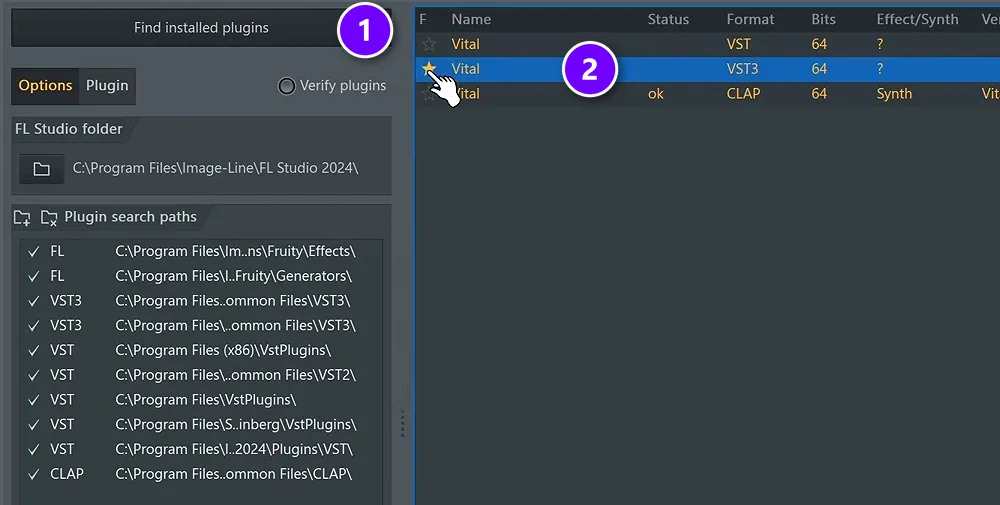
- Find it in FL Studio. Go to Options > Manage plugins and click Find installed plugins (1). Search for Vital and star the VST3 version (2). Max’s rule: “I always prefer to use the VST3 format, it’s the newest one.”
- Load it. Click the + at the bottom of the Channel Rack and pick Vital. When it asks, click Work offline or log in.
Step 2: import the .vitalbank file
- Unzip the pack into a folder you won’t move.
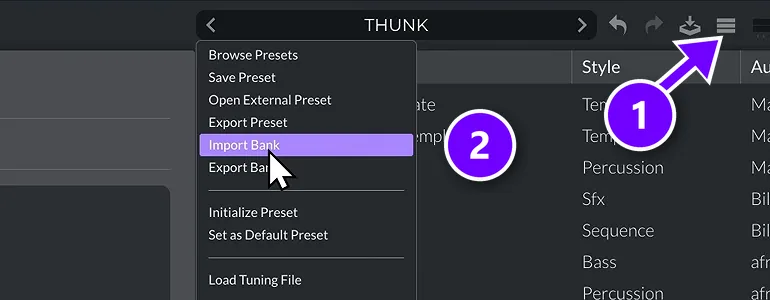
- Open the menu. Click the menu icon (three lines) to the right of the preset name at the top of Vital (1).
- Choose Import Bank (2), then pick the pack’s .vitalbank file and click Open.
- Play it. Click the preset name to open the browser, pick a preset and play a few notes.
For a single preset that ends in .vital, choose Open External Preset in the same menu, or drag the file onto Vital. On Windows, Vital keeps its presets and banks in a Vital folder inside Documents, and anything you save yourself lands in its User folder.
Can’t find your new presets? In the preset browser, type the pack’s name into the search box. Mix Elite’s presets all start with the pack name, so they line up together.
Vital vs Serum presets: what’s the difference?
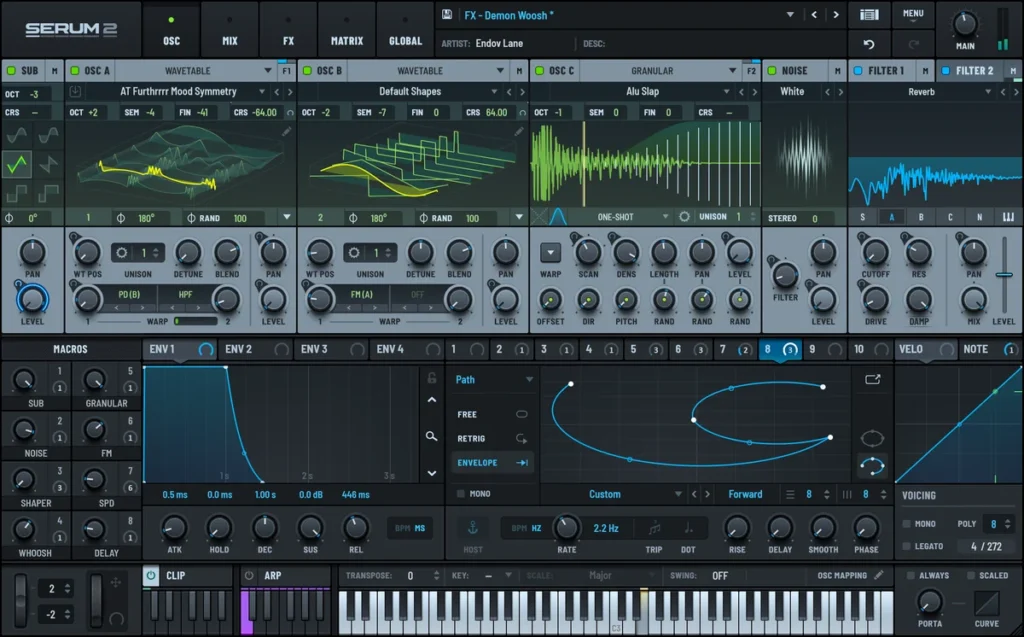
Vital and Serum are both wavetable synths, and they look and work a lot alike. Vital is free. Serum 2 costs $249 on Xfer Records’ site (November 2026). Their presets are not the same file type, so a Serum preset won’t open in Vital, and a Vital preset won’t open in Serum.
Max calls Serum “very, very similar to Vital,” and “very, very popular, so whenever you’ll be watching any tutorials, you’ll see it coming again and again.” That’s the real difference for a beginner. Serum has more tutorials and more presets for sale, and Vital costs nothing to start with.
- Start with Vital if you’re new to synths or don’t want to spend money yet. The sound quality is easily good enough to release songs with.
- Get Serum presets if you already own Serum. Mix Elite’s Memoriam Serum presets are the Serum version: 101 presets (keys, plucks and reese basses), each with a MIDI song starter and its WAV, for $27.
- Wavetables can cross over. A wavetable saved as a WAV file can usually be loaded into either synth, even when the presets can’t.
How do you make a Vital preset sound like yours?
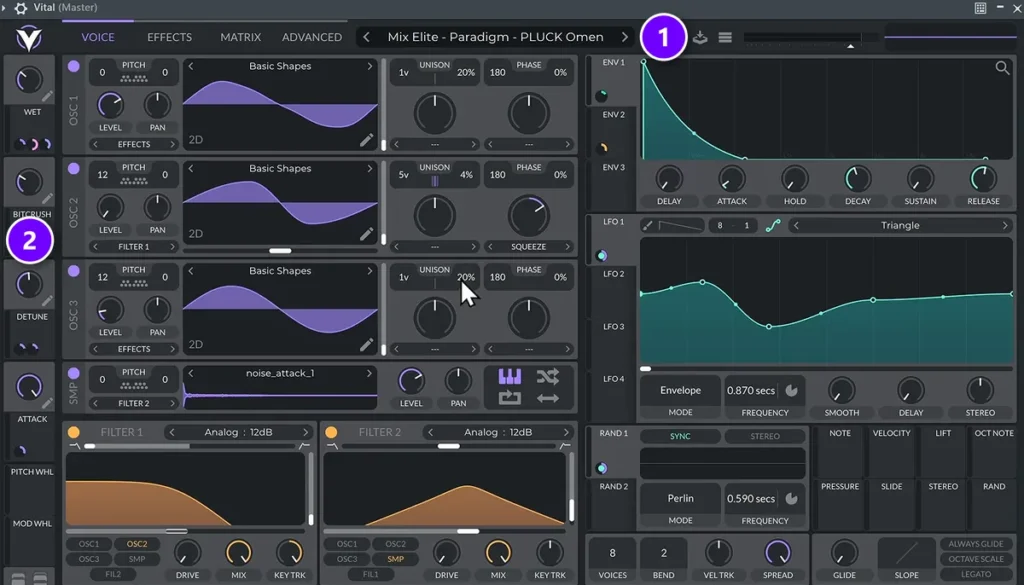
Use the four macro knobs on the left side of Vital first. A good preset maps each macro to several settings at once, so one turn changes the whole character of the sound.
Max’s advice from the free course: “play around with those settings, especially with the macros on the left, which quickly change how those presets sound.” Then try these, one at a time:
- Turn each macro slowly while a loop plays (2). Stop when the sound sits right in your beat.
- Move the filter cutoff down to make a sound darker and softer, or up to make it brighter.
- Change the envelope. A longer attack makes a pluck swell in. A shorter release makes it tighter.
- Check the Effects tab. Many presets come with reverb already on, which can wash out your mix. Turn it down and add your own reverb on the mixer instead.
- Save it as your own. Click the save icon next to the preset name (1) and give it a new name, so your version is ready for the next song.
For what each knob actually does, see our guide to the fundamentals of sound design. To build a reese bass from scratch, follow our reese bass tutorial.
Learn to write the melodies your presets play
Day 2 of Mix Elite’s 7-Day Music Producer Course covers chords and melodies: where to get pro-sounding instruments, many of them free, the 3-step chord formula and 4 easy ways to write catchy melodies, even if you’ve never touched a keyboard. You also download 30+ hit chord progressions, ready to drop in, plus 20+ free instruments and tools. You need about 45 minutes a day, it’s $27, and you get 60 days to decide if it was worth it.
How do you choose the right Vital presets?

Pick Vital presets by the sounds your songs need, not by how many presets a pack has. Twenty great plucks beat a thousand you’ll never use.
- Match your style. Trap and hip-hop need dark keys, bells and 808-style basses. House and EDM need bright plucks, chords and leads.
- Listen to the demos. A good pack lets you hear the presets before you pay, ideally in a real beat.
- Look for MIDI. Packs with MIDI song starters, like Paradigm, play a full idea the moment you load them.
- Check the macros. Presets with all four macros set up are much faster to shape.
- Check the version. Some packs need a recent version of Vital, so update Vital before you import.
- Read the license. You want royalty-free, so you can release your songs without paying anyone.
Paid packs are worth it when they save you time in the style you make. Good sounds, sorted and labeled, with a clear license, for one price.
Do Vital presets work in FL Studio and other DAWs?
Yes. Vital presets live inside Vital, not inside your DAW, so the same preset works anywhere Vital runs: FL Studio, Ableton Live, Logic Pro, Studio One, Reaper and more. Vital runs on Windows, Mac and Linux.
One thing to know: FL Studio has its own way to save plugin presets, but you don’t need it here. Import the bank inside Vital and every project can use it. For more free and paid synths to pair with Vital, see our list of the best synth plugins, and for ready-made melodies, our guide to the best MIDI packs.
Start tonight: install Vital, import one pack and play one preset over a chord loop. If you want sounds that already feel like a finished song, start with Paradigm.
Frequently asked questions
Are Vital presets free?
Many are. Vital Basic is free and comes with 75 presets, and free libraries like PresetShare hold thousands more made by other producers. Paid packs, like Mix Elite’s Paradigm with 101 Vital presets for $37, give you sounds that are sorted, labeled and ready for a song. Vital itself stays free either way.
Can I use Serum presets in Vital?
No. Serum and Vital save presets in different file types, so a Serum preset won’t open in Vital, and a Vital preset won’t open in Serum. A wavetable saved as a WAV file can usually be loaded into either synth, but for the full sound you need presets made for the synth you use.
How do I install Vital presets?
Unzip the pack, open Vital, click the menu icon to the right of the preset name and choose Import Bank. Pick the pack’s .vitalbank file and click Open. The presets show up in Vital’s preset browser right away. For a single .vital file, choose Open External Preset in the same menu, or drag the file onto Vital.
Are Vital presets royalty-free?
Most paid packs are, but check each license. Royalty-free means you can release songs made with the presets without paying royalties, though you can’t resell or share the files. Mix Elite’s Paradigm presets are royalty-free for your own tracks. Free presets from community sites can have different terms, so read them before you release.
Do I need Vital Pro to use preset packs?
No. Every Vital tier runs the same synth, so preset packs work in the free Basic version too. Plus ($25) and Pro ($80) mainly add more factory presets and wavetables. Max, the founder of Mix Elite, says there’s no need to upgrade, since the tiers mainly differ in how many presets come pre-installed.