



“I fell in love with my iPad as soon as I got it, so I’ve made a completely different kind of record.”
The best music production app for beginners is FL Studio Mobile ($14.99 on iPhone, iPad and Android), because it makes full beats and your projects open in FL Studio on a computer. GarageBand (free on iPhone and iPad) and BandLab (free on Android, iPhone and the web) are the best free music creation apps.
The best music production apps exist for one reason: ideas rarely show up when you’re at your desk. They come on the bus, on a lunch break or at 1 a.m. in bed, and by the time you reach a computer they’re gone. A good app on your phone lets you catch them, and sometimes even finish them.
We checked every app below on its maker’s site and on the App Store or Google Play: the price, the devices it runs on and when it was last updated, with every price re-checked in October 2026. You’ll also see the best free apps, the Android picks, how to get songs onto a computer, and when to move to one.
Table of Contents
The best music production apps at a glance
- Best for beats on any phone: FL Studio Mobile ($14.99, iPhone, iPad and Android).
- Best free app on iPhone and iPad: GarageBand.
- Best free app on Android: BandLab, which also runs in a web browser.
- Best for sampling: Koala Sampler ($4.99).
- Best pad studio on iPad: BeatMaker 3 ($24.99).
- Best for MPC-style beats: iMPC Pro 2 (iPad and iPhone).
- Best full studio on iPad: Logic Pro for iPad (subscription, 30 days free).
- Best full studio on Android: Cubasis 3 ($29.99 on Google Play).
- Best for quick ideas: Ableton Note ($6.99), which sends your ideas to Ableton Live.
How we picked and checked these apps
We only picked apps that let you make a whole track: build a beat, add sounds, record, mix and save the song as an audio file. Most of them are a DAW, short for digital audio workstation. That’s the name for a full music studio app, like FL Studio or Logic Pro on a computer.
Then we checked each app on its maker’s website and on its App Store or Google Play page on October 7, 2026, then re-checked every price on October 12 (and on October 21 for BeatMaker 3, iMPC Pro 2 and KORG iELECTRIBE). Prices are US prices and can change. Where an app has changed how you get it, we say so. Apps their makers have discontinued are listed at the end.
The 12 best music production apps in 2026
Here they are, from the most useful for most people to the specialists. Each one shows the app itself, using the maker’s own images.
1. FL Studio Mobile (Image-Line)
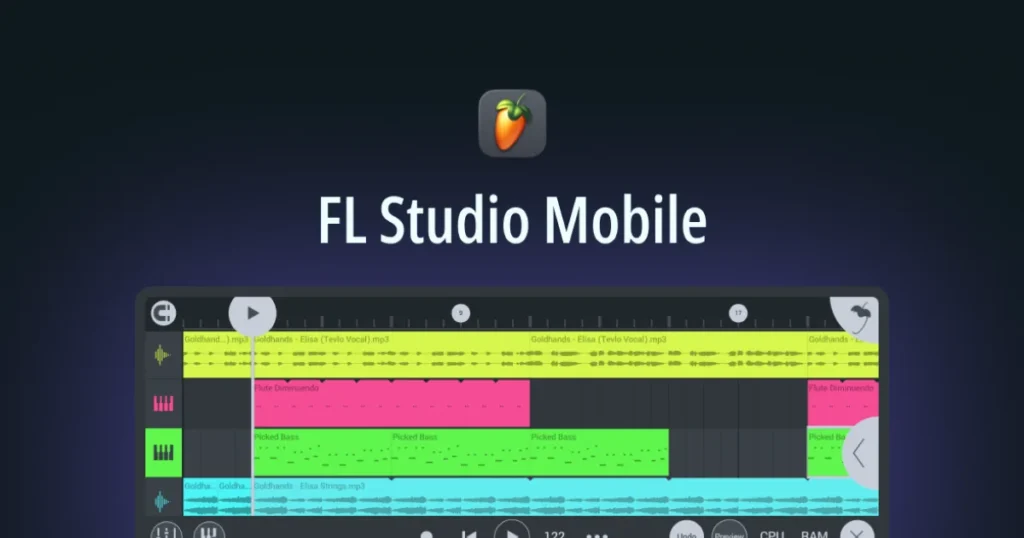
FL Studio Mobile is the phone and tablet version of FL Studio, the software Mix Elite teaches. It has a step sequencer for drums, a piano roll for melodies, built-in synths, a sampler and drum kits, effects, audio recording and a mixer. That’s enough to build a full beat on the bus home.
Its big plus is where your songs can go next. You can export a project as an .flp file and keep working on it in FL Studio on a computer, or export WAV, MP3, AAC, FLAC or MIDI for any other app, Image-Line says. A Mix Elite short shows one more trick: FL Studio on a computer can run FL Studio Mobile as a plugin, so you can try its sounds there first.
Price: $14.99 on the App Store and Google Play. All instruments are included; extra sound banks are in-app purchases.
Runs on: iPhone, iPad, Android phones and tablets, and Chromebooks.
Best for: making beats, and anyone who may move to FL Studio later.
2. GarageBand (Apple)
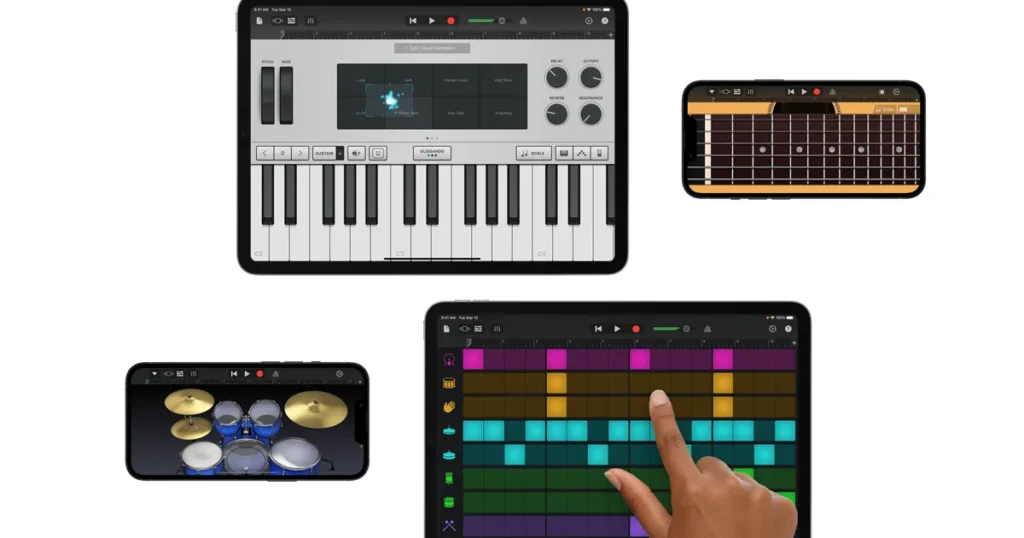
GarageBand is Apple’s free music studio for iPhone and iPad, and it’s the easiest place to start. You can play its Touch Instruments right on the glass, build drums with the Beat Sequencer or a virtual Drummer, trigger loops like a DJ with Live Loops, and record up to 32 tracks.
Its free Sound Library keeps adding loops and instruments, and you can plug in an audio interface to record a band. When you outgrow it, Logic Pro for iPad opens your GarageBand songs.
Price: free.
Runs on: iPhone and iPad. The current version on the App Store lists iOS 26 as the minimum.
Best for: beginners on Apple devices.
3. BandLab
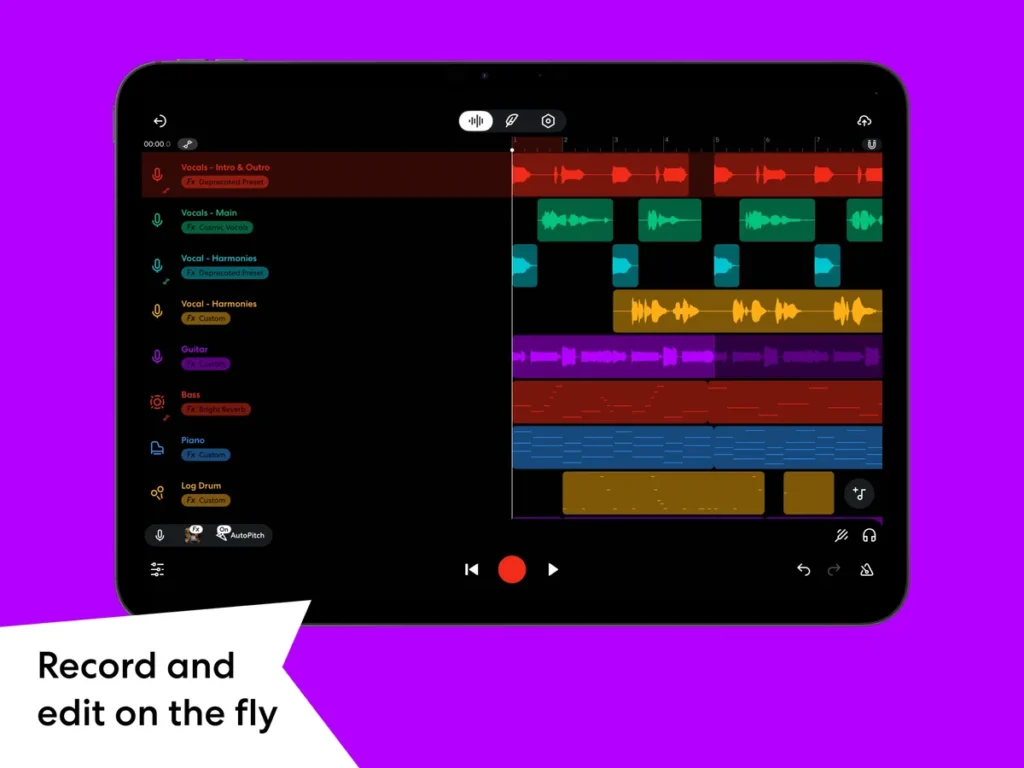
BandLab is the best free choice if you don’t have an iPhone. It runs on Android, iPhone, iPad and in a web browser, and a project you start on your phone opens on the web, its help center says. BandLab’s App Store listing names more than 385 instruments, a sampler with over 250,000 royalty-free sounds, a drum machine, AutoPitch for vocals, a tool that splits a song into stems (vocals, drums, bass), and free mastering presets.
Two things to know. It needs an internet connection, and the free app shows ads on Android. A paid Membership adds extra tools, but you don’t need it to finish songs.
Price: free, with an optional paid Membership.
Runs on: Android 8.2 or later, iOS 16 or later, and any computer with Chrome, Firefox or another Chromium-based browser.
Best for: free music making on any device, and recording vocals.
4. Koala Sampler
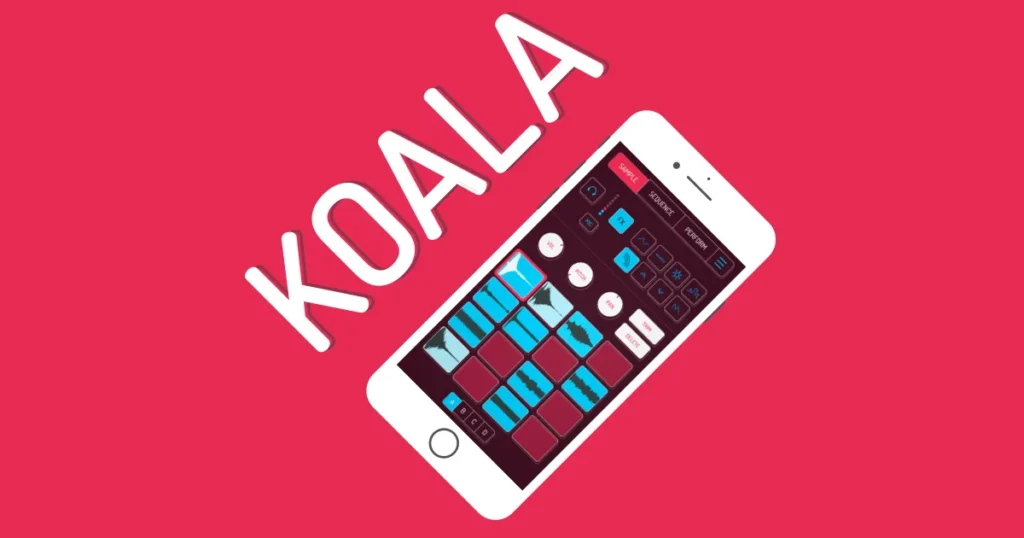
Koala is a sampler. A sampler lets you record any sound, chop it up and play it from pads. Record a voice, a pot lid or a bit of a record with your phone’s mic, then turn it into a beat in minutes. Its listing names up to 64 samples, 16 effects, 250 built-in sounds and WAV export.
It’s quick on purpose. There are no long menus, so you stay in the fun part. Two optional upgrades, Samurai and Mixer, add things like time-stretching, a piano roll and a proper mixer.
Price: $4.99 on the App Store and Google Play, plus optional in-app upgrades.
Runs on: iPhone, iPad and Android.
Best for: sample-based beats and making music out of everyday sounds.
5. Logic Pro for iPad (Apple)
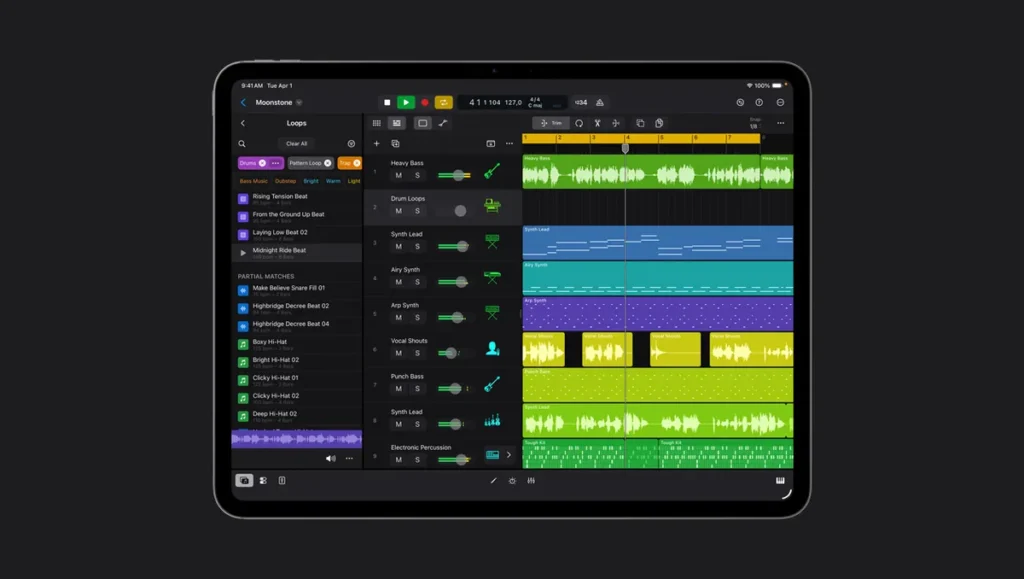
Logic Pro for iPad is Apple’s pro studio, built for touch. You get the instruments, effects and tools of Logic Pro, including Session Players (virtual drummers, bass and keyboard players), Stem Splitter, Chord ID and Mastering Assistant. Projects move back and forth with Logic Pro on a Mac.
It’s now part of Apple Creator Studio, a subscription that also includes Final Cut Pro and other Apple apps. Some of the newest smart features need an iPad that supports Apple Intelligence. Logic doesn’t run on Windows; here’s what to use instead of Logic Pro on a PC.
Price: free for 30 days, then $12.99 a month or $129 a year.
Runs on: iPads with an A12 Bionic chip or later, on iPadOS 26 or later.
Best for: a full studio on an iPad.
6. Cubasis 3 (Steinberg)
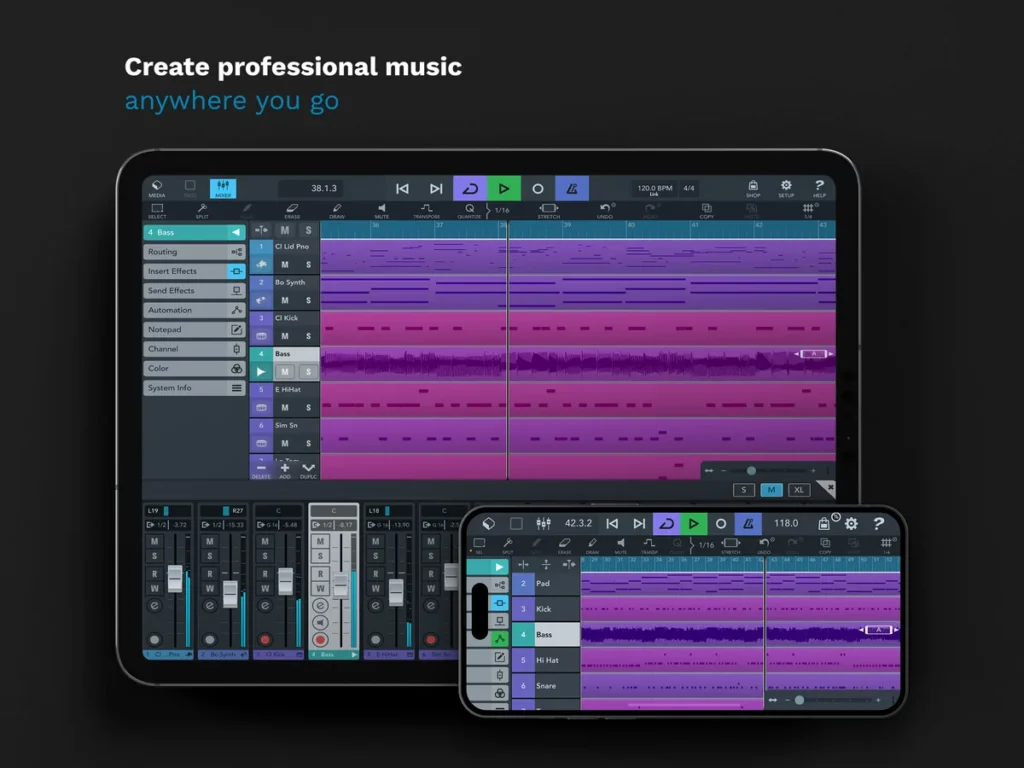
Cubasis 3 is a full DAW from Steinberg, the company behind Cubase. Its listing promises unlimited audio and MIDI tracks, recording at up to 24-bit/96 kHz, and 8 insert plus 8 send effects per channel. In plain words, it records and mixes a full song with no track limit.
It’s also one of the few serious studio apps on Android, and it costs less there. The free Cubasis LE 3 only works fully when you connect certain music hardware, so most people should skip it.
Price: $49.99 on the App Store (one purchase covers iPhone and iPad) and $29.99 on Google Play.
Runs on: iPhone, iPad and Android.
Best for: recording and mixing full songs, especially on Android.
7. BeatMaker 3 (INTUA)
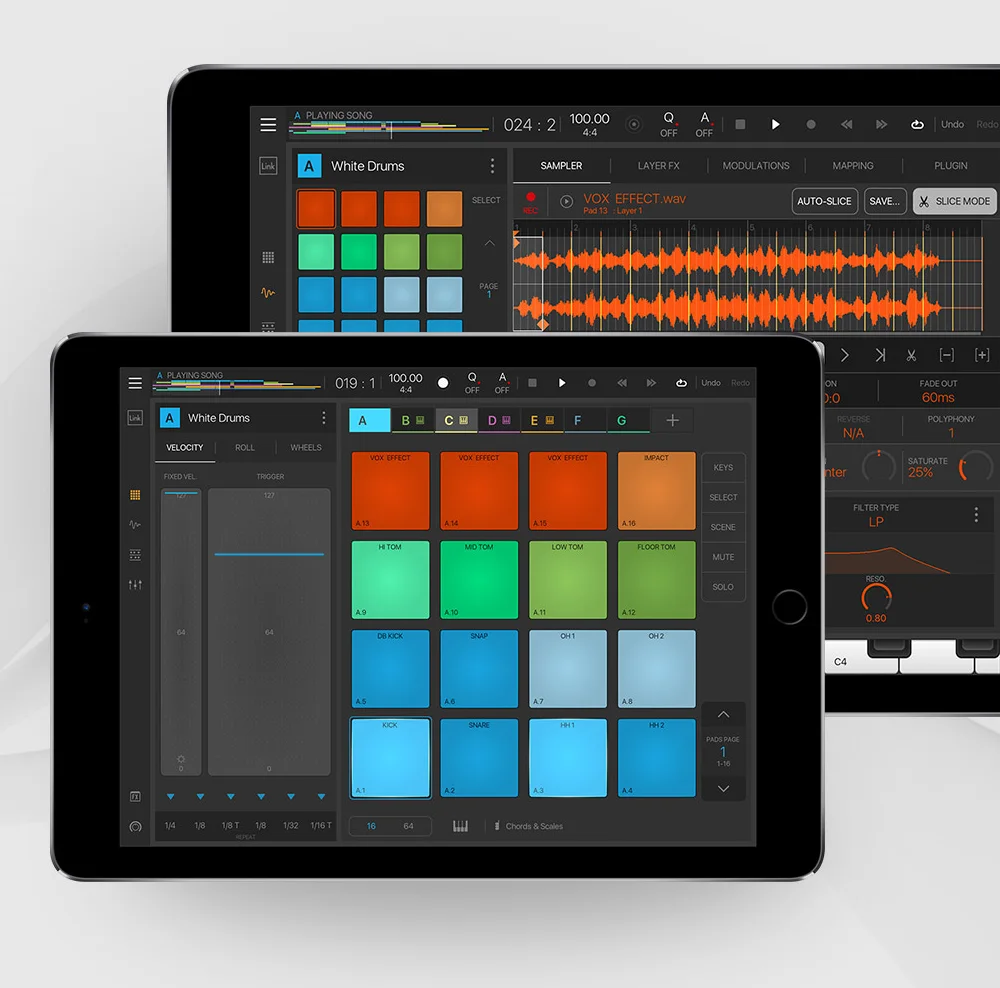
BeatMaker 3 is a full beat studio for the iPad, built around pads. You get 128 banks of 128 pads, and every pad can hold its own instrument: a sample you chop, stretch and layer, or a synth app you load as a plugin. Your patterns go into a classic song timeline, and Scene Mode lets you loop and rearrange clips live, like a performance.
It’s the deepest sampler on this list. Plug in a USB audio interface and you can record several inputs at once. When the beat is done, you can export each part as its own stem file and finish the song in a DAW on a computer. It also stays in time with other music apps through Ableton Link.
Price: $24.99 on the App Store (October 21, 2026), with optional sound packs in the app.
Runs on: iPad only, iPadOS 11 or later. Its latest update came in December 2025.
Best for: sample-based beat makers who want a deep pad studio on an iPad.
8. iMPC Pro 2 (Akai Professional)
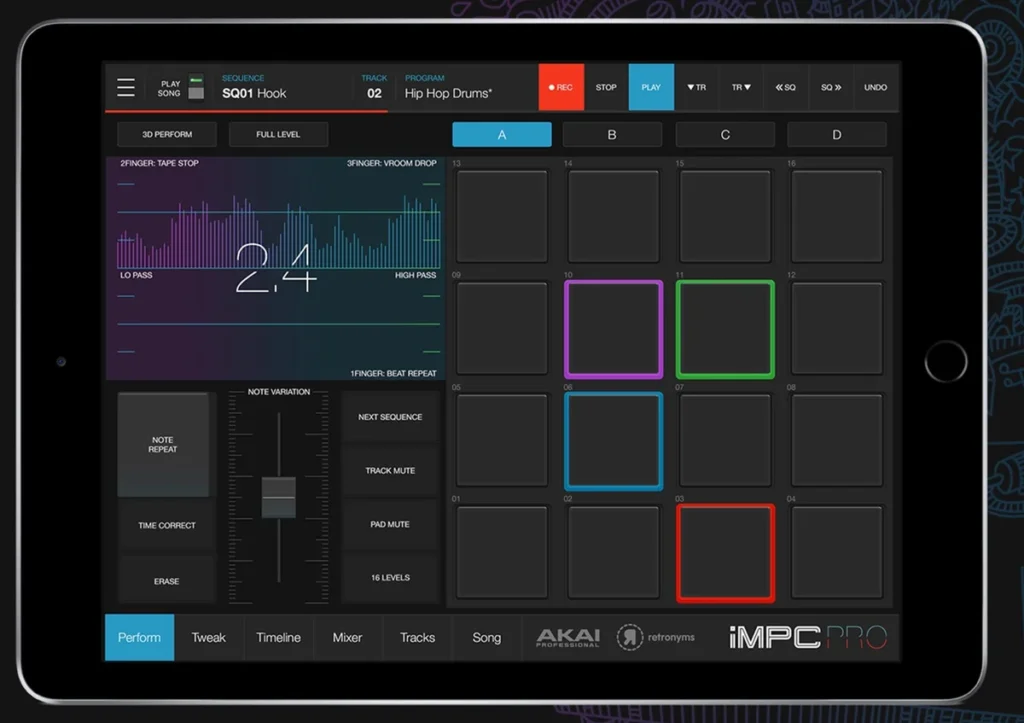
iMPC Pro 2 brings Akai’s MPC way of making beats to the iPad and iPhone. The MPC is the drum machine and sampler behind decades of hip-hop, and the app keeps its 16 pads, Note Repeat for rolling hi-hats, swing, and 16 Levels, which spreads one sound across all 16 pads at different pitches or volumes. Record a sound with the mic, trim and slice it in the Chop Shop, and play it right away.
It goes past beats, too. Audio tracks let you record vocals or a guitar and stretch or re-pitch the clips, Audio Unit tracks play any synth app you own, and a 64-track mixer with EQ and effect sends ties it all together. Akai sells the iPad and iPhone versions as separate apps.
Price: $6.29 for iPad and $3.29 for iPhone on the App Store (October 21, 2026), with optional in-app purchases.
Runs on: iPad and iPhone (separate apps), iOS 15.6 or later. Akai updated both in October 2026.
Best for: hip-hop beat makers who want the classic MPC workflow.
9. Ableton Note
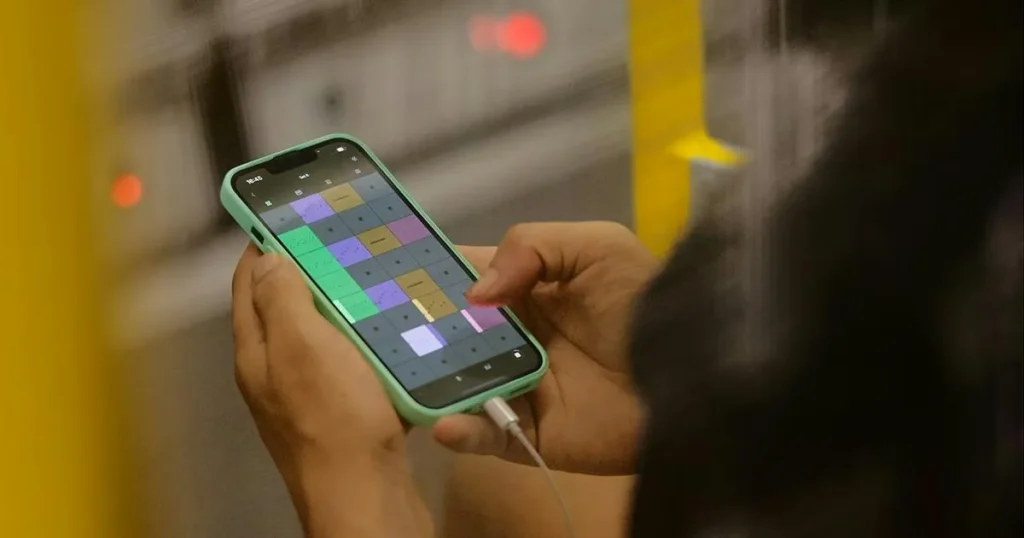
Note is Ableton’s sketchpad for ideas. Its listing names 76 drum kits, 317 synth sounds and 60 sampled instruments, plus pads, a piano roll and a sampler you can fill with your phone’s mic. Set a key and scale, and the notes you play fit together.
When an idea is worth finishing, Ableton Cloud sends it to Ableton Live on your computer, and every Note user gets Live 12 Lite free, Ableton says. Not sure Ableton is for you? Read our FL Studio vs Ableton comparison first.
Price: $6.99.
Runs on: iPhone and iPad only.
Best for: catching ideas you’ll finish in Ableton Live.
10. KORG Gadget 3
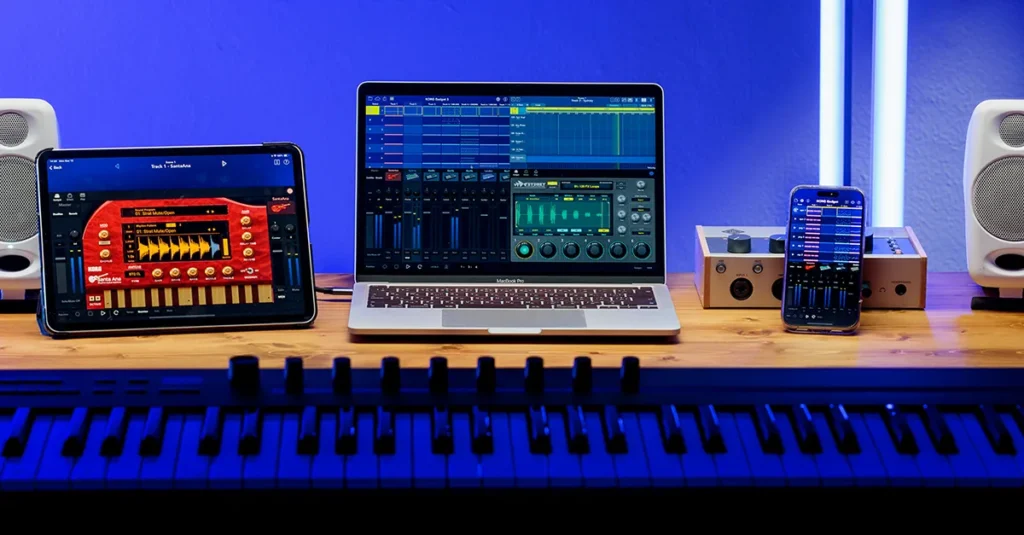
KORG Gadget 3 is a box of more than 40 small synths and drum machines that KORG calls gadgets, with over 6,000 sounds. You pick a few gadgets, play patterns into them and arrange a song. A genre picker gives you starting patterns, and its gadgets also load inside other apps such as GarageBand.
Some gadgets are in-app purchases or come with other KORG apps. There are also Mac and plug-in versions, so your songs aren’t stuck on the iPad.
Price: $39.99 on the App Store (checked October 12, 2026).
Runs on: iPhone and iPad, with separate Mac and plug-in versions.
Best for: electronic music and synth fans.
11. Caustic 3
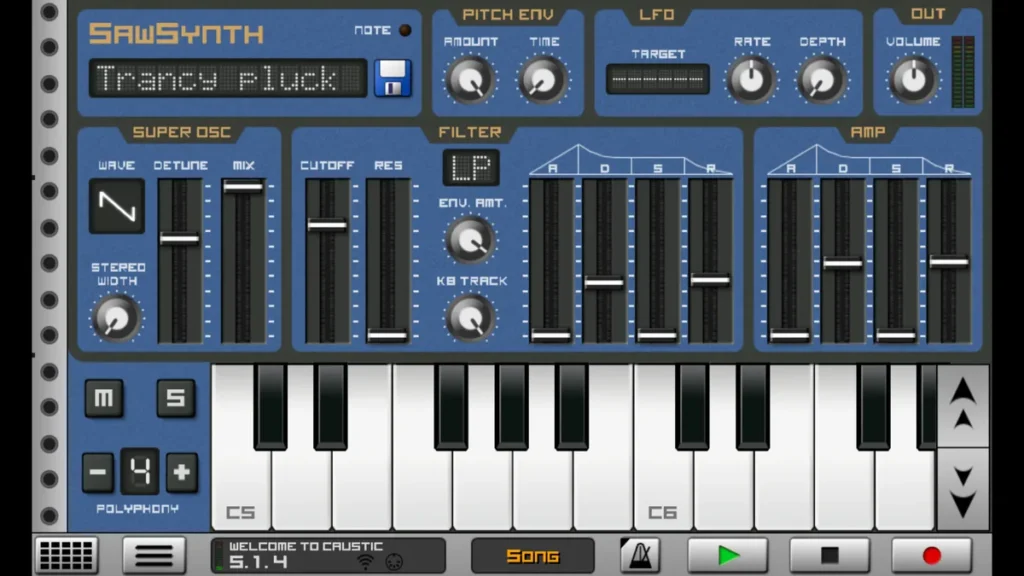
Caustic 3 turns your phone into a rack of old-school synths and drum machines. You can load up to 14 machines, from a 303-style bass synth and a drum machine to a vocoder and a modular synth, with effects, a mixer and a song sequencer.
Read this before you go looking for it, because how you get it has changed. It’s no longer on Google Play. The developer now offers a free 64-bit Android version on his own site, which you install by hand (called side-loading). He says it isn’t an update, just the last version made to run on new phones. It asks for access to all your files, and MIDI may crash. On the App Store it still costs $9.99, but it hasn’t been updated since February 2017.
Only side-load Caustic if you’re comfortable installing apps from outside Google Play, and only from the developer’s own site, singlecellsoftware.com. Never grab it from a mirror site.
Price: free on Android (side-loaded) and on Windows; $9.99 on iPhone and iPad.
Runs on: Android, Windows, iPhone and iPad.
Best for: tinkerers who love classic synths.
12. KORG iELECTRIBE for iPhone
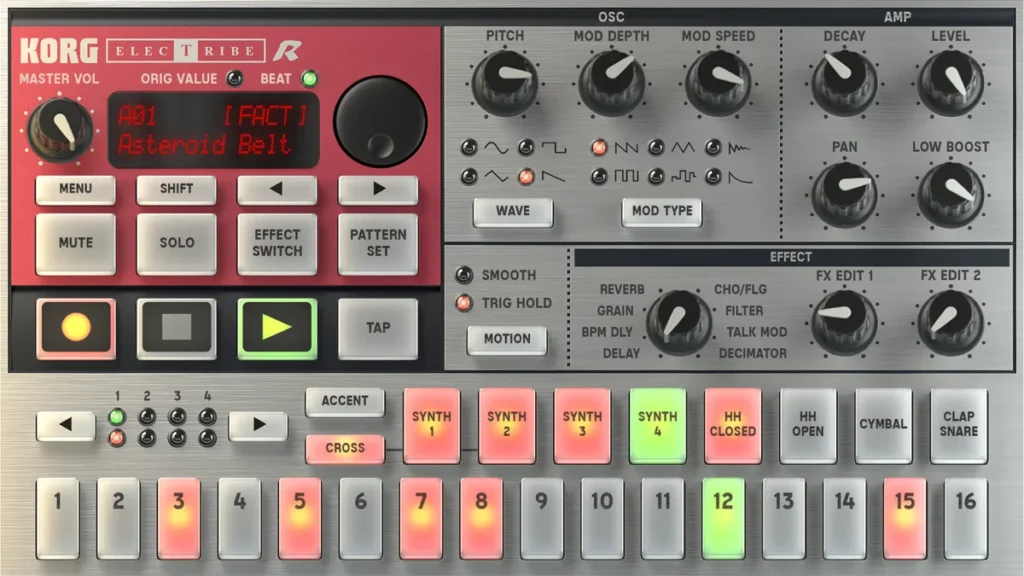
KORG iELECTRIBE puts the ELECTRIBE-R, KORG’s classic hardware drum machine, on your iPhone, with the same sound engine and the same look. You build a groove by tapping 16 step buttons, then twist the knobs while it plays. Besides the drums, it has synth parts for a bass line or a short riff.
It’s a focused instrument rather than a full studio, which makes it great for quick electronic grooves and jamming. When a beat is done, KORG says its audio export sends it to your DAW, and it syncs with other apps through Ableton Link. KORG’s last update to it came in July 2022.
Price: $19.99 on the App Store (October 21, 2026).
Runs on: iPhone, iOS 11 or later.
Best for: drum machine fans and quick electronic grooves.
What’s the best beat making app for beginners?
FL Studio Mobile is the best beat making app for beginners on any phone: it has a step sequencer for drums, a piano roll for melodies and drum kits to start from, and your beats open in FL Studio on a computer later. To start for free, use GarageBand’s Beat Sequencer on iPhone or BandLab on Android, and pick Koala Sampler ($4.99) if you love sampling.
Sketching ideas is a different job from finishing them. For quick sketches, Ableton Note ($6.99) and Koala Sampler are built for speed, and both can send an idea to Ableton Live on a computer later. If you want the classic MPC way of building beats on pads, iMPC Pro 2 costs a few dollars.
What’s the best free music production app?
On iPhone and iPad, it’s GarageBand. On Android or a computer, it’s BandLab. Both let you make, record, mix and export a full song without paying anything. BandLab needs an internet connection and shows ads on Android, and GarageBand is Apple-only.
Two more almost-free options: Caustic 3 is free on Android but has to be side-loaded, and Ableton Note costs $6.99 but comes with Ableton Live 12 Lite for your computer.
What’s the best music production app for Android?
FL Studio Mobile is the best Android app for beats, BandLab is the best free one, and Cubasis 3 is the best for recording and mixing full songs. Koala Sampler is the pick for sampling. GarageBand, Logic Pro, Ableton Note, BeatMaker 3, iMPC Pro 2 and both KORG apps are Apple-only, so they’re out on Android.
What’s the best music production app for iPhone and iPad?
Start with GarageBand, because it’s free and already teaches you the basics: tracks, loops, drums and recording. If you mostly make beats, move to FL Studio Mobile. If you want a full studio on an iPad, Logic Pro for iPad is the strongest option, and Cubasis 3 is the one-time-purchase alternative. For beats built on pads, BeatMaker 3 is the deep iPad studio.
Try the free option first and give it two weeks. You’ll learn which part of making music you enjoy, and that tells you which paid app is worth it.
What are the best music production apps for PC and Mac?
On a computer, a music production app is called a DAW. FL Studio (Windows and Mac) is the DAW Mix Elite teaches, and its free trial has no time limit. GarageBand is free on a Mac, Logic Pro is Apple’s pro studio for Mac, Ableton Live suits tech lovers and live shows, and BandLab runs free in a web browser.
Prices on the makers’ pages and the Mac App Store, checked October 12, 2026: FL Studio from $99 (with free lifetime updates), Logic Pro $199.99 on the Mac App Store, and Ableton Live 12 at $99 for Intro, $349 for Standard and $749 for Suite. Not sure which fits you? Mix Elite’s guide to the best DAW for beginners walks you through the choice.
Can you make a full song on your phone?
Yes. Every app on this list can take a song from the first idea to a finished audio file. People write, record and mix whole tracks on phones and tablets. The limits are the small screen and the tiny speakers, not the apps.
Real records have started this way. Damon Albarn told NME he made a whole Gorillaz album, the follow-up to Plastic Beach, on an iPad while the band was on tour. And Steve Lacy has said his track for Kendrick Lamar’s “PRIDE.” started as an acoustic session recorded on his iPhone, as The Fader reported.
The speakers are the big one. Max, the founder of Mix Elite, puts it simply: “Music is made out of frequencies, and only your headphones control how clearly you hear the music you make.” Phone speakers barely play bass, so a mix that sounds fine on them can boom in a car. Mix with headphones, and check your song on a few other speakers before you call it done.
What else do you need to make music on a phone?
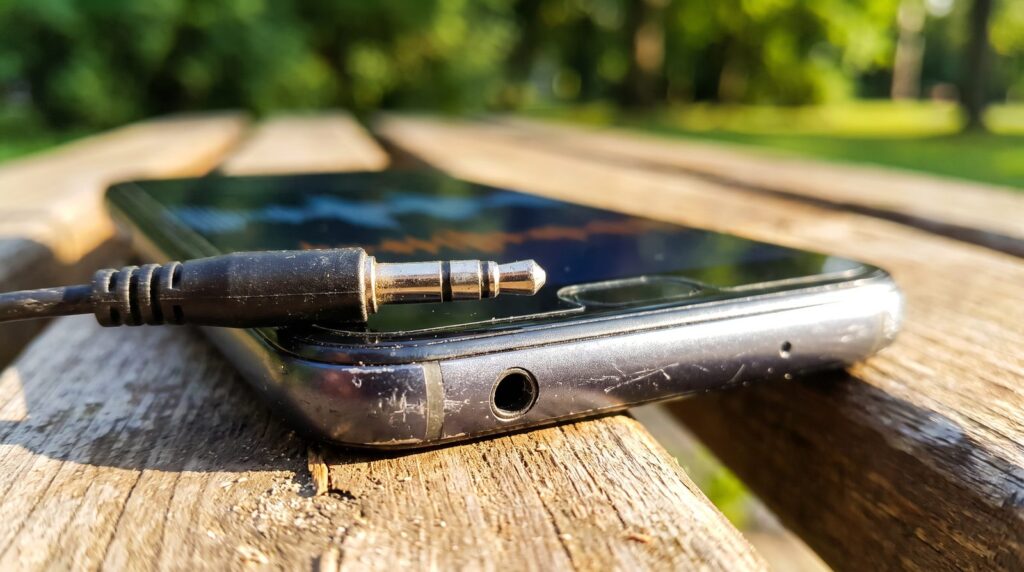
Less than you think. In Mix Elite’s gear video, right after headphones, Max says: “Believe it or not, everything else is totally optional.” Here’s what that means for a phone setup.
- Headphones (the one must-have). Wired ones are best for recording, because Bluetooth adds a small delay between what you play and what you hear.
- An audio interface (optional). You only need one to plug in a real microphone, a guitar or studio speakers. Check that it works with your phone or tablet first.
- A MIDI keyboard (optional). It’s nice for playing chords, but as Max says, “You don’t need any controller at all.” The pads and keys on the screen do the same job.
- The right adapter. Most MIDI keyboards and interfaces have a USB plug that doesn’t fit a phone, so you’ll usually need an adapter for your phone’s port.
A free tuner app: Fender Tune
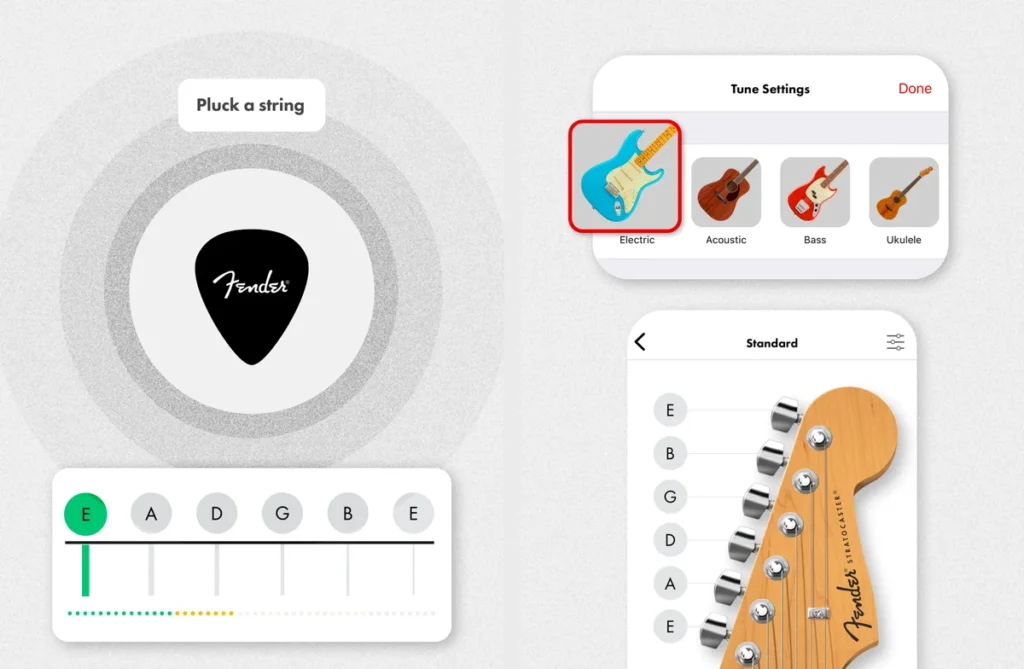
Recording a guitar, bass or ukulele into your phone? Tune it first. Fender Tune is a free tuner from Fender: pluck a string and it shows you how close the note is, or tap a string on the on-screen headstock to hear the right note and tune by ear. It also has a chromatic mode for any instrument and 26 alternate tunings.
Price: free on the App Store and Google Play (October 21, 2026). A free Fender account adds more practice tools.
Runs on: iPhone and iPad (iOS 17.6 or later) and Android, where Google Play lists it as Fender Guitar Tuner.
Best for: anyone recording a real guitar, bass or ukulele.
When should you move from an app to a computer?
Move when the app starts holding you back: you want more tracks, real plugins, a bigger screen to edit on, or a mix that holds up on every speaker. Apps are great for ideas and practice. For songs you want to release, a computer still makes mixing much easier.
The good news is that nothing you learn on a phone is wasted. Every DAW is made of the same parts that just look different, so switching from an app to a computer takes days, not months. A beat in FL Studio Mobile even opens in FL Studio on a computer, so your ideas come with you.
In this Mix Elite video, Max covers the gear you actually need and why FL Studio is the DAW to start on: it has a free trial with no time limit. New to it? Start with what FL Studio is and how it works, then follow our step-by-step guide on how to produce music.
How do you export stems or MIDI from a music app to your computer?
Export each track as a WAV file, plus MIDI for any part you want to replay with a new sound, then drag the files into your DAW at the song’s tempo. Some apps skip that step: FL Studio Mobile saves a project that opens in FL Studio, Ableton Note sends ideas to Ableton Live, and GarageBand songs open in GarageBand on a Mac.
Here’s what each app on the list can send to a computer, from the makers’ own pages:
- FL Studio Mobile: WAV, MP3, AAC, FLAC and MIDI files (one track or all of them), plus an .flp project that opens in FL Studio.
- GarageBand: an audio file, or an editable GarageBand project that opens in GarageBand on a Mac and in Logic Pro for iPad.
- BandLab: your projects open in BandLab’s web Studio, which exports each track as WAV or MIDI.
- Koala Sampler: loops or whole tracks as WAV files, or straight to an Ableton Live Set.
- Ableton Note: sends projects to Ableton Live through Ableton Cloud, with every MIDI note and sample still editable, or exports an audio file.
- Cubasis 3: exports to Cubase on a computer, iCloud Drive, Dropbox, external drives and email.
- BeatMaker 3: the whole song, or each part as its own stem file.
Two habits save you a headache. Export every track from the very start of the song, even the ones that stay silent at first, so all the files line up in your DAW. Write down the tempo, too, and set the same BPM in your computer project before you drop the files in. Pick WAV over MP3. MP3 files are smaller because they throw away part of the sound.
Apps from older lists that we left out
Some apps that still show up on older “best apps” lists aren’t around anymore. iZotope has discontinued its Spire recording app: its support page says the app gets no more updates, and the Android version is gone from Google Play. The iPhone version is still on the App Store for now, but iZotope no longer supports it. Focusrite’s Groovebox, another name from older lists, hasn’t been updated on the App Store since April 2024.
THE 7-DAY MUSIC PRODUCER COURSE
From phone ideas to finished songs
Day 1 of the 7-Day course covers setup and workflow: choosing the music software and hardware that suit you, and the top 4 features of any DAW you need to understand to find your way around, even the first time you open it. It’s taught in FL Studio (the free trial works), and the techniques apply in any DAW. The course is $27, and you have 60 days to decide if it was worth it.
Frequently asked questions
What is the best music production app?
FL Studio Mobile is the best for making beats on any phone ($14.99 on iPhone, iPad and Android). GarageBand is the best free app on iPhone and iPad, and BandLab the best free one on Android. For a full studio on a tablet, pick Logic Pro for iPad (subscription) or Cubasis 3.
What is the best beat making app for beginners?
FL Studio Mobile, because its step sequencer, piano roll and drum kits make a full beat easy, and the project opens in FL Studio on a computer later. It costs $14.99 on iPhone, iPad and Android. If you want to start free, GarageBand’s Beat Sequencer on iPhone and BandLab on Android both work well.
What is the best free music production app?
GarageBand on iPhone and iPad, and BandLab on Android, iPhone and the web. Both make, record, mix and export full songs for free. BandLab needs an internet connection and shows ads on Android, and GarageBand only runs on Apple devices.
How do I get a song from a music app onto my computer?
Export each track as a WAV file, plus MIDI for parts you want to replay with new sounds, and drag them into your DAW at the same tempo. FL Studio Mobile projects open in FL Studio, Ableton Note sends ideas to Ableton Live, BandLab’s web Studio exports WAV and MIDI, and GarageBand projects open in GarageBand on a Mac.
Can you make professional music on your phone?
You can write, record, mix and export a full song on a phone, and apps like Cubasis 3 record at up to 24-bit/96 kHz. The limits are the small speakers and screen. Mix with headphones, and move to a computer when your songs need more tracks, plugins or detail.





