“Each flitch, each board, each plank can have only one ideal use.”
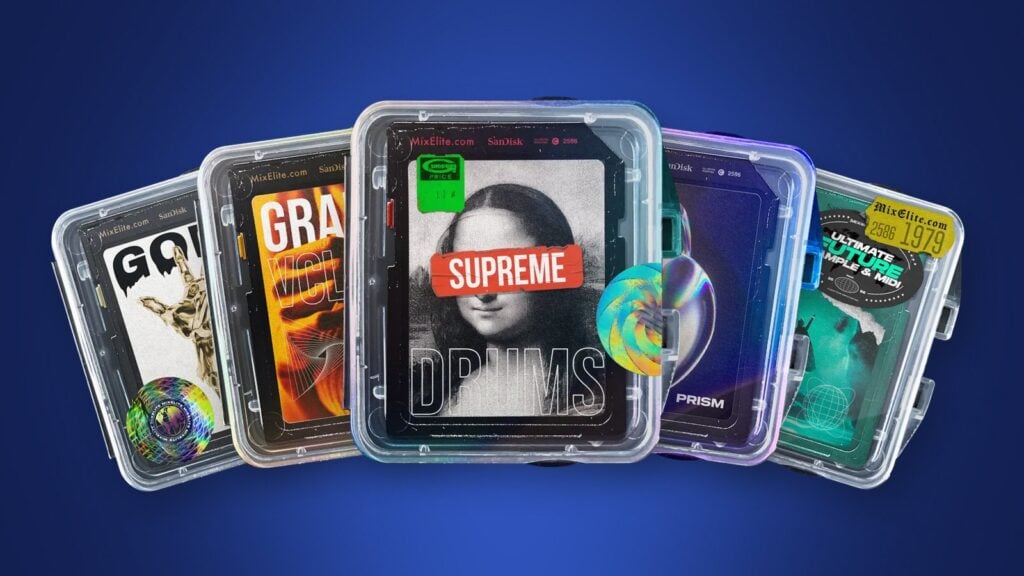
The best FL Studio sound packs match the music you make. From Mix Elite’s own range: Supreme Drums for hard-hitting drums, PRISM for house and EDM, Gold Kit Vol. 2 for melody loops, Grand Vocals for vocal hooks and Ultimate Future Bass for future bass. For free sounds, start with FL Studio’s Packs folder and Mix Elite’s free downloads, and make sure every sound you use is royalty-free so you can release what you make.
Here’s how it usually goes. You download a few free drum kits, then a few more, and a month later you have gigabytes of sounds and a beat that still sounds like a cheap demo. That’s rarely a talent problem. It’s the sounds you start with.
Max, the founder of Mix Elite, puts it in four words: “gold in equals gold out.” He says it in Mix Elite’s free 4.5-hour FL Studio course, right before he swaps a basic beat’s drums for better ones. Below are the FL Studio sound packs we’d reach for in each style, the best free sounds, and how to keep it all tidy so the right kick is two clicks away.
Table of Contents
The best FL Studio sound packs for each style
These five are Mix Elite’s own packs, one for each big job in a track: drums, a house and EDM toolkit, melodies, vocals and a full future bass kit. Each one comes as WAV files you drag straight into FL Studio or any other DAW, and some add MIDI or FL Studio project files. You pay once, keep it for life, and every sound is royalty-free for your own tracks. Counts and prices are from each pack’s page in October 2026.
Supreme Drums: the all-round drum kit
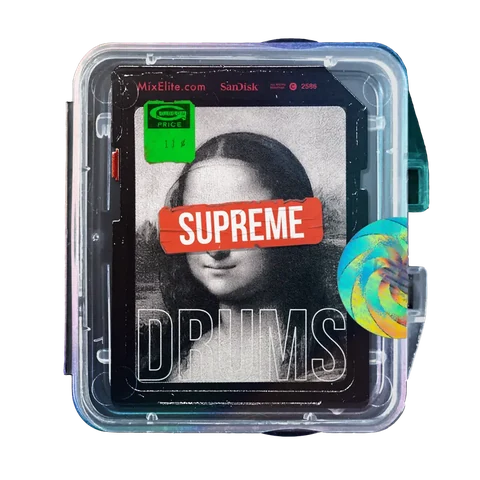
Supreme Drums is the drum kit we’d hand a beginner first. It has 509 one-shots, which are single hits like one kick or one clap, sorted into 14 folders that run from kicks, snares and 808s to shakers, crashes and transitions. It also has 40 drum loops, and every loop comes with its kit: the separate sounds used to build it, so you can rebuild the groove or change one hit.
- WAV509 one-shots in 14 foldersone-shots
- WAV40 drum loops from 74 to 178 BPM, each with its kitloops
- WAV7 bonus melody loopsbonus
It’s $37, paid once. Mix Elite’s free course builds a plain trap beat and then swaps in Supreme Drums sounds, one kick, snare and hat at a time. The pattern doesn’t change at all. It just sounds much better.
PRISM: house and EDM drums, bass and stabs
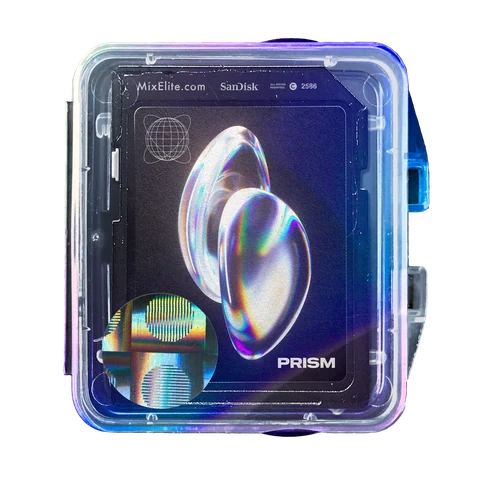
PRISM is our house and EDM pack, and it’s the biggest one here: 735 sounds, made of 571 one-shots and 164 loops. You get the club basics, like kicks, claps, hats and percussion, but also 110 bass one-shots, 79 synth stabs, 24 vocal one-shots and 71 FX. That means one pack can carry most of a track, from the groove to the bass and the little vocal shots on top.
The loop previews on its page run at 119, 124 and 128 BPM. It’s $37, and you can hit the pads on the pack’s page to hear the real sounds before you buy. New to the style? Our guide on how to make house music walks through a full track step by step.
Gold Kit Vol. 2: melody loops with FL Studio projects
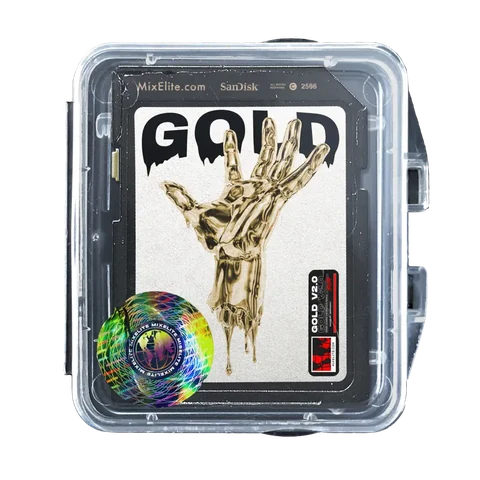
Drums are only half a beat. Gold Kit Vol. 2 gives you 45 ready-made melody loops, like a bells loop in D# minor at 140 BPM or a piano loop at 130 BPM, so you have something to build on the moment you open FL Studio.
- WAV45 melody loopsWAV
- FLP39 FL Studio projectsFLP
- MID5 MIDI filesMIDI
The FL Studio projects are the part beginners should care about most. Open a loop’s project and you see exactly how it was made, then change it to fit your song, or play the MIDI melodies on any sound you like. It costs $47. There’s also a Gold Kit Vol. 1 with 40+ kits, MIDI and FL Studio projects, at the same price.
Grand Vocals: hooks, phrases and adlibs
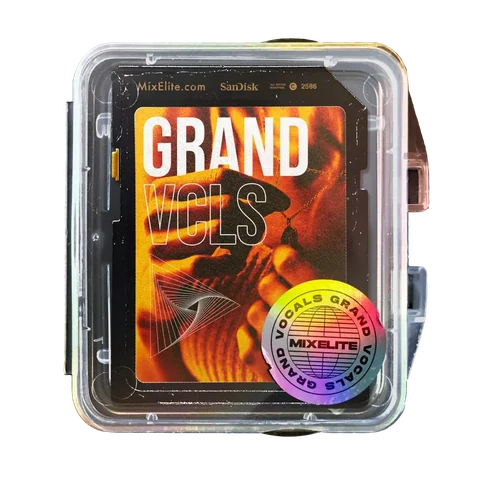
A vocal is what makes a beat feel like a song, even if you never sing a note. Grand Vocals has 327 vocal samples from male and female singers, split into four kinds:
- 118 phrases: short vocal lines you can build a topline around.
- 28 hooks: catchy parts that can carry a chorus.
- 154 adlibs: quick shouts like “Yuh” or “Hey!” that fill the gaps between lines.
- 27 chops: cut-up vocal pieces you can play like an instrument.
As a bonus, it comes with 9 vocal mixer presets for FL Studio: drag a vocal in, drop a preset on its Mixer track, and it sits in your mix. It’s $27.
Ultimate Future Bass: sounds plus MIDI starters
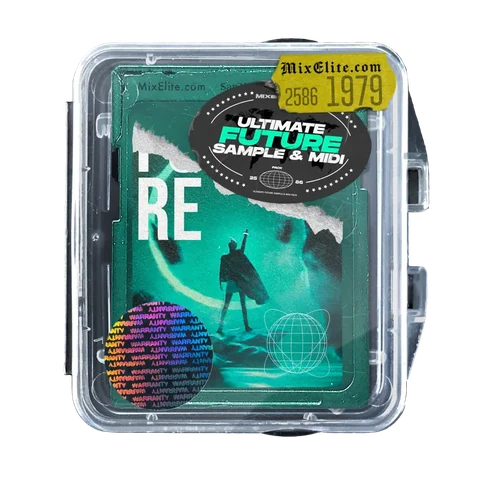
Ultimate Future Bass is a full kit for big, melodic drops. There are 337 sounds in it, plus 40 MIDI song starters, which are chord and melody ideas you drag in and play on any sound.
- WAV221 drums, from kicks and claps to crashesdrums
- WAV40 loops and 27 vocal ambiencesloops
- WAV49 FXFX
- MID40 MIDI song startersMIDI
A Mix Elite tutorial builds a whole future bass drop with nothing but this pack. Max’s verdict: “Since we released that pack, I haven’t been using any other thing.” It’s $27, paid once.
More Mix Elite packs: samples, MIDI, presets and templates
Our Sounds page has more packs for when you know what you’re missing. Four more sample packs cover hip-hop drums, vocals, ambiences and real instruments:
- WAVBeat Essentials: drums and sounds for modern hip-hop beats, $19$19
- WAVAria Vol. 1: vocal runs and hooks for melodic tracks, $27$27
- WAVNova: 200+ vocal soundscapes and pads, $17$17
- WAVTonal One Shots: 100+ real, organic instruments, $17$17
Then there are packs that aren’t samples at all. MIDI packs give you notes to play on your own sounds, preset packs give you ready-made settings, and templates give you a whole finished project to take apart:
- MIDGenesis: 200+ chord progressions and harmonies, $19MIDI
- MIDChampions: 100+ trap melody hooks, $17MIDI
- FSTDragons: 50+ FL Studio mixer chains that make plain melodies sound finished, $17FL
- FSTSpirits: 50+ drag-and-drop vocal chains for FL Studio and Ableton, $17Vocals
- FSTPatcher Lords: Patcher presets for FL Studio, each with a video walkthrough, $7FL
- SYNMemoriam Vol. 1 for Serum and Paradigm Vol. 1 for Vital: 100+ synth presets each, from $27Synths
- PRJ15 song templates: the full project behind each demo, $19 eachFLP
If you’d rather have everything, Mix Elite Academy includes every pack in the store along with all the courses, weekly coaching calls and feedback on your music, for 3 payments of $137 with lifetime access.
What are the best free FL Studio sample packs for beginners?
Start with the free sounds you already have: FL Studio’s own Packs folder and FL Cloud’s free tier. Then add Mix Elite’s free downloads, more than 1.4 GB of samples, presets, e-books and cheat sheets. That’s plenty to learn on. For more, 99Sounds, Freesound and Cymatics’ free vault are further down, but check each license first.
Mix Elite’s free downloads
Sign up on our Free Downloads page and you can download more than 1.4 GB of free samples, free presets, e-books and cheat sheets. It’s an easy way to try sounds before you buy a full pack.
The sounds that come with FL Studio
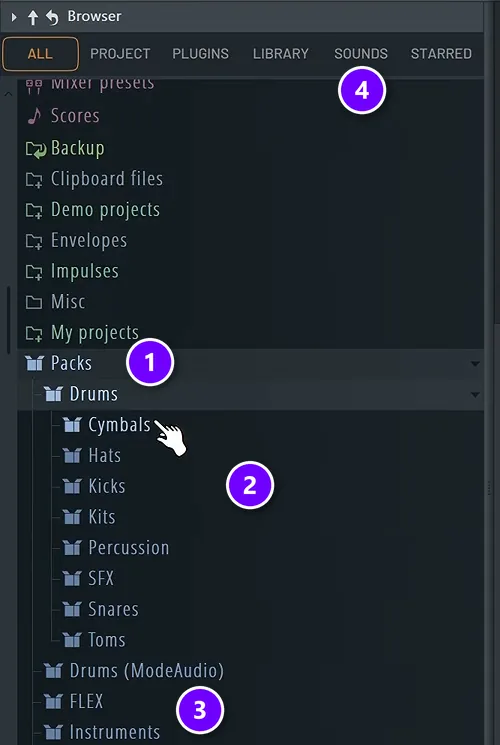
Every edition of FL Studio comes with a library of royalty-free samples, loops and presets, says Image-Line’s edition comparison. To find them, open the Browser (Alt + F8 if it’s hidden), click the ALL tab and open Packs (1). The Drums folder is split into cymbals, hats, kicks, kits, percussion, SFX, snares and toms (2). More folders follow below it, from FLEX and Instruments to Loops, Risers and Vocals (3).
The SOUNDS tab (4) is FL Cloud, Image-Line’s own sound library. Every FL Studio edition includes its free tier, which gives you thousands of royalty-free loops and samples once you’re logged into your FL Studio account. The paid Plus and Pro plans open the full library of over two million sounds, and Image-Line says whatever you download stays yours to keep, even if you cancel.
You don’t need the paid plans to start. Mix Elite’s free course has beginners explore the stock packs first, then moves from the stock drums to a dedicated drum pack, because the quality of the sounds you use plays a big role in how good the finished track can be.
Other places to get FL Studio sounds (free and paid)
Mix Elite isn’t the only place to find good sounds. These are other well-known sources, each checked on its own site in October 2026. Their licenses are not all the same, so read the terms before you release anything.
- 99Sounds makes free sounds and sound effects. Its license says they’re royalty-free for personal and commercial projects and you don’t have to give credit, but you can’t sell or share the files on their own.
- Looperman is a community site where producers upload their own loops. Its terms give registered users a royalty-free right to use those loops in new, original songs, while acapellas are for personal, non-commercial use unless the uploader allows more. Looperman also says it doesn’t check whether uploads are legal, so choose with care.
- Freesound is a huge free database of sounds shared under Creative Commons licenses. As its FAQ explains, each sound uses one of three: CC0 (do almost anything), Attribution (credit the creator) or Attribution-NonCommercial (credit, and no earning money from the track). Check the license on every sound.
- Cymatics has a Free Downloads vault with, in its words, “1000’s of free samples, plugins & more” at no cost. You request the license for its free packs through a form on its site, so do that before you put a track out.
- Splice is a subscription with access to 3M+ sounds. You spend credits on what you download, one credit per sample, and the Creator plan is $19.99 a month for about 200 downloads. Its license is royalty-free, needs no credit to the creator, and stays valid for what you downloaded even after you cancel.
- Loopmasters sells sample packs from many labels, with a big focus on house, techno, drum and bass and EDM, and it has a free samples section. Its license lets you use the sounds in your music alongside other sounds, but not on their own as loops or sound effects, and other labels sold there can have their own terms.
- ModeAudio sells packs set up for FL Studio, with WAV samples, REX loops, MIDI, DirectWave patches and Mixer settings, and its loops sync to your project’s tempo. Newsletter subscribers get 1GB of free sounds.
Are free sample packs good enough, or should you buy one?
Free sounds are enough to learn on, so start there. Pay for a pack once you know what’s missing, usually better drums first, because the sounds you start with set how good the finished track can be. Make sure whatever you use is royalty-free.
Free packs have two catches. Quality is uneven, so you spend time digging for the good sounds. And licenses vary: some free sounds need credit, and some can’t be used in a track that earns money. Mix Elite’s sample packs give you one style’s sounds, sorted and royalty-free for your own releases, from $17 to $47, paid once.
Which sample packs should you get first for hip-hop and EDM?
Get one good drum kit first, because drums carry both styles: 808s, snares and crisp hats for hip-hop and trap, a solid kick, claps and stabs for house and EDM. Then add one melody pack, and vocals later. From Mix Elite, that’s Supreme Drums or Beat Essentials for hip-hop, PRISM for house and EDM, then Gold Kit Vol. 2 for melodies.
A drum kit is a set of one-shot drum sounds: kicks, snares, claps, hats, 808s and percussion. A sample pack is the wider term and can also hold loops, melodies, vocals and FX, and a sound pack usually means the same thing.
How to choose a sample pack for FL Studio
A pack only helps if it fits the song you’re making. Max puts it simply: “it’s much better to have a few great sounds than lots of okay ones.” So instead of collecting, ask yourself these six questions before you download or buy anything:
- Does it fit my genre? Different styles need different sounds. Trap leans on 808s and crisp hats, while house leans on a solid kick, claps and stabs, so pick the pack made for the music you make.
- Do I need one-shots, loops or both? One-shots are single hits you place yourself. Loops are short recorded patterns that repeat at a set BPM (beats per minute, the song’s speed). Having both gives you the most room to play.
- Can I hear it first? A good pack has a demo or previews. On most of our pack pages you can hit pads that play real sounds from the pack.
- Is it royalty-free? If you want to release your songs, the license has to allow it. There’s more on that below.
- Will it work in FL Studio? WAV files work in every DAW, so they’re the safe choice. MIDI files, FL Studio projects and mixer presets are a bonus if FL Studio is your DAW.
- Do I really need more? One good drum kit and one melody pack will carry you through a lot of beats. Add a vocal or genre pack once you hit a wall.
It’s also fine to reuse your favorite drums from track to track. Some producers use the same drum samples across whole albums, and that’s how a sound slowly becomes yours.
THE 7-DAY MUSIC PRODUCER COURSE
Get the sounds, then learn what to do with them
The 7-Day course hands you sounds as you learn. On Day 3 you download the 2025 Producer Toolkit sound pack, then learn how to find and choose the right sounds and build drum patterns fast. Day 2 shows where to find pro-quality instruments, paid and free, and a bonus collection of sounds from our premium packs comes with the course. It’s taught in FL Studio (the free trial works), it’s $27, and you keep all the sounds and presets. You get 60 days to decide if it was worth it.
How to organize sample packs in FL Studio’s Browser
Once you have a few packs, the Browser is where you’ll live. Think of it as a big library of parts for your song, so it pays to keep it tidy. These four habits keep the right sound a few clicks away. For the full install steps on Windows and Mac, see how to add sample packs to FL Studio.
Where should you save sample packs so FL Studio doesn’t lose them?
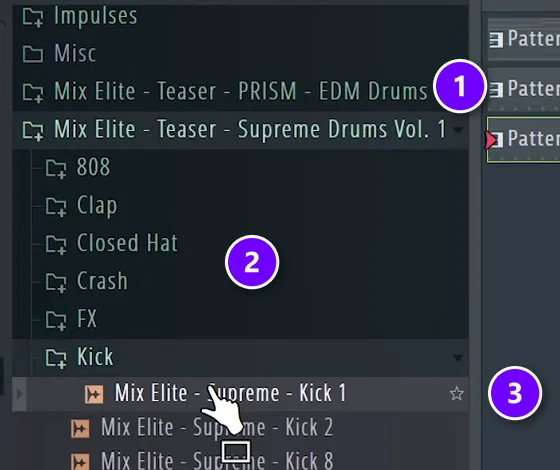
In one folder you never move or rename, like C:\Samples on Windows or a Samples folder on your Mac. FL Studio finds every sample by its path, so if the path changes, it can’t find the sounds anymore. Unzip each new pack into that folder and drag the folder onto the Browser once. FL Studio searches the sub-folders too, so adding the one parent folder is enough.
In the picture, two Mix Elite packs sit as their own folders (1), and inside Supreme Drums the sounds are already sorted by type, from 808 and Clap down to Kick (2). With packs sorted like this, finding a snare takes one click.
You can watch it happen in the lesson below. From 4:11, Max drags his packs into the Browser, opens the Kick folder and scrolls through the kicks with the arrow keys before he drags one onto his kick channel.
Star, tag and color the sounds you use
Hover over a sound and a small star shows up at the end of its name (3 in the picture above). Click it, and the sound lands in the STARRED tab, your own list of favorites. You can also right-click a file to add tags, like Kick, 808 or C#, typed with commas between them. Later you can filter the Browser by those tags.
Folders can get their own color and icon from the right-click menu, so your drum folders stand out from your melody folders. To find a sound by name, press Ctrl + F and type a word like “clap”, then press F3 to jump to the next match.
Swap sounds while the beat plays
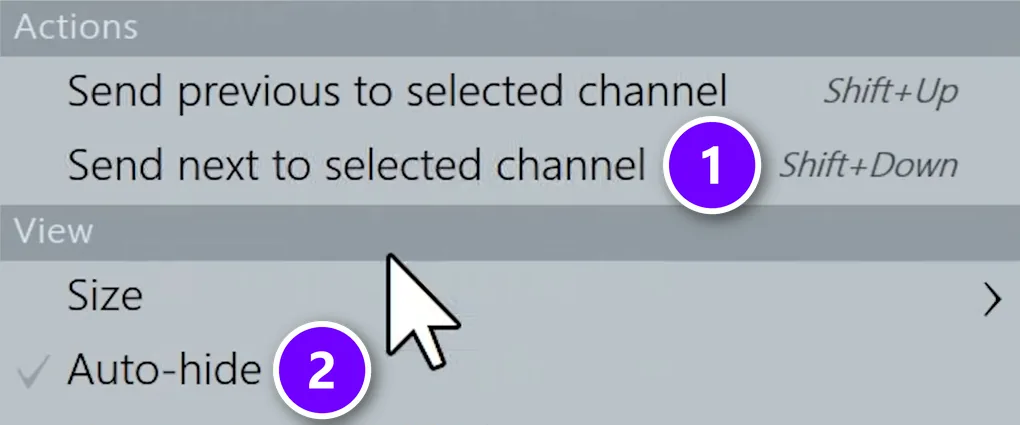
This is how Mix Elite’s free course picks drums. Select the channel you want to change, say the kick, then click the first kick in a pack’s Kick folder. Now press Shift + Down and the next sample in that folder replaces the sound on your channel (1), even while the loop keeps playing. Shift + Up goes back one. Stop when it sounds right.
This is where sorted folders pay off. Because every kick sits in one folder, you can try kick after kick without ever stopping the loop.
Hide the Browser when you don’t need it
Max calls Auto-hide the best Browser feature. Open the Browser’s menu (the first small icon at its top left) and tick Auto-hide under View (2). The Browser then slides away while you work and pops back out when you move your mouse to the left edge of the screen. You can also drag it over to the right side or let it float on its own.
Why do samples sound quieter in FL Studio than in the preview?
Because a new Sampler channel doesn’t play a sample at its full recorded level. Image-Line says the channel loads at about -5.2 dB, notes play at velocity 100 out of 127, and the default pan law takes 3 dB off a centered sound, so a drum can sit about 8 dB below its recorded level. Nothing is wrong with the pack.
- Turn the channel up. Raise its volume knob or its mixer track until the drum sits right in the beat.
- Raise the velocity. Notes with a higher velocity in the Piano roll play louder.
- Check the real level. Drag the sample into the Playlist as an audio clip, which plays at 100%, or 0 dB, the level it was recorded at.
- Keep some headroom. The lower default is on purpose. It stops a few drums that hit at once from clipping, so don’t chase the preview’s loudness on every sound.
What does royalty-free mean for sample packs?
Royalty-free means you can use the sounds in your own songs without paying royalties or giving away a share of what your songs earn. It doesn’t mean the pack is free, and it doesn’t mean you can do anything you like with the files. Here’s what the licenses in this guide actually say:
- Mix Elite packs: every sound is royalty-free for your own tracks and releases, and you keep 100% of your royalties. You can release it anywhere and sign it to a label, but you can’t resell or share the files themselves. The full terms are in our license agreement.
- FL Cloud: Image-Line says you can use its samples in your music without paying extra fees or royalties.
- Splice: royalty-free for commercial and non-commercial use, with no credit needed. Most PROs (groups like ASCAP or BMI that collect songwriting royalties) still ask you to disclose samples when you register a song.
- Loopmasters: use the sounds together with other sounds in your music, not on their own as loops or sound effects.
- Freesound and Looperman: it depends on the sound. Some need credit, some can’t be used to earn money, and Looperman’s acapellas are non-commercial unless the uploader says otherwise.
One more rule: a sample you cut from someone else’s song is never royalty-free, no matter where you found it. Using it needs permission, which is what clearing a sample means. This is a quick overview, not legal advice, so read the license that comes with every pack you use.
Once your sounds are sorted, the fun part starts. If you’ve never built a beat before, our beat-making guide takes you from an empty project to a finished loop, and our FL Studio beginner guide covers the rest of the program.
Frequently asked questions
What are the best free sample packs for beginners?
Start with what’s already in FL Studio: the Packs folder in the Browser and FL Cloud’s free tier, which every edition includes. Then add Mix Elite’s free downloads, more than 1.4 GB of samples, presets, e-books and cheat sheets. 99Sounds, Freesound and Cymatics also give sounds away, but check each license before you release a track.
Are free sample packs good enough, or should I buy one?
Free sounds are enough to learn on. Mix Elite’s free course has beginners explore FL Studio’s stock packs first, then swaps the stock drums for a dedicated drum pack, because the quality of your sounds sets how good the track can be. Buy a pack once you know what’s missing, usually drums, and make sure it’s royalty-free.
Which sample packs should I get first for hip-hop and EDM?
One good drum kit first, then one melody pack. For hip-hop and trap, look for 808s, snares and crisp hats, like Mix Elite’s Supreme Drums or Beat Essentials. For house and EDM, look for a solid kick, claps and stabs, like PRISM. Then add melodies, like Gold Kit Vol. 2, and vocals later.
Why do samples sound quieter in FL Studio than in the preview?
A new Sampler channel plays below the sample’s recorded level. Image-Line says it loads at about -5.2 dB, notes default to velocity 100 out of 127, and the pan law takes 3 dB off a centered sound, about 8 dB in total. Turn the channel or the velocity up, or drop the sample into the Playlist as an audio clip.
Where is the Packs folder in FL Studio?
Open the Browser (press Alt + F8 if you can’t see it), click the ALL tab and open Packs. Inside, the Drums folder is split into kicks, snares, hats, kits and more, and other folders hold instruments, loops, risers and vocals. Sample content you download from Image-Line’s online library shows up in Packs too, while sounds from FL Cloud’s Sounds tab are kept separately.