
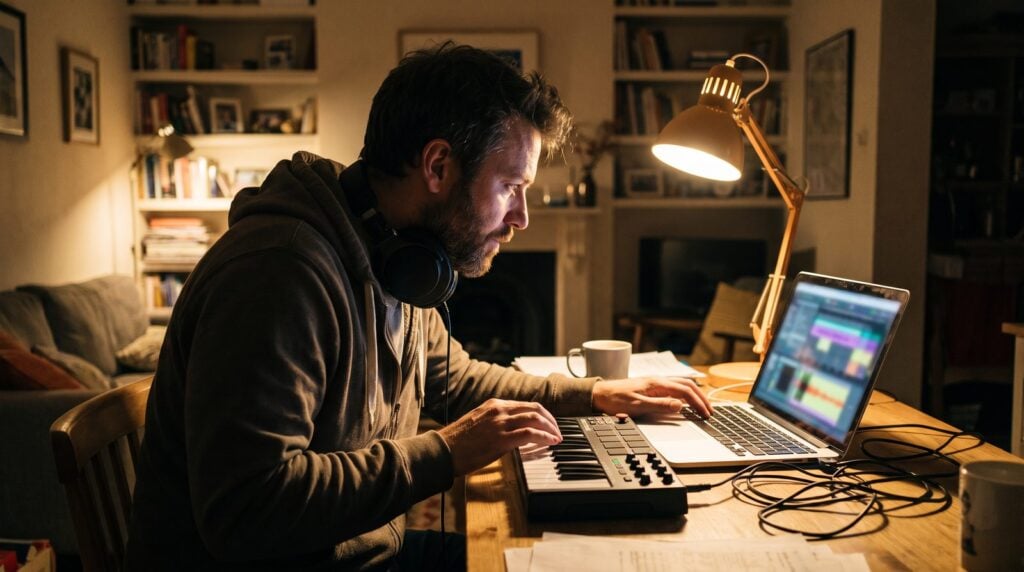
To finish a song, stop polishing the loop. Keep one main idea, copy it across a song structure you borrow from a track you love, and then take parts away to build the intro, verses and breakdown. Mix only after the whole song exists, and export a version the same week, even if it isn’t perfect.
If you have a folder full of 8-bar loops that never became songs, you’re not short on talent. You’re missing a map and an order to work in. Here’s the one we teach, step by step, in FL Studio, although every step works in any DAW.
Table of Contents
Why your songs don’t get finished
Almost every unfinished song dies in the same place: a good loop that plays over and over while you tweak it. You add a sound, change the snare, nudge the EQ, and two hours later you still have eight bars. Most of the time it comes down to one of four things.
- No map. You don’t know what comes after the loop, so you keep improving the loop instead.
- Mixing while you write. Switching between writing and mixing every few minutes wrecks your sense of where the song is going.
- Too many sounds. Twenty layers in the first hour means nothing has room to become the main idea.
- Waiting for perfect. The loop never feels good enough to build on, so you never build on it.
Max’s rule, from his video on this exact problem: “If you’re stuck on arrangement, 90% of the time you just need to get started, and a reference track is the best way to get started.” The steps below are built around that. Follow them in order.
Step 1: Keep the idea small
Before you arrange anything, cut your loop down to what actually carries it. Usually that’s one drum pattern, one chord progression or bassline, and one melody or vocal. Three parts are plenty. If you load a thousand sounds before you start, you won’t have a clear idea of the song, and the project ends up in the same folder as the others.
Keep this loop as your strongest section, the drop or the chorus. Everything else in the song will be a version of it with parts added or taken away. No loop yet? Read how to produce music first, then come back with one.
Step 2: Borrow the structure from a song you love
You don’t have to invent a song structure. Pick a track in your genre that you love (any current top-10 song works too) and drag it into the Playlist of your project. It doesn’t need to be in the same key, because you’re only copying the layout. Do it in a fresh arrangement: click the arrow next to the arrangement name in the Playlist and add a new one. Your own clips stay untouched.
Set your project tempo to match the reference, or to exactly half of it if that fits your beat better. In the video, the reference is 94 BPM and Max sets the project to 47. He doesn’t go up, because a faster tempo would stretch the guide to twice the length it should be. Solo the reference and listen from the start.
Every time something changes (the drums drop out, the vocal comes in, the drop hits), press Alt + T to drop a marker and name it: intro, verse, chorus, breakdown, outro. When you reach the end, you have a full song map sitting above your empty Playlist.
Newer versions of FL Studio can also split a song into stems. Separate the reference, and you can see exactly where the drums, vocals and melody come in and out instead of guessing by ear.
As Max puts it: “There’s nothing wrong in learning straight from the tracks of our favorite artists.” You can’t book a lesson with them, but you can copy the shape of their songs. Our guide to EDM song structure shows the common section lengths if you want a starting point without a reference.
Step 3: Fill the map with your loop

Now mute or delete the reference track and set the tempo back to yours. Your markers stay put. Copy your main loop into every section of the map, then change each section to match its label:
- Intro: often just the chords and some atmosphere, no drums.
- Verse: the vocal or melody, softer drums, maybe only kick and snare.
- Breakdown: pull the drums out completely and let the vocal and bass carry it.
- Chorus or drop: your full loop, everything playing.
- Outro: strip it back down the way the intro started.
Copying the full loop everywhere and deleting parts is called subtractive arrangement. It’s the quickest way to get a whole song on the screen, and it’s perfect for a first finish. Max says he personally prefers the opposite, additive arrangement, where you start sparse and add parts as the song builds.
In his free FL Studio course, he selects the whole loop and presses Ctrl + B until the song is about two minutes long. Then he mutes everything and unmutes parts one at a time, adding something every 4 to 8 bars, so the listener is led into the song instead of hit with everything at once. Try both methods. Use whichever one gets you to a full song tonight. For more ways to stretch a loop, read how to arrange loops into a full song.
Step 4: Smooth the transitions
Once every section is filled, the song works but the jumps between parts feel abrupt. This is where you spend real time. In the video Max gives the arranging itself about half an hour, then a couple of hours to the automation that makes one part flow into the next.
You don’t need fancy tricks. Drop the drums for the last bar before the chorus. Sweep a filter open going into the drop. Let a cymbal or a reverse sound lead into a new section. Small moves like these are what make a list of sections feel like one song.
In FL Studio the quickest version is to drag a sweep or crash sample straight into the Playlist, right where the new section starts. These samples often come in too loud, so double-click the clip and turn its volume down. Then drag the small handle at the clip’s top corner to fade it in. It takes seconds.
Step 5: Mix in a separate session
Write first, mix later. Split your work into a writing session and a mixing session, with a break in between. While you write and arrange, don’t worry about how loud anything is. When you come back to mix, don’t touch the chords or the melody, and just focus on getting a balanced mix.
Doing both at once is like being on a boat with no captain: you keep moving, but you never know where you’re going. If you’re new to mixing, start with the mistakes beginners make most, because avoiding them gets you most of the way there.
Step 6: Work in short, phone-free blocks
If you only have an evening after work, you can’t afford to lose it to scrolling. Put your phone on airplane mode and only use it as a timer. Work for 25 minutes on one thing, then take a 5-minute break, then set the timer again.
Give each block one job: arrange the intro, write the transition into the drop, set the drum levels. Small finished jobs add up to a finished song much faster than an open night of fiddling.
Step 7: Export it and call it finished
A song is finished when every section on your map has something in it, the transitions work, and you’d be happy to play it for a friend. It isn’t finished when it’s perfect, because it never will be.
Export it as a WAV or MP3 (in FL Studio, Ctrl + R exports a WAV and Ctrl + Shift + R an MP3). Listen on your phone and in the car, and fix only the problems that jump out at you. Then play it for one person whose taste you trust and ask what they’d change. Fresh ears catch what yours stopped hearing.
Finally, save the project, start the next one, and keep that exported file. Your tenth finished song will be better than this one, but only if this one gets finished first.
How long should a finished song be?
If you borrowed a structure in Step 2, your reference already answered this. Without one, aim short. For a first beat, Max suggests about two minutes, built from 16-bar sections: intro, hook, verse, hook and outro.
Two minutes is less than it sounds. At 140 BPM, a common trap tempo, one 16-bar section lasts about 27 seconds, so those five sections land close to the two-minute mark. If the beat is for a rapper or singer, that’s plenty, because the vocalist will decide the final length anyway.
How to end a song
Endings are where a lot of almost-finished songs stall. Don’t overthink it. Pick one of these three and move on:
- Strip it back. Mirror the intro: drop the drums and let one or two parts play out. In his course beat, Max keeps just the pluck and the bass at the end, so the song eases out instead of stopping dead. It’s the safest choice for a first song.
- Hard stop. Play the last hook at full power, then end on the first beat of the next bar with a single chord or crash and let it ring out.
- Fade out. Keep the hook looping and pull the volume down over the last 8 to 16 bars with an automation clip on the master fader. It’s the easiest ending to make, but it can sound like you ran out of ideas, so save it for loops that carry themselves.
Whichever you pick, check one setting when you export. In FL Studio’s export window, set the tail option to Leave remainder, so the last reverb and delay tails don’t get chopped off.
Still stuck? Reuse what already works
Finishing gets easier when you stop starting from zero. Keep one project with your favorite drums, a few sounds you trust and your mixer already set up, and open a copy of it instead of an empty project. In FL Studio, File > Save as template adds it to File > New from template.
Max’s take on reusing parts: “Your goal is to finish your music. You’re not Taylor Swift yet, okay?” Pro artists, he points out, often reuse whole projects and swap only the instruments, harmonies and melodies. Nobody will care that two of your songs share a kick drum.
And if a loop still bores you after you’ve mapped it out, let it go. Drag the best part (a drum groove, a sound, a chord progression) into your template and start the next song with it. Nothing you made is wasted.
THE 7-DAY MUSIC PRODUCER COURSE
Finish your first full song in 7 days
The 7-Day course is a finishing system: each day you complete one step of a track, in the right order, from setup to mastering, with every sound and template handed to you. On day 7 a pro gives you feedback on your finished song. It’s $27, about 45 minutes a day, and if you don’t finish a track you’re proud of you get every cent back within 60 days.
Frequently asked questions
How long does it take to finish a song?
It depends on the song, but most beginners don’t run out of time, they run out of direction. With one strong loop and a structure borrowed from a reference track, you can lay out a full arrangement in a single session. Transitions, mixing and export usually take a few more evenings after that.
What is 8-bar loop syndrome?
It’s the habit of making a short loop you like and then tweaking it for hours instead of turning it into a full song. It usually happens because you have no map of what comes next. Marking out a song structure first, then copying your loop into it, is the quickest way out.
Should I mix while I’m still writing the song?
No. Split your work into a writing session and a mixing session. While you write and arrange, ignore loudness and polish. When you mix, leave the chords and melody alone. Switching back and forth is one of the main reasons songs never get finished.
How do I know when a song is finished?
When every section of your structure has music in it, the transitions between sections work, and you’d play it for a friend. Export it, listen on your phone and in the car, fix only the problems that stand out, and then start your next song.


