



“Less, but better – because it concentrates on the essential aspects, and the products are not burdened with non-essentials.”
The best budget audio interface for most beginners is the Focusrite Scarlett 2i2 (4th Gen, $224.99 on Focusrite’s US site): it records two sources at once and sets its own levels. For one mic, the Arturia MiniFuse 1 ($149) or the Scarlett Solo ($159.99) costs less. Under $100, look at the Audient EVO 4 or the Behringer UMC202HD, and if you only make beats on headphones, you don’t need one yet.
If you’re hunting for the best budget audio interface, you’ve probably tried your laptop’s built-in mic already. It comes back thin and noisy, and your voice reaches your headphones a split second late. Then every product page throws preamps, inputs and bit depths at you.
An audio interface is the small box that connects a microphone, a guitar or studio speakers to your computer. Below are 23 picks grouped by budget and by what you record, plus the exact clicks to set one up in FL Studio. Specs come from the makers, or a store’s spec sheet where a maker lists none, checked on October 21, 2026. Prices change often, so treat them as a guide.
Table of Contents
Do you need an audio interface to make music on a laptop?
No, not to start. If you make beats with software instruments and listen on headphones, your laptop’s built-in sound card is enough, and FL Studio installs its own driver for it, called FL Studio ASIO. You need an interface the day you want to record a microphone or a guitar, or connect studio monitors.
A driver is the small program that lets your music app talk to the sound hardware. You don’t need a MIDI keyboard to start either: you can tap in drums and simple melodies on your computer keyboard.
In his gear video, Max, the founder of Mix Elite, names a good computer and a good pair of headphones as the only must-haves. Then he says it straight: “That’s all the necessary hardware you need to make music. Believe it or not, everything else is totally optional.” You can learn to produce a whole song before you buy anything else.
Studio monitors are the speakers producers mix on. A laptop’s headphone jack can’t power a studio microphone, and its built-in sound chip tends to add more delay. That delay is called latency: the gap between singing a note and hearing it back.
What does an audio interface do?
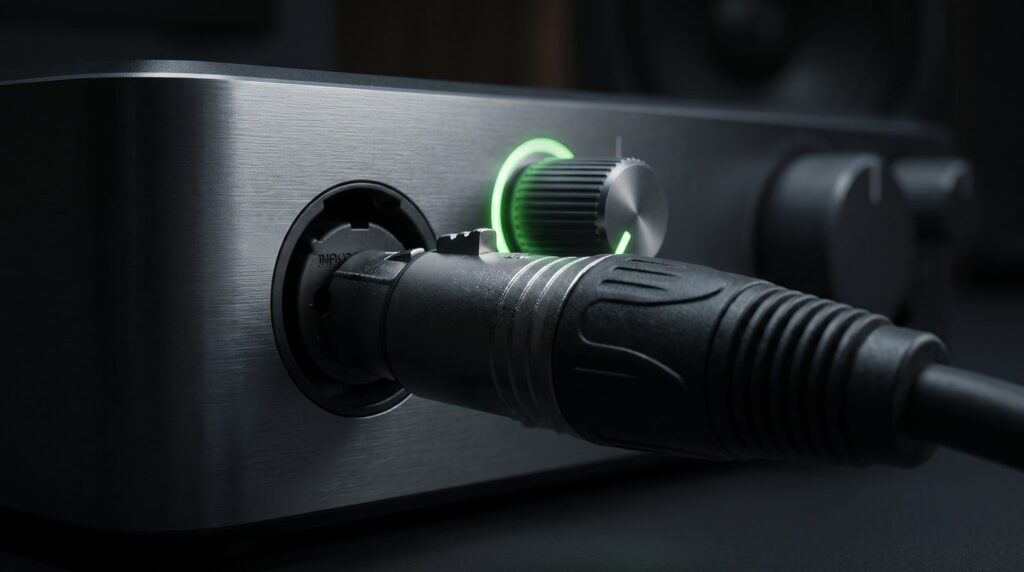
An audio interface turns sound into numbers and back again. The signal from your microphone goes in, a preamp makes it louder, and a converter turns it into digital audio your computer can record. On the way out, it turns your music back into sound for your headphones and speakers. It’s a better sound card in a box on your desk, which is why some people search for a budget sound card when they mean an interface.
These are the parts you’ll see on every box:
- Mic preamp: boosts the very quiet signal from a microphone. The gain knob sets how much.
- Phantom power (48V): the power a condenser microphone needs. A button marked 48V turns it on.
- Instrument input (Hi-Z): lets you plug a guitar or bass straight in.
- Combo input: one socket that takes a microphone cable (XLR) or a guitar cable (jack).
- Outputs: a headphone jack, plus line outputs for studio monitors.
- Direct monitoring: lets you hear yourself with no delay while you record.
- Loopback: sends the sound from your computer back in as an input, which is handy for streaming, podcasts and recording samples.
What features should you look for in a cheap audio interface?
Look for the number of inputs you’ll use at once, 48V phantom power for condenser mics, enough clean gain for quiet dynamic mics, direct monitoring, a USB-C connection that suits your computer, and a free software bundle. Almost any interface from a known maker sounds good enough for your first songs, so choose by features, not by sound.
Here’s what each one means:
- Number of inputs: one for a voice or a guitar, two for both at once or a stereo keyboard, and four or more for drums or a band.
- 48V phantom power if you’ll use a condenser mic. Every pick on this page has it.
- Enough clean gain. Dynamic mics, the kind many rappers and podcasters use, are quieter than condenser mics and need more gain.
- Direct monitoring, so you can sing without hearing a delay.
- The right connection. USB-C and bus power, which means the USB cable powers the box, is the easiest on a laptop. Check that it supports your computer, and your iPad if you want to record on one.
- Free software. Most interfaces come with a free DAW (the music app you make songs in) and plugins, which can be worth more than the box.
If you’ll record a quiet dynamic mic, compare gain. These are the gain ranges the makers list for picks on this page: 50 dB on the AudioBox Go, 54 dB on the M-Track Solo, 56 dB on the Arturia MiniFuse 1 and 4, 57 dB on the Scarlett Solo, 58 dB on the Audient EVO 4, 60 dB on both Volts (Gen 2), 63 dB on the SSL 1, 64 dB on the SSL 2 MKII and 2+ MKII, and 69 dB on the Scarlett 2i2, 4i4, 16i16, 18i16 and 18i20. More gain gives a quiet mic more room before you hit the top of the knob.
Don’t pay extra for big numbers on the box. Most picks here record at up to 192 kHz, and even the ones that stop at 48 or 96 kHz capture far more detail than a song needs. A CD plays at 44.1 kHz.
Watch out: skip the ultra-cheap no-name boxes. Max’s warning: “watch out for ultra cheap interfaces because they can break quickly, introduce latency, or not give your microphones enough power to record.” Every pick below comes from an established maker and has 48V phantom power.
How many inputs and outputs do you need on an audio interface?
Count what you’ll record at the same moment, not every piece of gear you own. One input covers a voice or a guitar, two cover a singer with a guitar or a stereo keyboard, and four or more cover drums or a band. For outputs, a headphone jack plus two line outputs for studio monitors is enough for most beginners.
So how big should your first one be? Max’s rule from his gear video: “If you just want to record up to two inputs, like a guitar and a vocal at the same time, a two-input audio interface will be enough.” That’s why most picks below have one or two inputs, and the bigger boxes sit in their own group.
Outputs matter less at first. Every pick here has a headphone output and line outputs for monitors. You only need more for extra mixes, like on the Scarlett 4i4, where your headphones and line outputs each get their own mix. A second headphone output, like on the SSL 2 MKII, the MiniFuse 4 or the Scarlett 16i16, lets a bandmate listen too.
What is the best budget audio interface?
For two mics, the best budget audio interface is the Focusrite Scarlett 2i2 (4th Gen, $224.99), which sets its own recording level. For one mic, get the Arturia MiniFuse 1 ($149) or the Focusrite Scarlett Solo ($159.99). Under $100, the Audient EVO 4 ($99 at Thomann’s US store) also sets its own levels.
We picked 23 interfaces and grouped them the way people shop: overall, under $100, under $200, under $500, for vocals, for bands, for FL Studio and for travel. Each one sits in the group where it fits best, so a cheap one-mic box can show up under vocals rather than under $200.
Focusrite, Arturia and IK Multimedia prices come from the makers’ own US stores on October 21, 2026. Behringer, MOTU, Solid State Logic and Audient don’t list prices, and Universal Audio only shows its price at checkout, so those are Thomann’s US store prices from October 2026. Store prices differ a lot. On the same day, Sweetwater listed the UMC202HD at $86.90, against Thomann’s $55, so compare before you buy. M-Audio lists no price either, so the M-Track Solo’s is from Thomann’s US store, and the AudioBox Go’s is Sweetwater’s, because PreSonus’s own store was sold out.
The best audio interface for beginners overall
If you only read one entry, read this one. It’s the box most beginners should buy, and every other pick below is measured against it.
1. Focusrite Scarlett 2i2 (4th Gen)
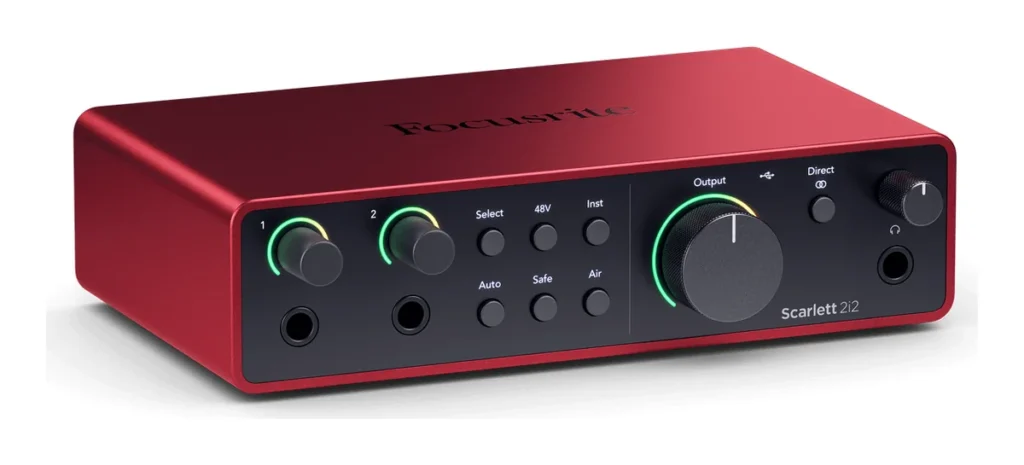
Price: $224.99 on Focusrite’s US site on October 21, 2026.
This is the one we’d buy first. It has two mic preamps with 69 dB of gain, and both front inputs also take a guitar or a keyboard, so a singer who plays guitar can record both at once. Auto Gain sets your recording level for you. Clip Safe turns it down on its own if you suddenly get too loud, which saves takes you can’t repeat.
You also get two Air modes for a brighter vocal, Loopback, two line outputs, a headphone jack and 120 dB of dynamic range, which is how far apart the quietest and loudest sounds can be. It records at 24-bit/192 kHz and runs on USB-C power on Windows and Mac. The box comes with Ableton Live Lite, Pro Tools Intro+, Cubase LE and Focusrite’s Hitmaker Expansion plugins.
Who it’s for: Almost every beginner who sings, raps or plays guitar, and wants room to grow. See it on Focusrite’s site.
The catch: It has no MIDI sockets and only one headphone output. If you own an older keyboard with a round 5-pin MIDI port, look at the Scarlett 4i4 or the MOTU M2 instead.
The best audio interface under $100
These four cost under $100 and still handle a real microphone well. Each one has 48V phantom power and comes from an established maker. The four-mic UMC404HD ($89) and the pocket-size AudioBox Go ($99.99) are under $100 too, but they sit in the band and travel groups. The prices are dealer prices, because none of these makers lists one on its own site.
2. Behringer U-Phoria UMC22
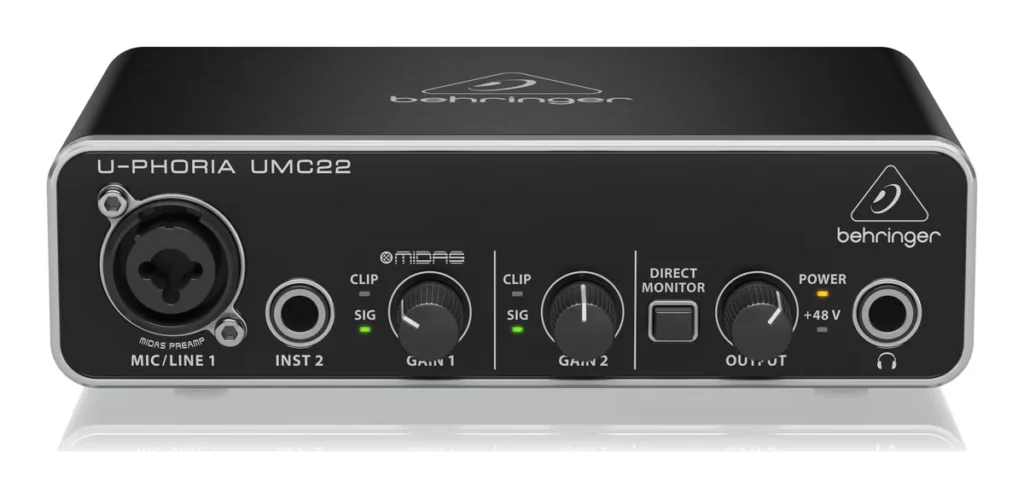
Price: $33 at Thomann’s US store (October 2026). Behringer doesn’t list prices on its own site.
The UMC22 is the cheapest way to plug a real microphone into a computer. You get one combo input with a Midas-designed mic preamp and +48V phantom power, plus a separate input for a guitar or bass. On the back sit two outputs for studio monitors, and the front has a headphone jack and a Direct Monitor switch.
It’s powered by its USB cable and works with Mac and Windows. It records at 48 kHz, which is fine for songs. It does one job, and it does it well.
Who it’s for: Anyone who wants to try recording a voice for the price of a few pizzas. See it on Behringer’s site.
The catch: It has only one mic input, it tops out at 48 kHz, and Behringer’s page lists no bundled software, so you’ll record in your own DAW, like FL Studio.
3. M-Audio M-Track Solo
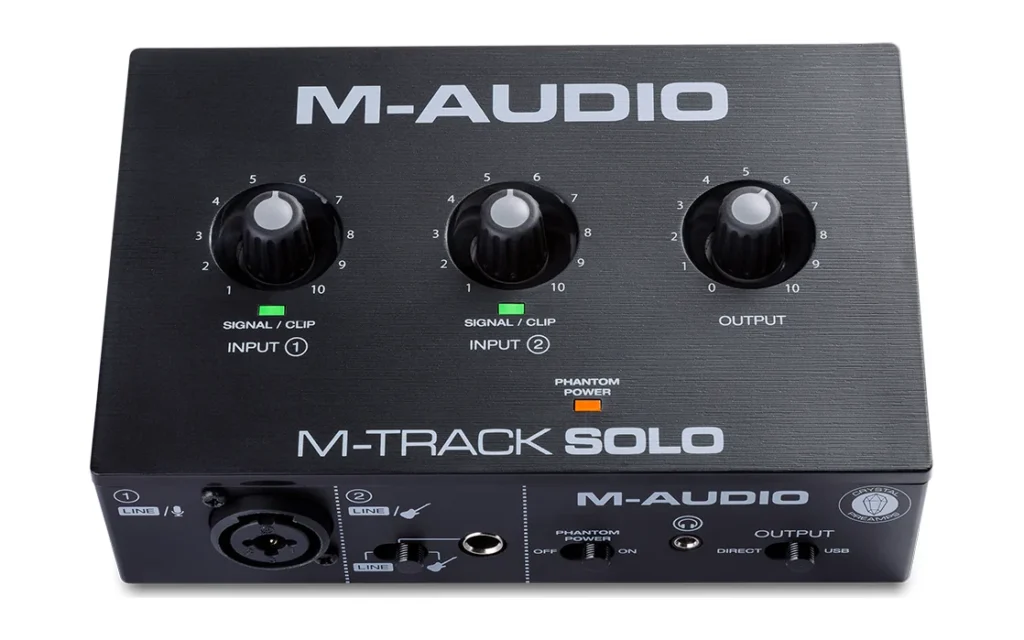
Price: $43 at Thomann’s US store (October 2026). M-Audio doesn’t list prices on its own site.
The M-Track Solo gives you one combo input with M-Audio’s Crystal mic preamp, up to 54 dB of gain and 48V phantom power, plus a second input for a guitar or a line source. A USB/Direct switch lets you hear yourself with no delay. Out the back are RCA outputs for speakers, and the front has a small 3.5 mm headphone jack.
It runs on USB power over a USB-B cable and works with Mac and Windows. It records at 16-bit/48 kHz. The free software is generous for the price: the MPC Beats app for making beats, 80 AIR effect plugins, three AIR instruments and the ReValver guitar amp plugin.
Who it’s for: Rappers and podcasters who want one mic and a free beat-making app for the lowest price. See it on M-Audio’s site.
The catch: It records at 16-bit, where most picks here go to 24-bit. Its speaker outputs are RCA plugs, so check that your monitors take RCA or get an RCA-to-jack cable.
4. Behringer U-Phoria UMC202HD
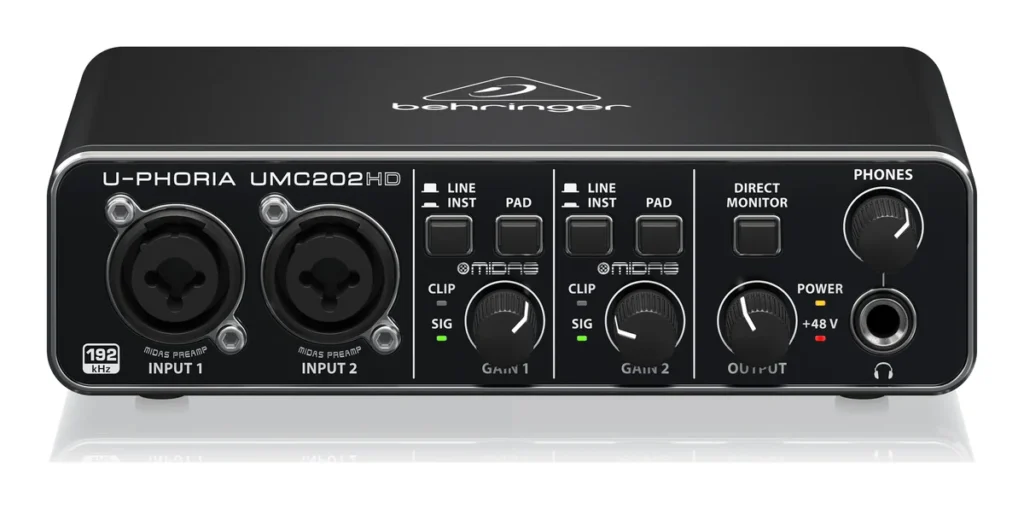
Price: $55 at Thomann’s US store (October 2026). Behringer doesn’t list prices on its own site.
You get two combo inputs, so each one takes a microphone, a guitar or a keyboard. Behind them sit two Midas-designed mic preamps and a +48V switch for condenser mics. It records at 24-bit/192 kHz over USB 2.0, works on Mac and Windows, and has a Direct Monitor switch so you can hear yourself with no delay. That’s hard to beat for $55.
Who it’s for: Two mic inputs in a simple box for the lowest price. See it on Behringer’s site.
The catch: Behringer’s page lists no bundled software and no loopback, so streamers and podcasters are better off with a pick that has it.
5. Audient EVO 4
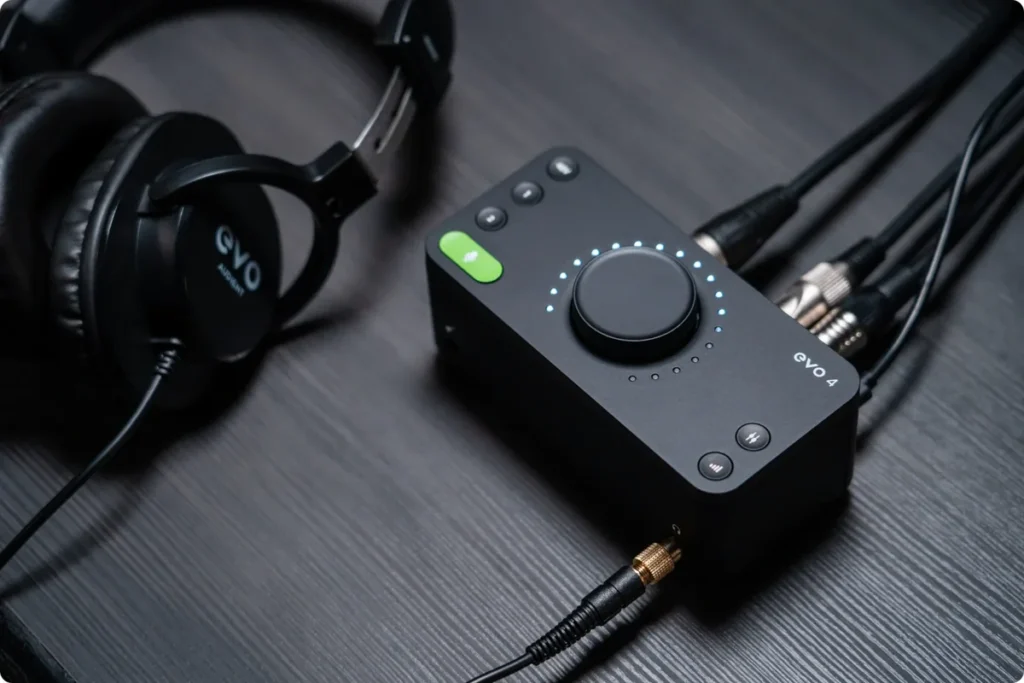
Price: $99 at Thomann’s US store (October 2026). Audient sends you to its dealers and lists no price on its own site.
The EVO 4 has two EVO mic preamps with phantom power and 58 dB of gain, a JFET instrument input for a guitar, outputs for speakers and a headphone output. Its party trick is Smartgain. You press one button, play or sing for a moment, and in less than 20 seconds it sets the gain on both inputs for you.
It records at 24-bit/96 kHz, has loopback for streaming, and runs on USB bus power with Mac, Windows and iOS. Audient adds free software and plugins when you register it.
Who it’s for: Beginners who want automatic levels without paying Scarlett 2i2 money. See it on Audient’s site.
The catch: There’s no MIDI socket, and Audient’s page doesn’t name the bundled software titles, so you won’t know exactly what you get until you register.
The best audio interface under $200
Spend a little more than $100 and you get better software bundles, sturdier builds and more gain. Several picks in the groups below also cost under $200: the Scarlett Solo, the Volt 1 and Volt 2 (Gen 2), the SSL 1, and the four-mic UMC404HD and UMC1820. They sit in the group where they fit best.
6. Arturia MiniFuse 1
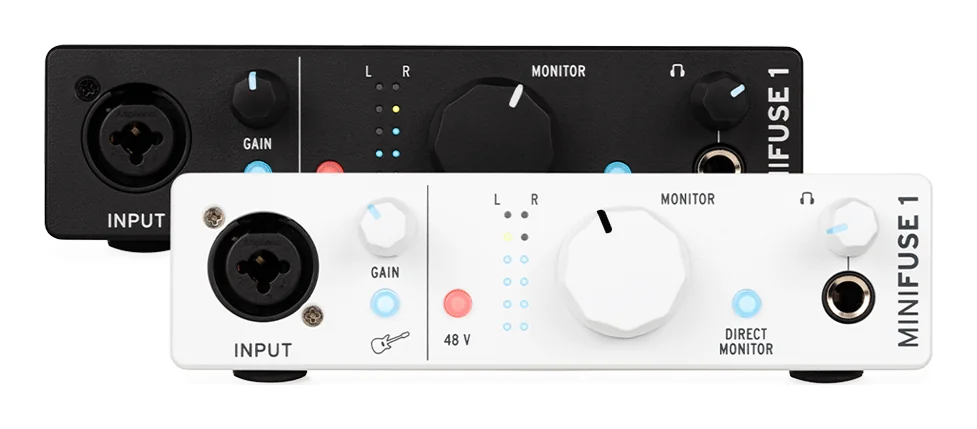
Price: $149 on Arturia’s US store on October 21, 2026.
The MiniFuse 1 has one combo input for a mic, a guitar or a line source, with 48V phantom power and 56 dB of gain. Its gain knob lights up and turns red when you’re too loud, which makes setting levels easy. You get two balanced outputs for monitors, a headphone jack, and a USB-A port for a small USB device like a MIDI keyboard. It runs on USB-C bus power, records at up to 192 kHz and has a stereo loopback channel for streaming.
The software is the big draw. You get Ableton Live Lite, Analog Lab Intro (a big library of synth sounds), Arturia’s own effects, Native Instruments Guitar Rig, and 3-month trials of AutoTune Unlimited and Splice Creator.
Who it’s for: One-mic recording with lots of free sounds to play with. See it on Arturia’s site.
The catch: 56 dB is on the low side, so a quiet dynamic mic can run out of gain. The two-input MiniFuse 2 costs $249, more than a Scarlett 2i2.
7. SSL 2 MKII
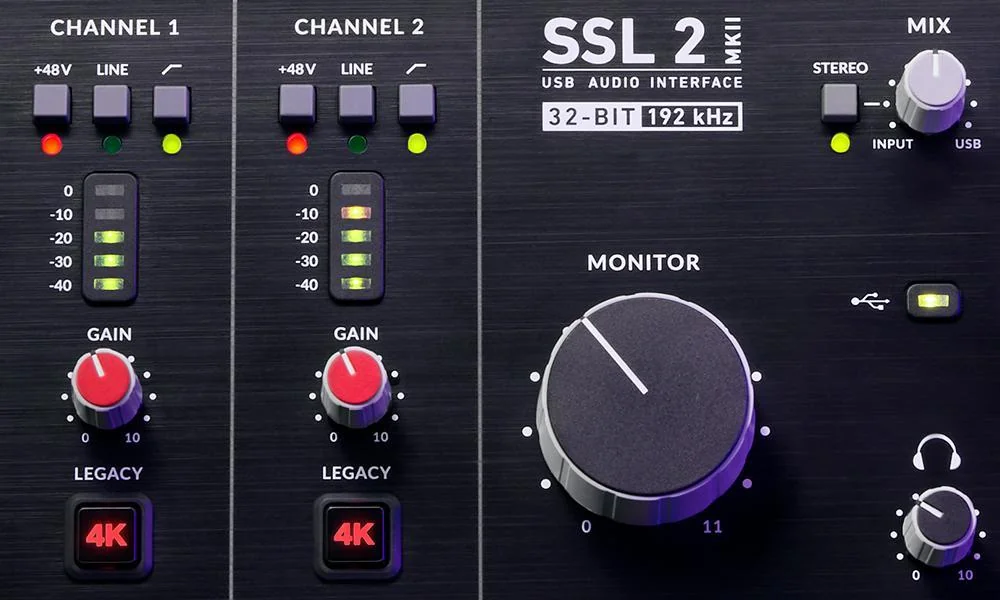
Price: $199 at Thomann’s US store (October 2026). Solid State Logic sells through stores and lists no price on its own site.
SSL builds the mixing desks found in many famous studios, and the SSL 2 MKII puts two of its mic preamps on your desk, with 64 dB of gain. Each channel has a Legacy 4K button. SSL says it adds a little warm distortion and a high-end boost inspired by its classic 4000-series console, which can help a vocal cut through.
There are instrument inputs, balanced monitor outputs, two headphone outputs on the front and stereo loopback. It records at up to 32-bit/192 kHz on USB-C bus power. Macs (macOS 12 or newer) need no driver, and SSL includes one for Windows 10 and 11. The SSL Production Pack adds Ableton Live 11 Lite, Melodyne Essential, SSL’s Vocalstrip 2 and Drumstrip plugins and Native Instruments Komplete Start, plus 3-month trials of a few plugin subscriptions.
Who it’s for: Vocals that need a bit more bite, and two people listening at once. See it on Solid State Logic’s site.
The catch: It has no MIDI sockets and just one pair of outputs. The SSL 2+ MKII adds both for $78 more at the same store.
The best audio interface under $500
Between $200 and $500 you’re paying for more inputs, outputs, MIDI and headphone jacks, not a better sound on one vocal. Buy here if you already know you’ll plug in more gear.
8. MOTU M4
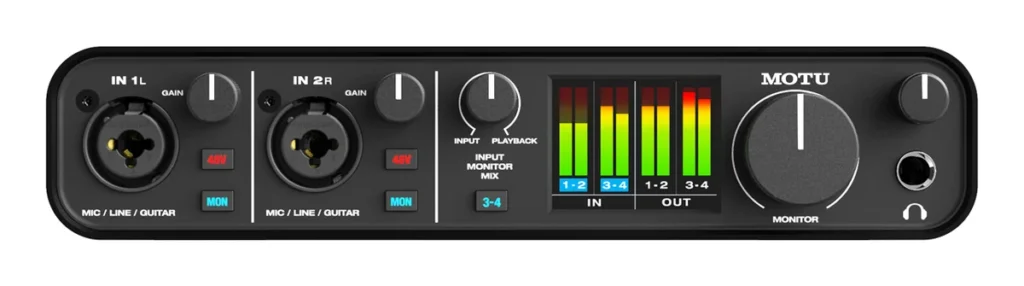
Price: $269 at Thomann’s US store (October 2026). MOTU sells through dealers and lists no price on its own site.
The M4 is the bigger brother of the M2 further down. You get two combo inputs for a mic or a guitar, each with its own gain and 48V switch, plus two balanced line inputs for a synth or a drum machine. Out the back are four balanced outputs (with four mirrored RCA outputs), a headphone output and MIDI in and out.
The full-color screen shows the level of every input and output. MOTU quotes 2.5 ms round-trip latency at 96 kHz with a 32-sample buffer, so playing a software instrument feels instant. The case is solid metal. It has loopback, runs on USB-C bus power with Mac, Windows and iOS (with an adapter kit and a powered hub), and comes with MOTU Performer Lite, Ableton Live Lite and 6 GB of loops and samples.
Who it’s for: Producers who record a vocal and also want a synth or drum machine plugged in all the time. See it on MOTU’s site.
The catch: Only two of the four inputs take a microphone. The other two are line inputs.
9. SSL 2+ MKII
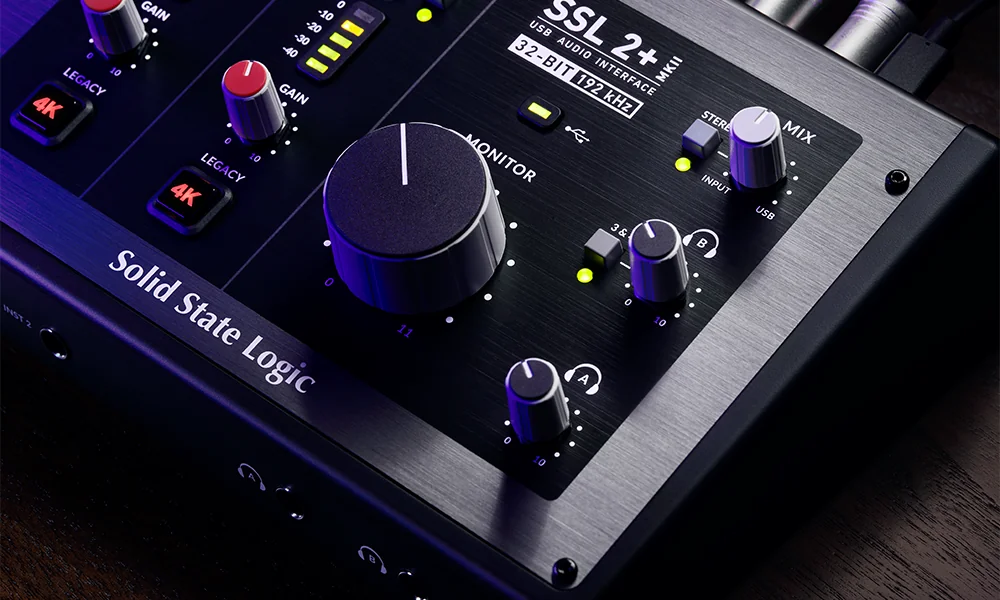
Price: $277 at Thomann’s US store (October 2026). Solid State Logic lists no price on its own site.
It has the same two SSL preamps as the SSL 2 MKII, with 64 dB of gain, Legacy 4K, and LINE and INSTRUMENT modes for synths and guitars. Same sound, more sockets. The plus adds four balanced outputs, two independent headphone outputs on the front and 5-pin MIDI in and out. Stereo loopback, 32-bit/192 kHz converters and USB bus power are all here.
On a Mac it’s plug and play, and SSL supplies an ASIO/WDM driver for Windows. It comes with the same SSL Production Pack.
Who it’s for: A producer and a singer working side by side, each on their own headphones. See it on Solid State Logic’s site.
The catch: You’re paying $78 more than the SSL 2 MKII for outputs and MIDI, not for better sound. If you don’t need them, save the money.
10. Arturia MiniFuse 4
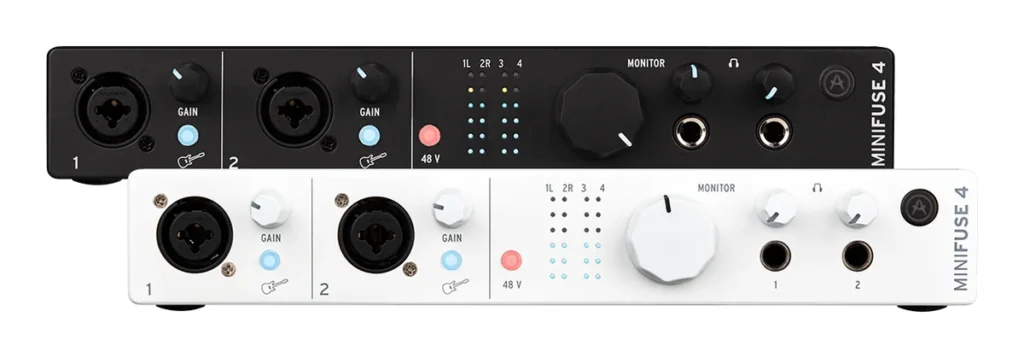
Price: $299 on Arturia’s US store on October 21, 2026.
The MiniFuse 4 has two combo inputs for a mic, guitar or line source with 48V phantom power, plus two more instrument and line inputs. You get four balanced line outputs, two headphone outputs with their own volume, 5-pin MIDI in and out, and a stereo loopback channel. It records at up to 192 kHz and runs on USB-C bus power.
Arturia lists Windows 10 or newer (64-bit) and macOS 10.13 or newer. The software is the same big bundle as the MiniFuse 1, with Ableton Live Lite, Analog Lab Intro and Guitar Rig.
Who it’s for: Producers with a couple of synths who also record a vocal now and then. See it on Arturia’s site.
The catch: Only two of its four inputs take a microphone, and its 56 dB of gain is on the low side for quiet dynamic mics.
11. Focusrite Scarlett 4i4 (4th Gen)
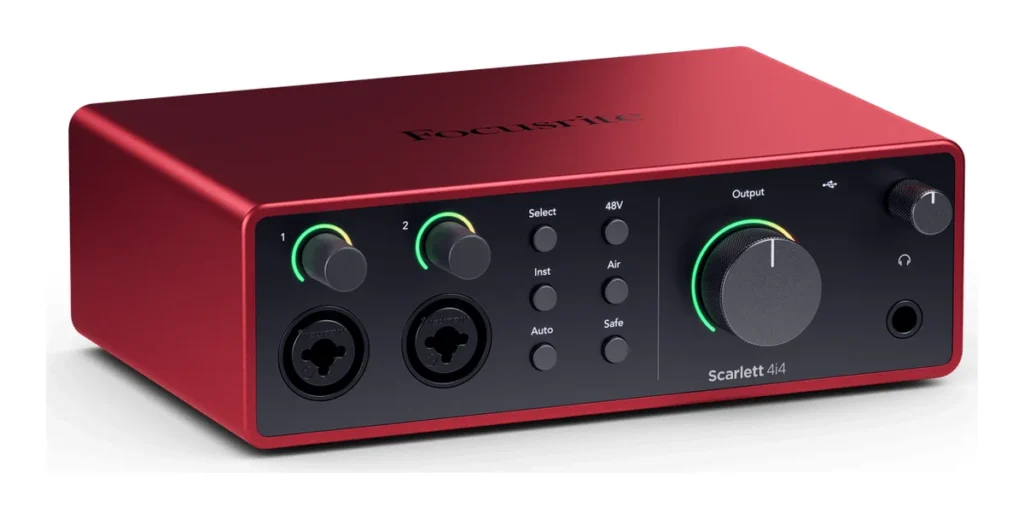
Price: $309.99 on Focusrite’s US site on October 21, 2026.
Think of the 4i4 as a 2i2 with more sockets. It has two mic, line and instrument inputs with 69 dB of gain, two extra line inputs for a synth or a drum machine, MIDI in and out, and four line outputs. Your headphones and your line outputs can each get their own mix.
Auto Gain, Clip Safe, Air and Loopback are all here. It can run on USB power, an external power supply comes in the box, and it has the same software as the Scarlett Solo and 2i2.
Who it’s for: Scarlett 2i2 buyers who also own a keyboard synth or a drum machine with MIDI. See it on Focusrite’s site.
The catch: It still has only two mic inputs. For a drum kit or a band, look at the four-mic picks further down.
12. Focusrite Scarlett 16i16 (4th Gen)
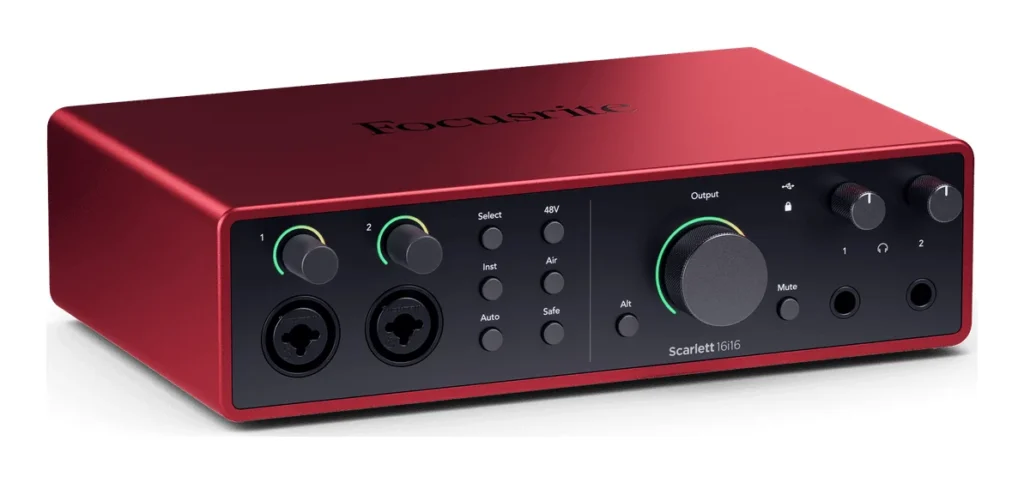
Price: $409.99 on Focusrite’s US site on October 21, 2026.
The 16i16 is a studio hub for producers with gear. It has two mic, line and instrument preamps with 69 dB of gain, Auto Gain, Clip Safe and Air, four more line inputs for synths and grooveboxes, four line outputs with switching between two pairs of speakers, and two headphone outputs. Headphones, monitors and line outputs each get their own mix.
There’s MIDI in and out, plus S/PDIF and ADAT to add up to eight more inputs later. Loopback, 24-bit/192 kHz and the usual Focusrite software bundle are included.
Who it’s for: Producers who own several synths or drum machines and want them all plugged in at once. See it on Focusrite’s site.
The catch: Despite the name, it has only two mic preamps. The 16 inputs count line, S/PDIF and ADAT inputs, and the digital ones need extra gear to use.
The best audio interface for vocals and one mic
If you record one voice at a time, you don’t need two mic inputs. These three are built for a single vocal. The UMC22, M-Track Solo and MiniFuse 1 above and the SSL 1 and AudioBox Go below are also one-mic boxes.
13. Focusrite Scarlett Solo (4th Gen)
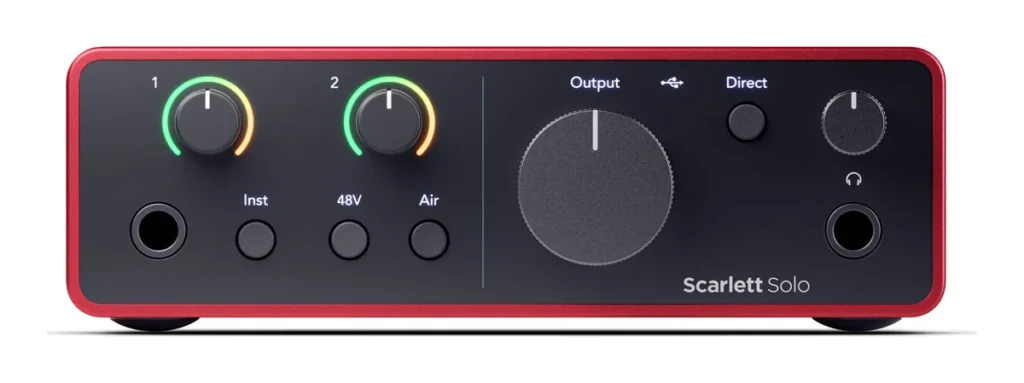
Price: $159.99 on Focusrite’s US site on October 21, 2026.
The Solo has one mic preamp with 57 dB of gain plus a separate instrument input. That means you can record a voice and a guitar together, but only one of them can be a microphone. The Air button gives the mic a brighter tone, with two modes called Presence and Harmonic Drive. You also get two line outputs for monitors, a headphone jack and Loopback.
It’s powered by its USB-C cable, records at 24-bit/192 kHz, and runs on Windows (Intel, AMD and Arm) and on Macs with Apple silicon or Intel chips. The box comes with Ableton Live Lite, Pro Tools Intro+, Cubase LE and Focusrite’s Hitmaker Expansion plugins.
Who it’s for: Rappers and singers who record one mic at a time. See it on Focusrite’s site.
The catch: It has no Auto Gain or Clip Safe, which start at the Scarlett 2i2, and you can never record two mics at once.
14. Universal Audio Volt 1 (Gen 2)
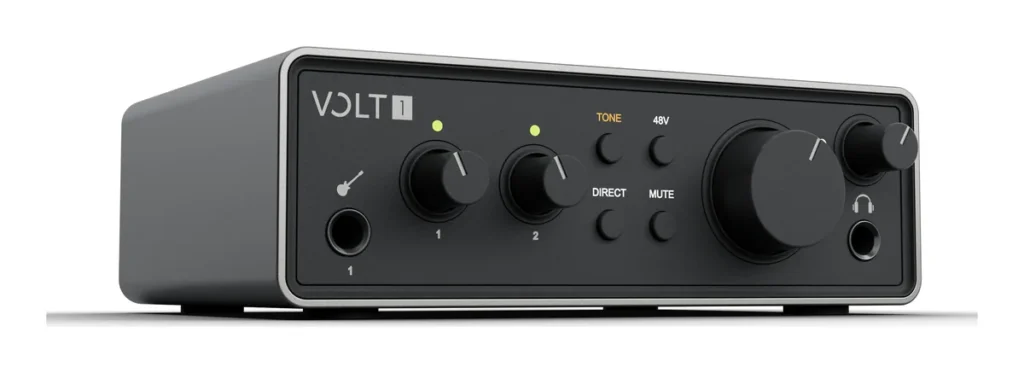
Price: $130 at Thomann’s US store (October 2026). Universal Audio only shows its price at checkout.
The Volt 1 (Gen 2) has one mic and line combo input plus a guitar input on the front, each with 60 dB of gain, and 48V phantom power. Its Tone Shaping preamp has three modes called Warmth, Focus and Shine, which color the sound on the way in. There’s one pair of monitor outputs, a headphone output and built-in loopback.
It records at 32-bit/192 kHz and runs on USB bus power with macOS 12 or newer, Windows 10 (64-bit) or newer, and iPadOS or iOS 16 or newer. The bundle is huge for the price: UA’s free LUNA app, UAD plugins like the LA-2A and 1176 compressors, Melodyne Essential and 3 months of FL Studio Producer Edition. That’s rare at this price.
Who it’s for: Singers who want a vintage-style vocal tone and a big plugin bundle on a small budget. See it on Universal Audio’s site.
The catch: It has one mic input and none of the Volt 2’s extras, like the screen and Auto-Gain.
The best audio interface for two or more mics, or a band
Want to record a drum kit, a band or a few singers at once? Count the people and the drum mics, then pick the box with that many mic inputs. Two-mic boxes like the Scarlett 2i2 already cover a singer with a guitar.
15. Behringer U-Phoria UMC404HD
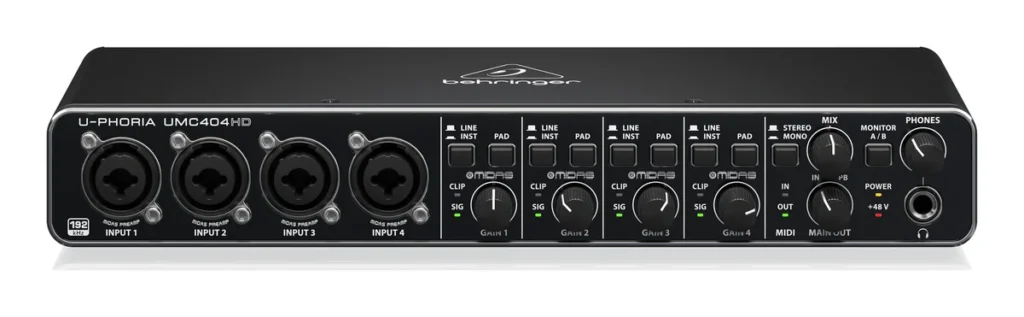
Price: $89 at Thomann’s US store (October 2026). Behringer doesn’t list prices on its own site.
You get four combo inputs, each with a Midas-designed mic preamp and 48V phantom power. That’s enough to mic a small drum kit or record a four-piece band in one take. It also has MIDI in and out, insert jacks for outside gear, 24-bit/192 kHz converters and direct monitoring, and it works on Mac and Windows over USB. That’s a lot of box for $89.
Who it’s for: Four mic inputs plus MIDI for less than most two-input boxes. See it on Behringer’s site.
The catch: Behringer’s page lists no bundled software, so plan to record in your own DAW.
16. Behringer U-Phoria UMC1820
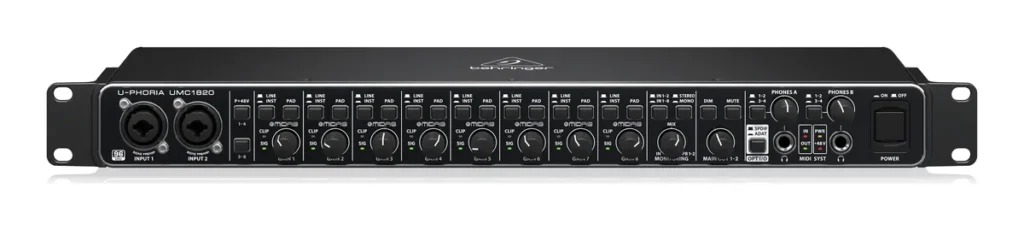
Price: $149 at Thomann’s US store (October 2026), where it was listed as in stock within 3-4 weeks. Behringer doesn’t list prices on its own site.
This is the cheapest way to get eight mic inputs. The UMC1820 has eight combo inputs with Midas-designed preamps and +48V, 18 inputs and 20 outputs in total, MIDI in and out, and ADAT and S/PDIF. Two headphone outputs each have their own level control, so a drummer and a singer can both listen. It’s a lot for $149.
It records at 24-bit/96 kHz over USB 2.0 with direct monitoring. Its ADAT input can add a Behringer ADA8200 (sold separately) for a total of 16 mic preamps.
Who it’s for: Recording a whole band or a drum kit with a mic on every drum, on a tight budget. See it on Behringer’s site.
The catch: It’s a full rack-width box, it tops out at 96 kHz, and Behringer lists no bundled software.
17. Focusrite Scarlett 18i16 (4th Gen)
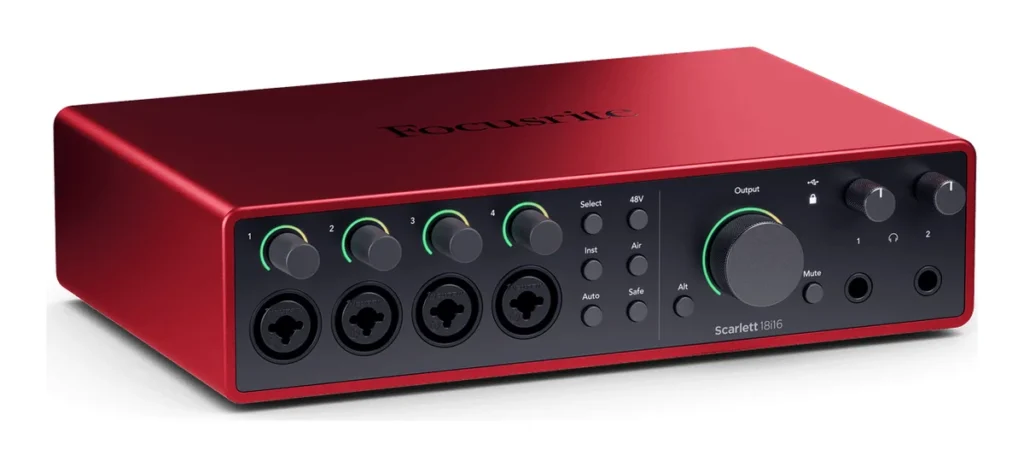
Price: $569.99 on Focusrite’s US site on October 21, 2026.
The 18i16 gives you four mic preamps, each with its own 48V switch and 69 dB of gain, and Auto Gain and Clip Safe work on all of them. Two inputs also take a guitar. You also get eight line inputs, four line outputs, two headphone outputs, MIDI, S/PDIF and ADAT, and Loopback.
It connects over USB-C and comes with Ableton Live Lite, Pro Tools Intro+, Cubase LE and the Hitmaker Expansion bundle.
Who it’s for: A small band or a drum kit when you want automatic levels on every mic. See it on Focusrite’s site.
The catch: At $569.99 it’s past the $500 mark. Only buy it if four people, or four drum mics, really record at the same time.
18. Focusrite Scarlett 18i20 (4th Gen)
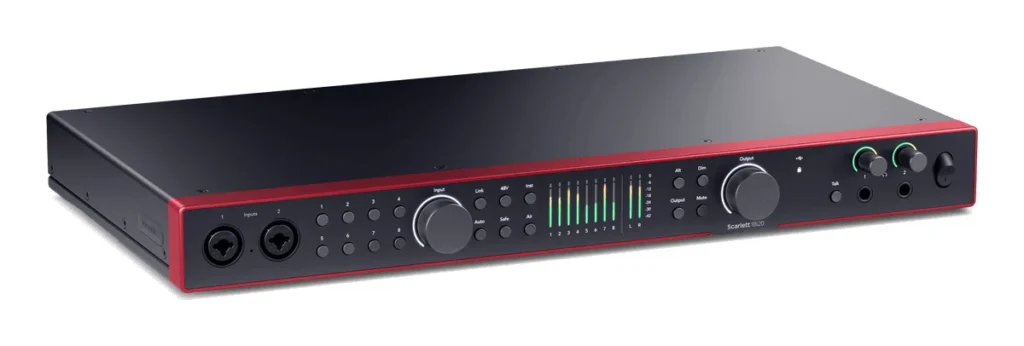
Price: $769.99 on Focusrite’s US site on October 21, 2026.
This is a full studio hub, and most beginners will never need it. It has eight mic preamps (two of them also take instruments), ten line outputs, two headphone outputs, a built-in talkback mic, MIDI, S/PDIF and up to 16 channels of ADAT for adding more preamps later. That’s 26 inputs and 26 outputs in total.
Who it’s for: A full band, or a drum kit with a mic on every drum. See it on Focusrite’s site.
The catch: It needs its own power supply, so it’s a desk or rack box, not one for a laptop bag. It also costs about five times as much as the UMC1820.
The best audio interface for FL Studio beginners
Any interface on this page can be used in FL Studio. You choose it once in FL Studio’s Audio settings (the steps are below), and you’re done. These two make the most sense for a beginner who works in FL Studio, one for its bundle and one for its speed.
19. Universal Audio Volt 2 (Gen 2)
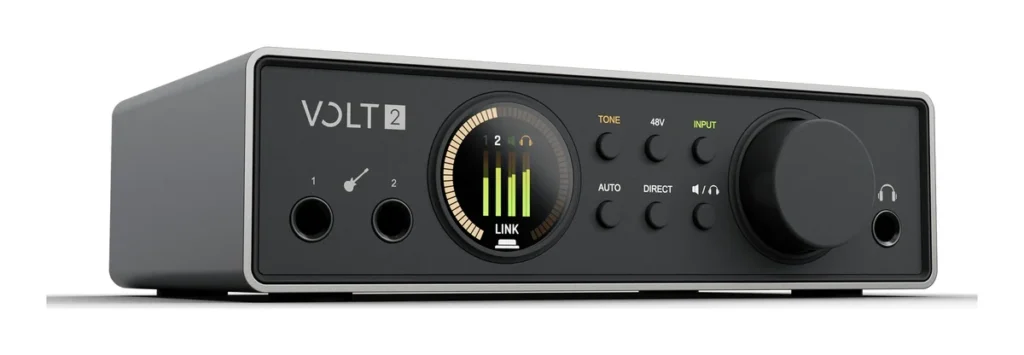
Price: $185 at Thomann’s US store (October 2026). Universal Audio only shows its price at checkout.
The Volt 2 (Gen 2) is a two-in, four-out interface with two preamps (60 dB of gain each), a full-color screen, Auto-Gain, Clip Protection and the same Warmth, Focus and Shine tones as the Volt 1. It records at up to 32-bit/192 kHz, has loopback, and runs on USB power with macOS 12 or newer, Windows 10 (64-bit) or newer, and iPadOS or iOS 16 or newer.
Here’s why it sits in this group. UA names FL Studio among the music apps it works with, and the box includes 3 months of FL Studio Producer Edition. On top of that come UA’s free LUNA app, a bundle of UAD plugins and instruments (including the 610 Tube Preamp, the LA-2A and 1176 compressors and two guitar amps) and Melodyne Essential.
Who it’s for: FL Studio beginners who want automatic levels and a big set of vintage-style plugins. See it on Universal Audio’s site.
The catch: The FL Studio offer is a 3-month license, not a copy you keep, so budget for FL Studio itself after that.
20. MOTU M2
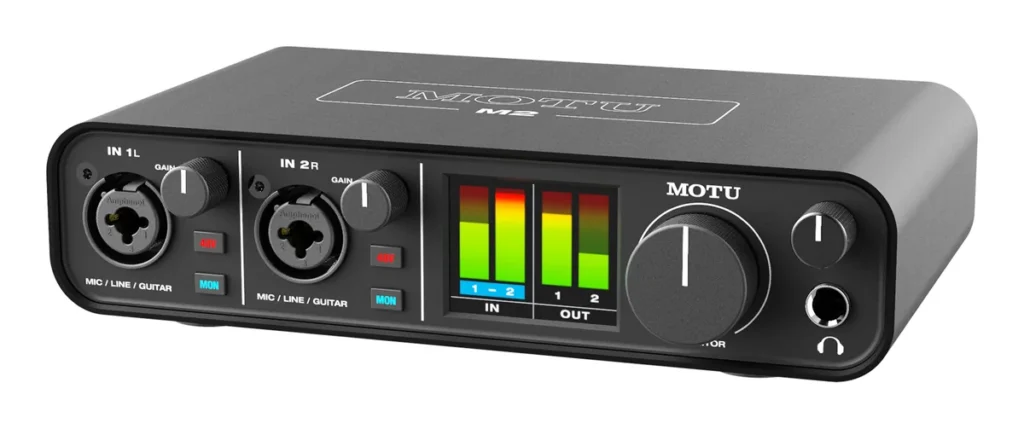
Price: $222 at Thomann’s US store (October 2026). MOTU sells through dealers and lists no price on its own site.
The M2 has two combo inputs, each with its own gain and its own 48V switch. The full-color screen shows the level of every input and output, so you can see at a glance if you’re too quiet or about to clip. Clipping is when a sound gets too loud and distorts.
It’s also fast, and that matters in FL Studio. MOTU quotes a round-trip latency of 2.5 ms at 96 kHz with a 32-sample buffer, which is the time your voice takes to go in and come back out. Low latency means a software piano or a vocal effect plays back without a lag you can hear. You also get MIDI in and out for a keyboard or drum machine, loopback, a MON button for direct monitoring, and monitor outputs on both balanced jacks and RCA plugs. It comes with MOTU Performer Lite, Ableton Live Lite and a pack of loops.
Who it’s for: FL Studio users who play software instruments live and want clear meters and low delay. See it on MOTU’s site.
The catch: It has no automatic gain, and on an iPhone or iPad it needs an adapter kit and a powered USB hub.
The best portable USB-C audio interface
Want to record on the go, on a laptop, an iPad or a phone? These three are small, run on USB power and work with mobile devices. The Volt 1 and Volt 2 (Gen 2) and the EVO 4 also list iOS support.
21. SSL 1
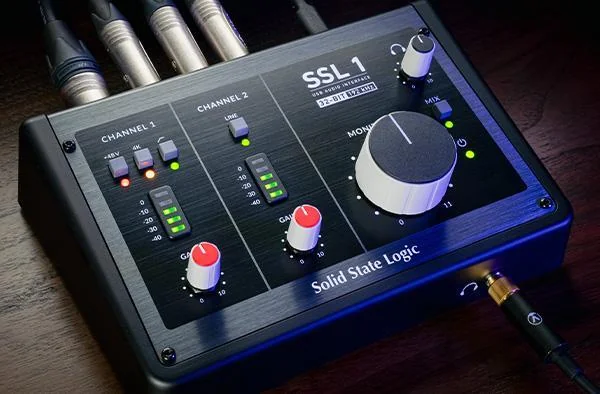
Price: $149 at Thomann’s US store (October 2026). Solid State Logic lists no price on its own site.
The SSL 1 is SSL’s smallest interface. SSL built it to travel. It has one SSL mic preamp with 48V phantom power, Legacy 4K and a high-pass filter (63 dB of gain), plus one instrument or line input. You get balanced monitor outputs, a strong headphone output, a Mix button for low-delay monitoring and three stereo loopback channels, which is a lot for streamers.
It records at 32-bit/192 kHz over USB-C. It runs on bus power, or on a separate 5V USB supply when your phone or tablet can’t power it. It’s plug and play with macOS 12 or newer and with mobile devices that support USB Audio Class 2.0, including iPhones and iPads, and it includes the SSL Production Pack.
Who it’s for: Recording vocals on a laptop, iPad or phone, and streamers who need loopback. See it on Solid State Logic’s site.
The catch: SSL lists only Windows 11 for its Windows driver, so check your PC first. And it has just one mic input.
22. IK Multimedia iRig Pro Duo I/O
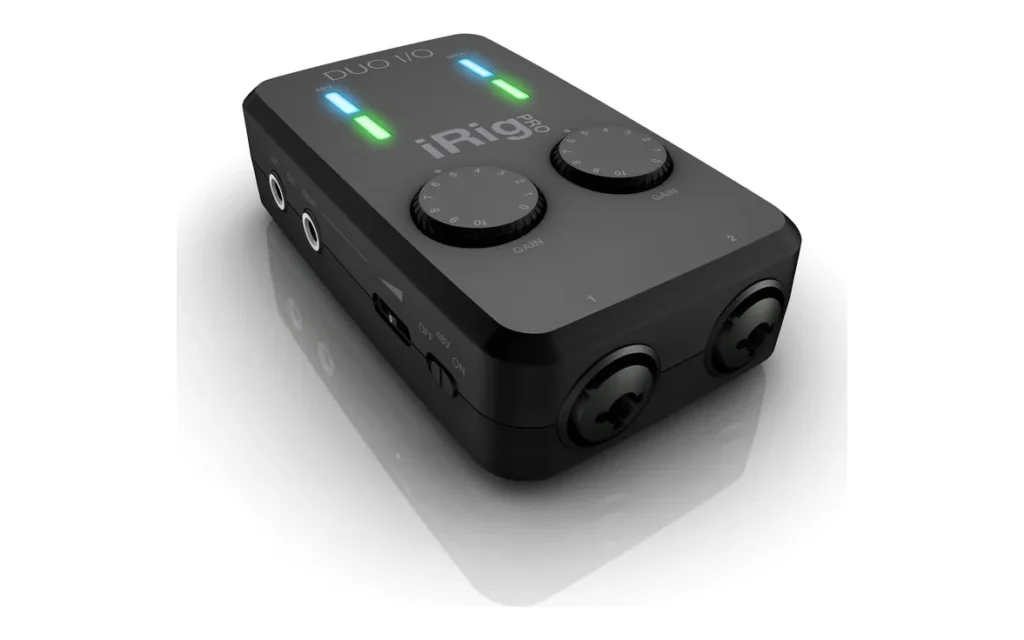
Price: $229.99 (before tax) on IK Multimedia’s site on October 21, 2026.
The iRig Pro Duo I/O is small enough for a jacket pocket, and it can run on two AA batteries. No outlet needed. It has two combo inputs that take a mic or a guitar, 48V phantom power, two balanced line outputs, headphone and direct monitoring, and MIDI in and out through the included adapters. It also runs on USB power.
It works with iPhone, iPad, Android 5 or later, Mac and Windows. The software includes Cubasis LE for iOS, AmpliTube 5 SE, TONEX SE and T-RackS 5 SE.
Who it’s for: Recording two sources anywhere, even with no power outlet, on a phone, tablet or laptop. See it on IK Multimedia’s site.
The catch: It records at 24-bit/48 kHz at most, and on Windows you need IK’s iRig ASIO driver for low latency.
23. Fender Studio AudioBox Go (formerly PreSonus)
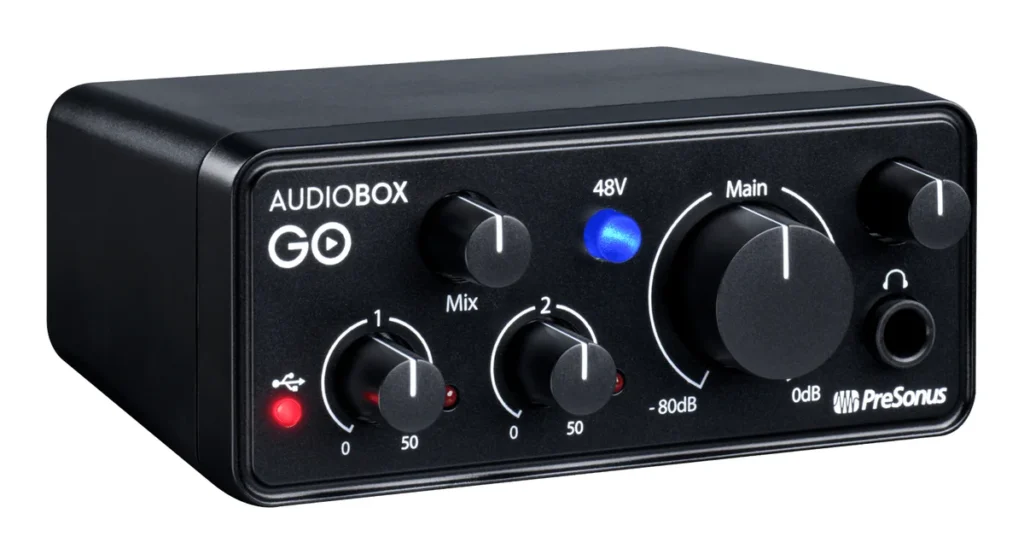
Price: $99.99 at Sweetwater (October 2026). PreSonus is part of Fender now, and PreSonus’s own store still lists the box under its old name at $78.99, sold out when we checked.
Formerly the PreSonus AudioBox GO, the AudioBox Go is about 4.3 inches wide and weighs under a pound, so it slips into a laptop bag. It has one combo input for a mic or a line source, with PreSonus’s XMAX-L preamp, 50 dB of gain and 48V phantom power, plus a separate guitar input. A Mix knob blends your input with the playback for delay-free monitoring. You get two balanced 1/4-inch outputs for monitors and a 1/4-inch headphone jack.
It records at 24-bit/96 kHz over USB-C and runs on bus power. Fender says it works with Mac and Windows computers and with Apple and Android phones and tablets. Registering it gets you a 6-month trial of Fender Studio Pro, with Fender’s Mustang and Rumble amp plugins.
Who it’s for: Recording a vocal or a guitar on a laptop, tablet or Android phone for under $100. See it on PreSonus’s site.
The catch: Its 50 dB of gain is the lowest on this page, so a quiet dynamic mic can run short. The Fender Studio Pro license is a 6-month trial, not a copy you keep.
The best audio interface for beginners, by what you record
Still not sure? Start with what you’ll actually plug in:
- Beats with software instruments, on headphones: no interface yet. Put the money into good studio headphones first.
- Rap or singing, one mic: Scarlett Solo, MiniFuse 1 or Volt 1 (Gen 2). Under $100, the UMC22 or the M-Track Solo.
- A vocal and a guitar at the same time: Scarlett 2i2, Audient EVO 4, SSL 2 MKII or MOTU M2.
- Streaming or podcasting: any pick with loopback. That’s every pick except the Behringer boxes, the M-Track Solo, the AudioBox Go and the iRig, whose makers don’t list it.
- An iPad or iPhone: the SSL 1, the Volt 1 or Volt 2 (Gen 2), the EVO 4, or the AudioBox Go and the iRig Pro Duo I/O, which also work with Android. The MOTU M2 and M4 need an adapter kit and a powered hub.
- A keyboard or drum machine with 5-pin MIDI: MOTU M2 or M4, Scarlett 4i4, MiniFuse 4, SSL 2+ MKII or UMC404HD.
- Several synths at once: the Scarlett 16i16.
- A drum kit or a band: the UMC404HD or Scarlett 18i16 for four mics, or the UMC1820 or Scarlett 18i20 for eight.
If you’re building the whole room at once, our guide to setting up your first home studio covers the computer, the monitors, where to place them and how to treat your room.
How to set up an audio interface in FL Studio
Setting up an interface works the same way for every pick on this list. These steps come from Mix Elite’s free 4.5-hour FL Studio course. First, plug your mic into the interface and the interface into your computer. On Windows, install the driver from the maker’s website. If FL Studio itself is new to you, start with our beginner’s guide to FL Studio.
Step 1: Pick your interface driver in FL Studio
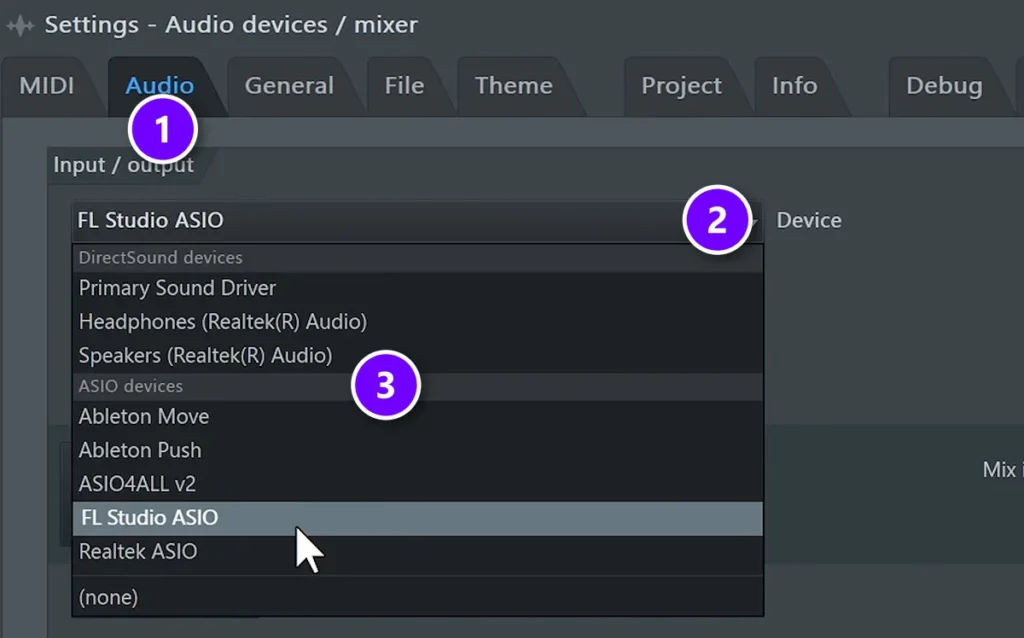
Open Options > Audio settings and stay on the Audio tab (1). Click the Device menu (2). Under ASIO devices (3), choose the one that has the name of your interface in it. If you don’t see it, use FL Studio ASIO or ASIO4ALL for now, then download your interface’s driver.
Step 2: Set the gain so the light never turns red
Every interface shows your input level, with a small light, a colored ring around the gain knob or a meter. Shout into the microphone and check that the light shows no red. If it does, turn the gain knob down a little until the red is gone. If the level is too high, the recording clips, and you can’t fix that later.
Step 3: Record into the Playlist
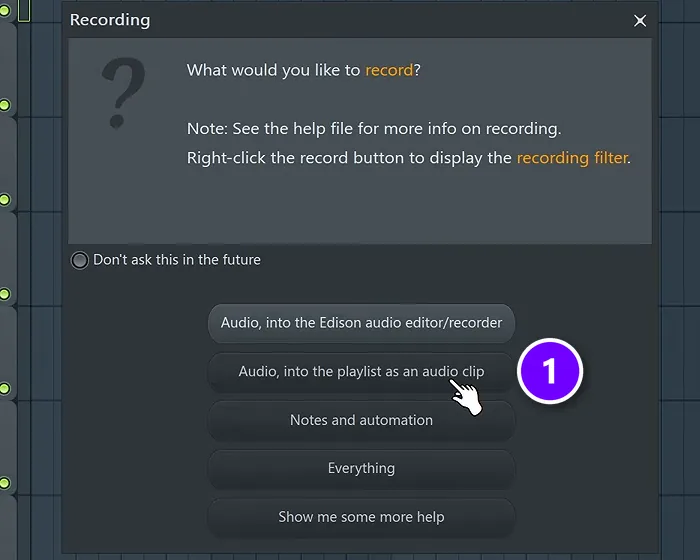
Click FL Studio’s record button. When it asks what you’d like to record, choose Audio, into the playlist as an audio clip (1). It’s the best way to record overall, because you can see the audio right in the Playlist.
Step 4: Choose the input your mic is plugged into
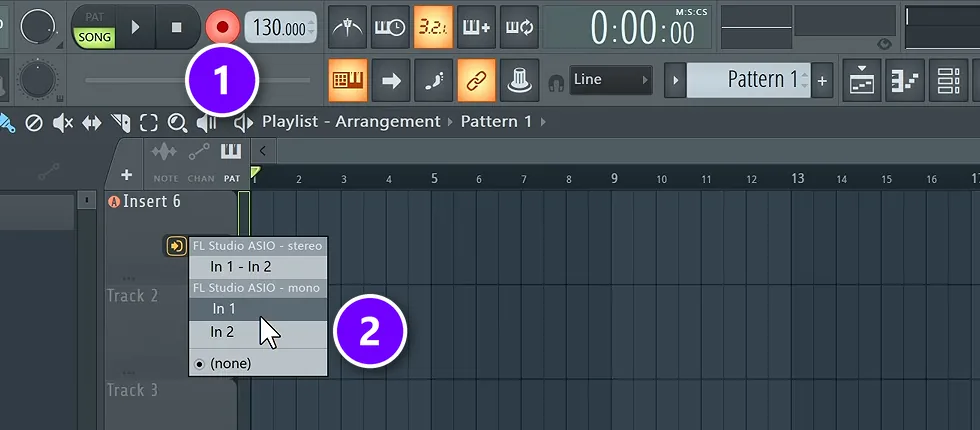
Make sure the record button is on (1), then pick the input your mic is plugged into from the menu that pops up (2). Choose In 1 or In 2 under the mono list for a single mic, and In 1 – In 2 for a stereo source. Press play, and FL Studio records each new take as its own clip.
Pro tip: if your voice sounds late in your headphones, the fix is to record into a new, empty project, or to switch off the effects on your mixer while you record. A smaller buffer length in the same Audio settings window also lowers the delay, but it makes your computer work harder.
How much should you spend on your first audio interface?
Plan on about $100 to $225. That buys two mic inputs with automatic gain in the Audient EVO 4 at the low end, or the Scarlett 2i2 at the top. Above $300, you’re mostly paying for more inputs and outputs, not a better sound on a single vocal.
The full range on this page runs from $33 for the Behringer UMC22 at Thomann’s US store to $769.99 for the Scarlett 18i20.
If you have $300 in total, an interface around $150 to $200 plus a pair of closed-back headphones will take you further than the most expensive interface on its own. And if you only make beats on headphones, the interface can wait.
What happened to the interfaces on our old list?
This page used to list a few models that have changed since. Here’s where they stand on October 12, 2026:
- Native Instruments Komplete Audio 6 MK2: discontinued. NI’s hardware page now only lists the Komplete Audio 1 and Komplete Audio 2.
- Native Instruments Komplete Audio 1 and 2: no longer sold new at major stores. Thomann and Perfect Circuit list them as unavailable (October 2026), but they’re good value used.
- SSL 2: replaced by the SSL 2 MKII (pick 7).
- Universal Audio Volt 1 and Volt 2: replaced by the Gen 2 models (picks 14 and 19), though UA’s site still lists the originals.
- Focusrite Scarlett 3rd Gen: replaced by the 4th Gen models above.
- PreSonus Studio 24c: still listed on PreSonus’s site, but sold out when we checked. It now comes with a 6-month trial of Fender Studio Pro.
- Arturia MiniFuse 2: still sold, but it’s now $249 in the US.
Whichever box you choose, the interface is the easy part. The hard part is finishing songs, and that’s a skill, not a purchase.
DAY 1 OF THE 7-DAY MUSIC PRODUCER COURSE
Make your first song before you buy more gear
Day 1 of the 7-Day course is all about your setup: the ‘Perfect Triangle’ formula for setting up a home studio on any budget, how to choose the music hardware and software that suit you, and a download with our full list of the best hardware, so you don’t spend days researching. You only need a laptop to start. It’s taught in FL Studio (the free trial works), about 45 minutes a day, and at the end a pro gives you personal feedback on your finished track. It’s $27, and you get 60 days to decide if it was worth it.
Frequently asked questions
Do I need an audio interface to make music on a laptop?
No, not to start. If you make beats with software instruments and listen on headphones, your laptop’s built-in sound card is enough, and FL Studio installs its own FL Studio ASIO driver for it. You need an interface when you want to record a microphone or a guitar, or connect studio monitors. Then pick its driver under Options > Audio settings.
What is the best budget audio interface?
For one mic, the Arturia MiniFuse 1 ($149) or the Focusrite Scarlett Solo ($159.99). For two mics at once, the Focusrite Scarlett 2i2 (4th Gen, $224.99), which sets its own levels with Auto Gain. Those are the makers’ own US prices on October 21, 2026. Under $100, the Audient EVO 4 cost $99 at Thomann’s US store that month.
What features should I look for in a cheap audio interface?
The number of inputs you’ll use at the same time, 48V phantom power for condenser mics, enough clean gain for dynamic mics, direct monitoring, a USB-C connection that suits your computer, and a free software bundle. Skip ultra-cheap no-name boxes, which can break quickly, add latency or not power your microphone.
How many inputs do I need on an audio interface?
As many as you’ll record at the same moment. One covers a voice or a guitar, two cover a singer with a guitar or a stereo keyboard, four cover a small drum kit or band, and eight or more let you mic every drum. Most beginners are fine with two.
Do expensive audio interfaces sound better?
A little, through quieter preamps and cleaner converters, but not in a way you’ll hear on your first songs. More money mostly buys more inputs, outputs and features. Your room, your microphone and a well-set gain level change a recording far more than moving from a $150 interface to a $500 one.





